Maintenance for the week of March 30:
• [COMPLETE] NA megaservers for patch maintenance – March 30, 4:00AM EDT (8:00 UTC) - 12:00PM EDT (16:00 UTC)
• [COMPLETE] EU megaservers for patch maintenance – March 30, 8:00 UTC (4:00AM EDT) - 16:00 UTC (12:00PM EDT)
• [COMPLETE] NA megaservers for patch maintenance – March 30, 4:00AM EDT (8:00 UTC) - 12:00PM EDT (16:00 UTC)
• [COMPLETE] EU megaservers for patch maintenance – March 30, 8:00 UTC (4:00AM EDT) - 16:00 UTC (12:00PM EDT)
PC NA Server down March 4th 2017
-
 Sythen88411✭✭✭✭the part that sux the most is that it wont be fix more than so till Monday and no double ap and i cant get my 2nd worm ring...awesome
0 -
 Rohamad_Ali✭✭✭✭✭
✭✭✭✭✭@ZOS_RichLambert Dude put on your shorts and drive to ZoS and do something .3 -
Kneighbors✭✭✭✭✭ZOS_AntonioP wrote: »Hello everyone,
With so many trying to log in all at once, this make cause some issues for a few players. Though we thank you for your patience and we hope to have everyone through the door back into Tamriel soon!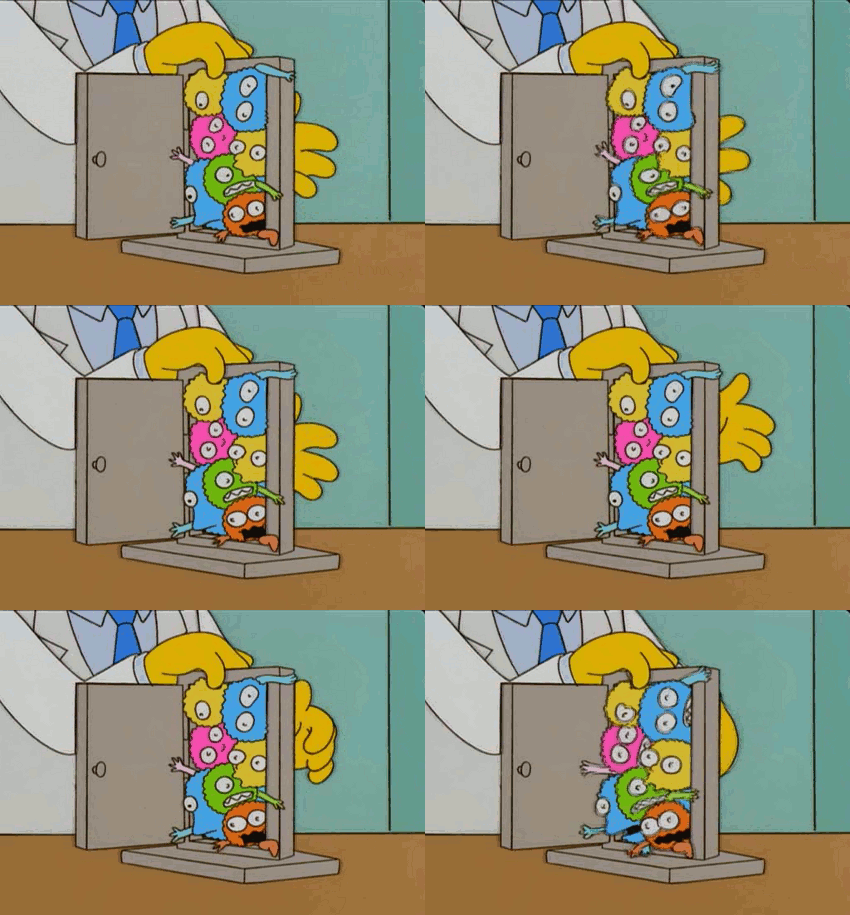
Hello. Did you notice all the threads about Group Finder? Why don't you just roll back to the old one? Do you play your own game? Or are you the cook who goes to another restaurant to eat?0 -
 d0e1ow✭✭✭✭Are servers down again?
 I just cracked Red Bull number 2. "Her mystery was as essential to her as savagery was to Boethiah or treachery was to Molag Bal. To understand Nocturnal is to negate her, to pull back the curtains cloaking her realm of darkness." - Sigillah Parate "Invocation of Azura"0
 -
Ch4mpTW✭✭✭✭✭
✭✭✭✭✭Are servers down again? I just cracked Red Bull number 2.
I don't mean to be in your business, but you should mind your health. ESO isn't worth heart and or other health related issues. Red Bull is a quick way toward them. As for the servers being up, I don't think so. There's usually a message at the top when server issues have been resolved.0 -
 StackonClown✭✭✭✭✭Sythen88411 wrote: »the part that sux the most is that it wont be fix more than so till Monday and no double ap and i cant get my 2nd worm ring...awesome
its ok - theres more maintenance on Monday - lol 0
0 -
 Wayshuba✭✭✭✭✭Lost connection at 2:50 PM EST yesterday.
Got back in at 5:15 PM EST and played until 6:50 PM EST.
Tried to get back on at 9:50 PM EST, servers down again. Now 4:13 AM EST and servers (at least log in as I still get Unable to retrieve announcements) are still down.
Why is there no indication that the servers are being worked on? This is obviously not fixed.0 -
 Saturn✭✭✭✭✭
✭Got stuck in an infinite loading screen 9PM EST yesterday and couldn't log back on, now, 7 hours laters, I am still unable to log in. I hate that *** like this is becoming a standard for ESO pretty much every second weekend.0 -
 wenchmore420b14_ESO✭✭✭✭✭
✭✭✭Well, I just got thru playing for the last 2 1/2 hrs.
Here is how I beat the Error 200:
Open Zos file in Program Files/ Launcher/ rename Program Data file to Program Data Backup.
Close. Open your launcher, let it up date. Close launcher, reopen, and will let you in.
Worked for me, hope it helps others with the Error 200.
Huzzah!Drakon Koryn~Oryndill, Rogue~Mage,- CP ~Doesn't matter any more
NA / PC Beta Member since Nov 2013
GM~Conclave-of-Shadows, EP Social Guild, ~Proud member of: The Wandering Merchants, Phoenix Rising, Imperial Trade Union & Celestials of Nirn
Sister Guilds with: Coroner's Report, Children of Skyrim, Sunshine Daydream, Tamriel Fisheries, Knights Arcanum and more
"Not All Who Wander are Lost"
#MOREHOUSINGSLOTS“When the people that can make the company more successful are sales and marketing people, they end up running the companies. The product people get driven out of the decision making forums, and the companies forget what it means to make great products.”
_Steve Jobs (The Lost Interview)2 -
 Jaeysa✭✭✭✭✭
This worked for me, thanks a ton!wenchmore420b14_ESO wrote: »Well, I just got thru playing for the last 2 1/2 hrs.
Here is how I beat the Error 200:
Open Zos file in Program Files/ Launcher/ rename Program Data file to Program Data Backup.
Close. Open your launcher, let it up date. Close launcher, reopen, and will let you in.
Worked for me, hope it helps others with the Error 200.
Huzzah!
PC/NA: Primarily Daggerfall Covenant.
Lennie: Breton Sorceror. 9-trait crafter on everything, purveyor of useless frippery.0 -
wenchmore420b14_ESO✭✭✭✭✭
✭✭✭
This worked for me, thanks a ton!wenchmore420b14_ESO wrote: »Well, I just got thru playing for the last 2 1/2 hrs.
Here is how I beat the Error 200:
Open Zos file in Program Files/ Launcher/ rename Program Data file to Program Data Backup.
Close. Open your launcher, let it up date. Close launcher, reopen, and will let you in.
Worked for me, hope it helps others with the Error 200.
Huzzah!
Glad it worked!!! Huzzah!!!!Drakon Koryn~Oryndill, Rogue~Mage,- CP ~Doesn't matter any more
NA / PC Beta Member since Nov 2013
GM~Conclave-of-Shadows, EP Social Guild, ~Proud member of: The Wandering Merchants, Phoenix Rising, Imperial Trade Union & Celestials of Nirn
Sister Guilds with: Coroner's Report, Children of Skyrim, Sunshine Daydream, Tamriel Fisheries, Knights Arcanum and more
"Not All Who Wander are Lost"
#MOREHOUSINGSLOTS“When the people that can make the company more successful are sales and marketing people, they end up running the companies. The product people get driven out of the decision making forums, and the companies forget what it means to make great products.”
_Steve Jobs (The Lost Interview)1 -
Sythen88411✭✭✭✭wenchmore420b14_ESO wrote: »Well, I just got thru playing for the last 2 1/2 hrs.
Here is how I beat the Error 200:
Open Zos file in Program Files/ Launcher/ rename Program Data file to Program Data Backup.
Close. Open your launcher, let it up date. Close launcher, reopen, and will let you in.
Worked for me, hope it helps others with the Error 200.
Huzzah!
tried this...no luck..0 -
 Runs✭✭✭✭✭
✭✭✭Sythen88411 wrote: »wenchmore420b14_ESO wrote: »Well, I just got thru playing for the last 2 1/2 hrs.
Here is how I beat the Error 200:
Open Zos file in Program Files/ Launcher/ rename Program Data file to Program Data Backup.
Close. Open your launcher, let it up date. Close launcher, reopen, and will let you in.
Worked for me, hope it helps others with the Error 200.
Huzzah!
tried this...no luck..
After doing this about 5 times... Just deleting the new folders after being made, since I already had the backup, it finally let me in.
There was never issues logging onto EU on any of my accounts... And my steam account never had any issues logging into NA. I kind of wish my main was on steam instead of it being mule alt.Runs| Orc Nightblade • Chim-el Adabal| Dunmer Templar • M'air the Honest| Khajiit Templar
Oddity| Altmer Sorceror • Drizlo| Orc DragonKnight • Lady Ra Gada| Redguard Sorceror
Taste-of-Hist-Sap| Argonian Nightblade • War'den Peace| Khajiit Warden • Little Warden Annie Altmer Warden
Ports with Blood| Breton Templar • Dirty-Old-Man| Dunmer DragonKnight • Eyes-of-the-Sun| Argonian DragonKnight
Bleak Mystique| Nord Warden • Polychronopolous| Imperial Sorceror • Bullcrit| Khajiit Nightblade
PC NA CP 1250+ and still a noob
At Writs End - A place to complete master writs0 -
aLi3nZ✭✭✭✭Sythen88411 wrote: »wenchmore420b14_ESO wrote: »Well, I just got thru playing for the last 2 1/2 hrs.
Here is how I beat the Error 200:
Open Zos file in Program Files/ Launcher/ rename Program Data file to Program Data Backup.
Close. Open your launcher, let it up date. Close launcher, reopen, and will let you in.
Worked for me, hope it helps others with the Error 200.
Huzzah!
tried this...no luck..
After doing this about 5 times... Just deleting the new folders after being made, since I already had the backup, it finally let me in.
There was never issues logging onto EU on any of my accounts... And my steam account never had any issues logging into NA. I kind of wish my main was on steam instead of it being mule alt.
yep, just did this and after about the 5th time worked for me also.0 -
Wayshuba✭✭✭✭✭wenchmore420b14_ESO wrote: »Well, I just got thru playing for the last 2 1/2 hrs.
Here is how I beat the Error 200:
Open Zos file in Program Files/ Launcher/ rename Program Data file to Program Data Backup.
Close. Open your launcher, let it up date. Close launcher, reopen, and will let you in.
Worked for me, hope it helps others with the Error 200.
Huzzah!
Worked for me. Thank you.0 -
Sythen88411✭✭✭✭Sythen88411 wrote: »wenchmore420b14_ESO wrote: »Well, I just got thru playing for the last 2 1/2 hrs.
Here is how I beat the Error 200:
Open Zos file in Program Files/ Launcher/ rename Program Data file to Program Data Backup.
Close. Open your launcher, let it up date. Close launcher, reopen, and will let you in.
Worked for me, hope it helps others with the Error 200.
Huzzah!
tried this...no luck..
After doing this about 5 times... Just deleting the new folders after being made, since I already had the backup, it finally let me in.
There was never issues logging onto EU on any of my accounts... And my steam account never had any issues logging into NA. I kind of wish my main was on steam instead of it being mule alt.[/quot
Deleted the new ones about 10 times nadda. Did. Delete the program file data one over and over?0 -
 EIGHTS✭✭✭✭2017/3/5 05:50 EST
OMG. The same status.wenchmore420b14_ESO wrote: »Well, I just got thru playing for the last 2 1/2 hrs.
Here is how I beat the Error 200:
Open Zos file in Program Files/ Launcher/ rename Program Data file to Program Data Backup.
Close. Open your launcher, let it up date. Close launcher, reopen, and will let you in.
Worked for me, hope it helps others with the Error 200.
Huzzah!
After tried this. Finally I could login.
Stupid ZOS. You didn't say anything to solve problem.
Thanks wenchmore420b14_ESO.
Edited by EIGHTS on March 5, 2017 10:58AMI'm not native speaker in English. I hope that I don't make you misunderstand.0 -
 StevieKingslayer✭✭✭✭✭Okay, previously I was able to get in for quite some time. My friend, in the same house, had just logged in five minutes ago and logged off fine. Now I'm trying to get back in, can't - error 200 and now my boyfriend, is having the same issue. We're all in the same house, what's the deal? I was fine getting in before. I don't want some stupid hodge podge fix from a fellow game player, I want you, the company to bloody let people know what's going on.
It's not up to the players to fix your stuff and find workarounds, bloody fix it. This is getting pathetic.
@ZOS_GinaBruno You said it was fixed, but clearly it wasn't. How many other's like me who couldn't originally get on, did get on and will wake up to find they can't get on again? You guy's are just copy and pasting lame responses everywhere. Clearly not everyone is trying to get on at once constantly. Just tell us, 100% what the issue is, and if you don't know - Own it and say you don't know. Take the game down and fix it, ANYTHING, just get it running "as intended".I am demanding better customer service from Zenimax Studios.
I am demanding better and more open communication between the devs & the playerbase.Majin Stevie || Iothane || NymphetaminePVP || PVEPlayer since beta.1 -
 NobleNerd✭✭✭✭@ZOS_GinaBruno
6 AM and STILL CANNOT connect to NA server!
What is going on?
This is now at least a whole day of not being able to connect to a service.1 -
NobleNerd✭✭✭✭2017/3/5 05:50 EST
OMG. The same status.wenchmore420b14_ESO wrote: »Well, I just got thru playing for the last 2 1/2 hrs.
Here is how I beat the Error 200:
Open Zos file in Program Files/ Launcher/ rename Program Data file to Program Data Backup.
Close. Open your launcher, let it up date. Close launcher, reopen, and will let you in.
Worked for me, hope it helps others with the Error 200.
Huzzah!
After tried this. Finally I could login.
Stupid ZOS. You didn't say anything to solve problem.
Thanks wenchmore420b14_ESO.
renaming this file did nothing. No update and still no connection to NA server.
ZOS needs to figure it out because I can connect fine to EU just not NA so the issue is not on our end. Oddly enough my performance on EU is better than when I could play on NA!Edited by NobleNerd on March 5, 2017 11:35AM0 -
Rohamad_Ali✭✭✭✭✭
✭✭✭✭✭@wenchmore420b14_ESO
You deserve a Medal . Thanks for at least making it possible to log in and feed horses before bed . You are awesome .0 -
Rohamad_Ali✭✭✭✭✭
✭✭✭✭✭2017/3/5 05:50 EST
OMG. The same status.wenchmore420b14_ESO wrote: »Well, I just got thru playing for the last 2 1/2 hrs.
Here is how I beat the Error 200:
Open Zos file in Program Files/ Launcher/ rename Program Data file to Program Data Backup.
Close. Open your launcher, let it up date. Close launcher, reopen, and will let you in.
Worked for me, hope it helps others with the Error 200.
Huzzah!
After tried this. Finally I could login.
Stupid ZOS. You didn't say anything to solve problem.
Thanks wenchmore420b14_ESO.
renaming this file did nothing. No update and still no connection to NA server.
ZOS needs to figure it out because I can connect fine to EU just not NA so the issue is not on our end. Oddly enough my performance on EU is better than when I could play on NA!
You don't just rename . You have to launch the launcher and let it update after . You'll need to rename the new folder it made again after doing it . Then close the launcher after update . Then relaunch the the launcher and log in . I thought it didn't work too until I realized I didn't follow exact instructions .0 -
 Zaldan✭✭✭✭✭ZOS_GinaBruno wrote: »Ok guys, we're wrapping up maintenance now and will be opening momentarily. Thanks so much for your patience tonight.
Elder Scrolls Online: Testing the patience of a Saint since 2014
ps. I aint no fracking Saint 0
0 -
 Personofsecrets✭✭✭✭✭
✭✭✭@ZOS_GinaBruno
@ZOS_RichLambert
There are still login issues. What should we do when trying to login?Rest in Peace:
The Dragonknight
2014-2025
This commemoration is for the class that has constantly been plundered and dismantled by designers for no obvious reason while other classes continue to have coherent skill lines and feel both powerful and cool.0

