Maintenance for the week of January 5:
• PC/Mac: No maintenance – January 5
• NA megaservers for maintenance – January 7, 4:00AM EST (9:00 UTC) - 10:00AM EST (15:00 UTC)
• EU megaservers for maintenance – January 7, 4:00AM EST (9:00 UTC) - 10:00AM EST (15:00 UTC)
• PC/Mac: No maintenance – January 5
• NA megaservers for maintenance – January 7, 4:00AM EST (9:00 UTC) - 10:00AM EST (15:00 UTC)
• EU megaservers for maintenance – January 7, 4:00AM EST (9:00 UTC) - 10:00AM EST (15:00 UTC)
Low FPS (30s/20s) on GTX 780 (not sli)
-
 jimdove✭✭trying the downsampling thing for MOAR image quality
 ive got it setup with the 1440p res. I didnt read it all coz im just really lazy hehe but from what I see from the settings. I now get a 1440 res in games now, that are downscaled to my native resfresh rate of 1080. So basically 1440 quality at 1080. Cant log in to check as i logged out in RVR earlier so stuck on a loading screen atm lol. 0
 -
dietlime✭✭✭✭To be frank no matter how fast your computer is you're going to have problems with gaming if it isn't well maintained.1
-
 Rair.Kitani✭✭✭I have a i7 920, GTX770 and 8Gb Ram, When I used ZrMM Minimap Addon my fps were 20-25 without 35-50. No Framedrops in high populated areas.
Guess its due to my "old" cpu I'm having this issue, my GF has a worse GPU but 3rd gen i5 processor and has about 50-70 without and 40-50 with ZrMM.
Don't know if OP uses addon but some of them seem have an impact on cpu load.0 -
jimdove✭✭logged in with an alt. In daggerfall and the framerate is noticeably better, daggerfall always dropped below 60 before, not its smooth as silk whilst using the 1440 mode (even tho the game shows as 1080) is this correct?
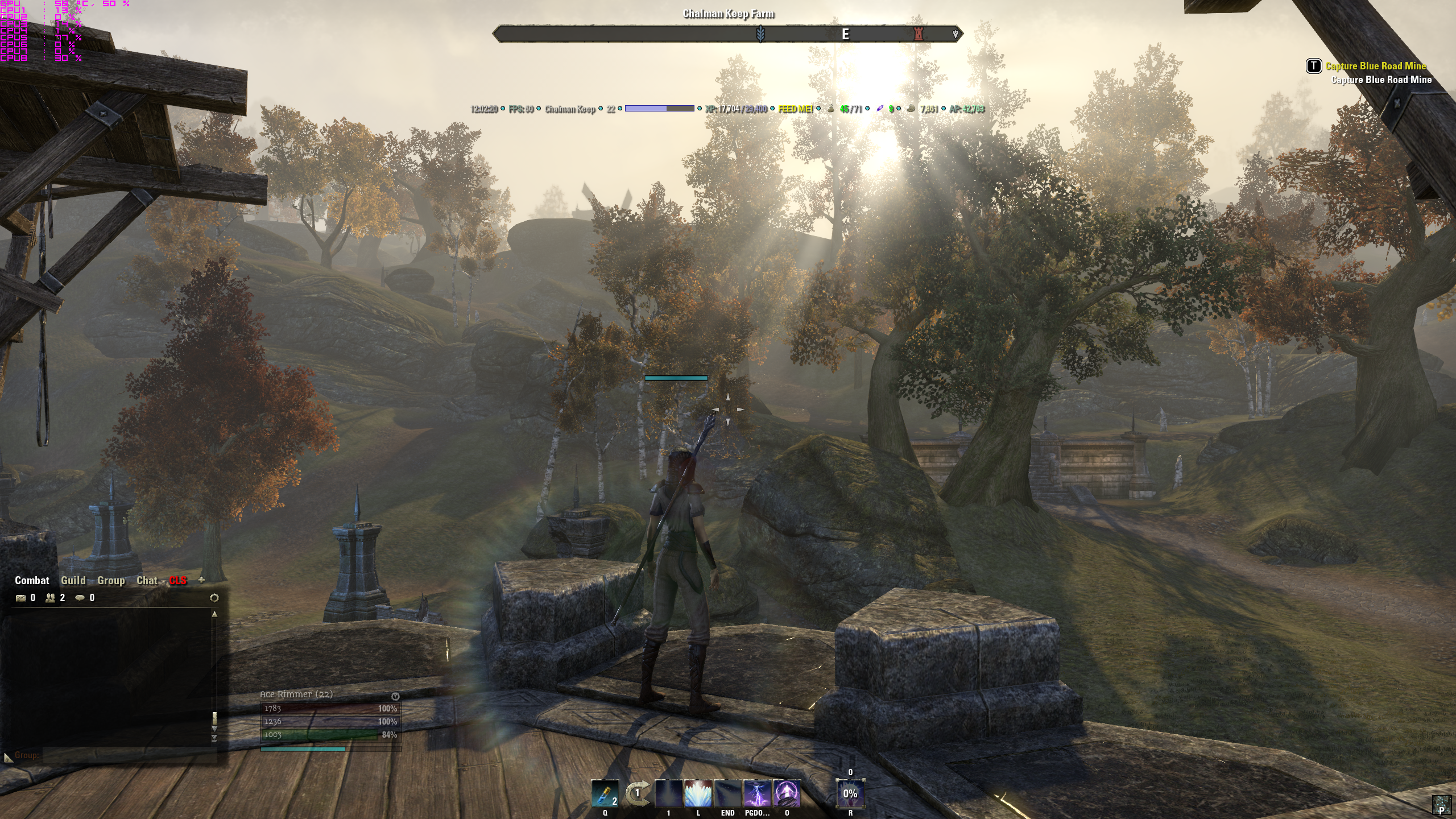
just fired up afterburner and the game is still only using 40-50% of my GPU
played around with settings while typing this and if i hit 1080 as my res the framerate in daggerfall drops to 45ish, picking 1440 again and its back to 60 lol
gpu usage still under 50 tho. strange, very strange
cpu is at 4ghz btw and 12GB ddr3 1600 in tri chan0 -
 Attorneyatlawl✭✭✭✭✭
✭✭✭I almost guarantee you its because of your CPU. one or Memory. I have a 780 as well and the GPU utilization is very low.
With a 780, 4770k OC, and 16gb ram, I am almost always pegged at 100fps, and I have all settings on max.
I have 16GB of DDR3 1600, and AMD FX-8350 8 core processor. Wish I could determine the issue, but it is most certainly NOT a lack of hardware!
I think now is a good time to get rid of Windows 8.1 and put Windows 7 back on to see if that makes a difference.
Actually that is a lack of hardware, for gaming an i3 can catch your cpu with ease. It is a slow cpu that is really essentially a quad core with low ipc, marketed as octo.
I run 2560x1440 110hz, i7 2600k at 4.4ghz, 16gb ddr3 1866 c9, and a gtx 780 at 1.2ghz and the game runs smoothly for me. In cities with the newest beta driver (337.50) I saw a big improvement, generally 60fps with minimum of 50 in a huge crowd. In the wild or Cyrodiil with many players I pull 80 to 90, and solo pve and dungeons yields around 120fps. (note eso is capped at 100 without an ini tweak).
The issue is MMOs use tons of cpu in crowds. Nothing new.-First-Wave Closed Beta Tester of the Psijic Order, aka the 0.016 percent.
Exploits suck. Don't blame just the game, blame the players abusing them!
-Playing since July 2013, back when we had a killspam channel in Cyrodiil and the lands of Tamriel were roamed by dinosaurs.
________________
-In-game mains abound with "Nerf" in their name. As I am asked occasionally, I do not play on anything but the PC NA Megaserver at this time.0 -
Attorneyatlawl✭✭✭✭✭
✭✭✭
Yes, you can. It is a simple text edit in the settings file.
Also to note guys, you can stop it from down clocking by selecting prefer max performance for power management in the nVidia drivers. If you still downclock then, your oc is unstable.Edited by Attorneyatlawl on April 13, 2014 10:05PM-First-Wave Closed Beta Tester of the Psijic Order, aka the 0.016 percent.
Exploits suck. Don't blame just the game, blame the players abusing them!
-Playing since July 2013, back when we had a killspam channel in Cyrodiil and the lands of Tamriel were roamed by dinosaurs.
________________
-In-game mains abound with "Nerf" in their name. As I am asked occasionally, I do not play on anything but the PC NA Megaserver at this time.0 -
 Vodkaphile✭✭✭Greetings everyone,
I've got the exact same issue as the OP.
My system:
GTX 780 (Asus DCII), i7 2600, Win7 64 bit, 16GB Ram, and everything running on SSDs.
Its not simply a "graphic card cant deliver" issue. The problem is that TESO only draws about half of the 780s power, my GPU usage is on average between 40% and 60%. Its not a bottlebneck issue either,CPU usage is at 20% on average, and other games (e.g. Thief, Rome II, various benchmarks) get to 100% GPU usage without a problem.
I've tried various different driver versions and almost all possible setting combinations, both ingame and in the nvidia control panel, to no effect.
I have also spoken to several other 780 owners ingame, who all reported the same problem (only 50% GPU usage)... maybe a general problem with the GK110 architecture (havent spoken to any 780Ti/Titan owners yet)?
I own 2 780ti's in SLI - SLI doesn't work in this game without some serious control panel configurations and certain driver from Nvidia are garbage - the latest 3 drivers for SLI support still have my system crashing uncontrollably at times.
So I disabled SLI and am running on a single card now (a nice waste of a lot of money) with no issues, however when I was benchmarking on Crysis 3 before ESO released, I noticed that certain driver sets for Nvidia literally HALVED my FPS for no reason at all. If you google this problem, you will turn up a lot of results. I rolled back to a driver that gives me no issues, and I've been okay since, but I'm using a driver that is probably 5 months old.0 -
Chomag✭✭✭The game is not optimized too well. It's not the hardware, the game is just not utilizing your hardware with optimum efficiency.
If you read some threads here, you will see your problem is pretty common.0 -
I'm not getting any fps issues with my GTX 780. You want to check the memory usage if you start to get fps issues after a bit of time playing the game.
Game has quite a large memory leak. I'm using a memory cleaner to fix the issue and that has helped maintain the fps in game.0 -
 Socratic✭✭✭
That's a very good mark for that chip, infact I'd expect a gtx 780 ti to get 9k+. I think I got just under 8k with my r9 280x.OP forget the advise everyone is giving here and do this.
1) Google Futuremark 3d mark.
2) Download that program.
3) Run it.
4) It will put your card through all the paces.
I have a ASUS GTX 770 and push 100+ on indoor zone and 60+ in outdoor ones. My score on 3d mark is about 9000. The card manufacturer can make ALL the difference, ie. a Gigabyte 770 is not as good as an ASUS or EVGA as it uses cheap parts. If you are not getting a similar or higher score in 3d mark, I would seek a refund for the card. If you are then the problem lies with the ESO application itself.
Actually just checked again, I got just over 7k,
FIRE STRIKE 1.1
SCORE
7082 with AMD Radeon R9 280X(1x) and Intel Core i5-4670K
Graphics Score is 8335
Physics Score 7162
Combined Score 3303
Edited by Socratic on April 13, 2014 11:21PM0 -
 zeuseason✭✭✭I'm under the impression the game is less than optimized. I too have framerate issues on my GTX780 and dare I say my old 560ti still ran the game on ultra pretty OK. I'm gonna wait it out a bit and live with the 20fps dip every so often.0
 -
Furian✭✭✭I'm under the impression the game is less than optimized. I too have framerate issues on my GTX780 and dare I say my old 560ti still ran the game on ultra pretty OK. I'm gonna wait it out a bit and live with the 20fps dip every so often.
I believe most have to come to that conclusion, at least those with AMD processors.
0 -
Furian✭✭✭Scored a 6327 with Futuremark3d.
Ok, I have broken down and ordered the following..... lets see if it makes a difference along with my GTX780.
Intel Core i7-4770K Haswell 3.5GHz LGA 1150 84W Quad-Core Desktop Processor Intel HD Graphics BX80646I74770K
ASUS MAXIMUS VI FORMULA LGA 1150 Intel Z87 HDMI SATA 6Gb/s USB 3.0 ATX gaming board with double-sided ROG Armor, 23C-degrees cooler CrossChill and 120dB SNR, 600ohm audioEdited by Furian on April 14, 2014 3:56PM0 -
lokjonSoul ShrivenI have the same issue as the OP.. my spec i7 4770k, 16gb g.skill ram, evga gtx 780 sc with acx, ..
the beta drivers released from nvidia 337.50 did help though but still getting around 41-50 fps in cities but higher in wilderness... still i was hoping for a smooth 60fps gameplay all around even in pvp bit disappointed
Do you guys tone down any settings to get higher fps?
Man I'm getting tired of spending money on decent parts to deal with crappy optimizations and having to wait for patches after a couple weeks from launch2 -
Furian✭✭✭I have the same issue as the OP.. my spec i7 4770k, 16gb g.skill ram, evga gtx 780 sc with acx, ..
the beta drivers released from nvidia 337.50 did help though but still getting around 41-50 fps in cities but higher in wilderness... still i was hoping for a smooth 60fps gameplay all around even in pvp bit disappointed
Do you guys tone down any settings to get higher fps?
Man I'm getting tired of spending money on decent parts to deal with crappy optimizations and having to wait for patches after a couple weeks from launch
Well, thats depressing. I was hoping my switch to intel would magically solve the problem! Either way, it will be fun building it when I get home.
0 -
Chomag✭✭✭Reminds me of Rift. It was going pretty crappy on my machine, so I called my PC parts guy thinking it was time for an upgrade. The convo was like this:
- What do you recommend that is better than what I have?
- ... your system is already above whatever you could need for games. Do you intend to do graphic design?
- No, I have this game that gives me 40 fps
- What kind of game is that ?!
(Rift's game engine is a really really badly optimized one)Edited by Chomag on April 15, 2014 3:34PM0 -
Perseas✭✭✭I have the same problem with gtx780... Beta was running flowless (60 minimum and 110 max), now its low fps and in some spots or caves, its like 15fps... u can see the character moving with fps spikes.Edited by Perseas on April 15, 2014 3:38PM0
-
 I've benchmarked my card and its well over the normal benchmarks for this card, so I've ruled out a defective graphics card.
The fps varies greatly, with cities being in the subjects range, solo dungeons a bit higher. I feel I should be in the 80+ range all of the time. I've tried disabling anti-aliasing and vsync (both in nvidia control panel, and in game), but it makes no difference.
Any suggestions without sacrificing quality?
I'm running an AMD FX-8350 8 core processor and 16GB of ram.
Go into your nvidia panel and run optimal, otherwise the only thing I can think of is your network issues, I runn the same core same amount of memory with a weaker card, 66ti and haven't suffered any real frame issues.~Natharon~
Heroes in a Half Shell0 -
 Snit✭✭✭✭✭
✭I do *not* have this problem, running the following:
- GTX 780
- i7 4770k @ 3.5 GHz
- 16 MB ram
- SSD
I keep all settings maxed, run at 1440 resolution, and my framerates are 50+ about 99% of the time. I have never checked my GPU usage, as I've never felt a need to. Perhaps this game is more CPU bound than GPU?Edited by Snit on April 15, 2014 3:50PMSnit AD Sorc
Ratbag AD Warden Tank
Goblins AD Stamblade0 -
babylon✭✭✭✭✭
✭✭
Should be seeing more than 40fps though at any time with a decent CPU and a 780.I do *not* have this problem, running the following:
- GTX 780
- i7 4770k @ 3.5 GHz
- 16 MB ram
- SSD
I keep all settings maxed, run at 1440 resolution, and my framerates are 40+ about 99% of the time. I have never checked my GPU usage, as I've never felt a need to. Perhaps this game is more CPU bound than GPU?
1 -
Perseas✭✭✭DukeofChutney wrote: »I've benchmarked my card and its well over the normal benchmarks for this card, so I've ruled out a defective graphics card.
The fps varies greatly, with cities being in the subjects range, solo dungeons a bit higher. I feel I should be in the 80+ range all of the time. I've tried disabling anti-aliasing and vsync (both in nvidia control panel, and in game), but it makes no difference.
Any suggestions without sacrificing quality?
I'm running an AMD FX-8350 8 core processor and 16GB of ram.
Go into your nvidia panel and run optimal, otherwise the only thing I can think of is your network issues, I runn the same core same amount of memory with a weaker card, 66ti and haven't suffered any real frame issues.
As far as u can see... this is mostly gtx 780 and some gtx770... so junior cards have no problems.
0 -
zeuseason✭✭✭I do *not* have this problem, running the following:
- GTX 780
- i7 4770k @ 3.5 GHz
- 16 MB ram
- SSD
I keep all settings maxed, run at 1440 resolution, and my framerates are 50+ about 99% of the time. I have never checked my GPU usage, as I've never felt a need to. Perhaps this game is more CPU bound than GPU?
I'm running an i7-3930k I bought years ago and the thing barely hits 20% load when playing with multiple windows/processes running. GPU throttles all over the place and RAM seems to hover around 8-9gigs. SSD here too.
I'm banking on a less-than optimized client which I'm sure will be tweaked in time.
0 -
patrikblb16_ESO✭✭✭After some playing with downsampling, i have to say, yes, the game looks a ton better, no doubt. unfortunately it did not really cause a higher GPU utilization, still hanging around at 60ish %...
You probably hit the softcap, to get more you need to edit the UserSettings.txt, first of all you should increase the maximum FPS, and then you could try changing the GPUSmoothing.
SET GPUSmoothingFrames "10" -> SET GPUSmoothingFrames "0"
SET MinFrameTime.2 "0.01000000" -> SET MinFrameTime.2 "0.00100000" (This sets your maximum FPS in-game to 1000.)
This have made my cards in SLI to work at very close to maximum power when it is needed. However, my cards are watercooled so there is no real drawback for me having them running at full speed 24/7 other than the powerbill, if you have the stock cooler you might want to make sure it run at lower load to keep it colder.
Edited by patrikblb16_ESO on April 15, 2014 4:08PM0 -
Perseas✭✭✭can we use these commands with a single card? I dont want my card to work 80-90% load, but I want to have the experience I had in the beta..60-100 fps.. lol
Now it is like 28-40 and some times 60... Also some fps spikes, with less than 20fps.Edited by Perseas on April 15, 2014 4:18PM0 -
Furian✭✭✭With the changes below, my new mother board and the Intel i7-4770, I am in the 140s now. My GPU is actually working (80%)
I will say this as well... when I first logged in after these changes, I was seeing 60 max, it was stuck on 60 it seemed. I changed resolution to see if it would go up an it didnt. When i switched back to my native resolution, my FPS skyrocked to the 140s, and its stable so far. I'll play more tonight and see what the range is.
Not sure if my issue was fixed with the hardware changes, or with the changes below, but below is worth a shot for all of you others experiencing fps drops and low GPU usage.
Edit: im going to set my cap back to 100 FPS.patrikblb16_ESO wrote: »After some playing with downsampling, i have to say, yes, the game looks a ton better, no doubt. unfortunately it did not really cause a higher GPU utilization, still hanging around at 60ish %...
You probably hit the softcap, to get more you need to edit the UserSettings.txt, first of all you should increase the maximum FPS, and then you could try changing the GPUSmoothing.
SET GPUSmoothingFrames "10" -> SET GPUSmoothingFrames "0"
SET MinFrameTime.2 "0.01000000" -> SET MinFrameTime.2 "0.00100000" (This sets your maximum FPS in-game to 1000.)
This have made my cards in SLI to work at very close to maximum power when it is needed. However, my cards are watercooled so there is no real drawback for me having them running at full speed 24/7 other than the powerbill, if you have the stock cooler you might want to make sure it run at lower load to keep it colder.
Edited by Furian on April 16, 2014 1:56AM0 -
zipikayaSoul ShrivenSame problem, I get 20-100 fps. Worst is pvp battles. Have an i5 4670k, 8gigs of ram and a GTX 780.0
-
Daverios✭✭✭✭Scored a 6327 with Futuremark3d.
Ok, I have broken down and ordered the following..... lets see if it makes a difference along with my GTX780.
Intel Core i7-4770K Haswell 3.5GHz LGA 1150 84W Quad-Core Desktop Processor Intel HD Graphics BX80646I74770K
ASUS MAXIMUS VI FORMULA LGA 1150 Intel Z87 HDMI SATA 6Gb/s USB 3.0 ATX gaming board with double-sided ROG Armor, 23C-degrees cooler CrossChill and 120dB SNR, 600ohm audio
That score is remarkable low for what I would have expected. My 9k is on a fully optimized win 7. I5 second gen. Not a super cpu but more than eso needs.
See it is 6 days since ya posted but I will see if I cam dig up my 3d mark screengrab. What is your card manufacturer? Not all nvidia cards are equal and gigabyte and sapphire are basically like cheap chinese rip offs dont buy these, spend the extra on evga or asus always and msi iz good too.
One thing I always recommend before going too far down replacing hardware is to do a clean install with the latest operating system release for your license. This is because Windows Stores a side by side file for the purpose of system restores that actually adds a large folder which is constantly referenced and overtime can grow and seriously slow down your entire system. this is why I get in the latest release is vital because it eliminates the side by side history and references but it will start growing again with each Windows Update. Linux users have spent literally hours ranting at Microsoft about this very thing so I won't bother here.
if you properly backup your data and applications and keep them out of your OS doing a clean install is a very simple task and only takes an hour.
You can get the latest release online but do not pirate it use the one you are licensed for and activate with your license key usually stuck on the box / case.
After installing find a site that shows you how to optimize win 7. It makes a big difference. Your windows folder should go from about 30gb on clean install to around 16gb optimized. That is how much stuff you do not need.
Edited by Daverios on April 20, 2014 6:59PM0