Maintenance for the week of May 18:
· [IN PROGRESS] NA megaservers for maintenance – May 18, 4:00AM EDT (8:00 UTC) - 9:00AM EDT (13:00 UTC)
· [IN PROGRESS] EU megaservers for maintenance – May 18, 8:00 UTC (4:00AM EDT) - 13:00 UTC (9:00AM EDT)
· [IN PROGRESS] NA megaservers for maintenance – May 18, 4:00AM EDT (8:00 UTC) - 9:00AM EDT (13:00 UTC)
· [IN PROGRESS] EU megaservers for maintenance – May 18, 8:00 UTC (4:00AM EDT) - 13:00 UTC (9:00AM EDT)
Anyone tried out the new Nvidia Freestyle game filter on ESO?
-
 JasonSilverSpring✭✭✭✭✭ClockworkCityBugs wrote: »any news about issue guys? or i will chill with old drivers for now
I think we will have to wait till the next release and hope they fix it. 391.05 fixes it for some games but does not work for ESO unfortunately.0 -
JasonSilverSpring✭✭✭✭✭Ok, Nvidia has released new drivers. They also posted a note on how to get Freestyle working again. I did these steps and I am back in business with ESO!

Here are the steps from Nvidia's web site:
Please Note:
If you are still experiencing problems using NVIDIA Freestyle with supported game, please try the following:
1) Download the latest driver directly from our website:
Windows 10 x64:
http://www.nvidia.com/download/driverResults.aspx/131974/en-us
2) Uninstall GeForce Experience
3) Right-click over the 391.24 driver installation file. When the context menu appears, select Run as administrator
4) During the installation process, select custom install -> perform clean installation
5) Reboot after driver installation has completed
6) If after you launch a game, Freestyle filters doesn't recognize the game, give it 30 seconds and then try again
Now, I will note one step not clearly noted. After the new driver installation you will need to go back into Geforce Experience and re-enable experimental features. I did that between step 4 and 5.
Also, note that this will wipe out any custom settings in both the driver and Geforce Experience. It will also wipe out any Freestyle profiles. So, you might want to make notes of your settings. Or, you can post them here so others can try them out and then you have them archived here. 1 -
 with latest drivers you need setup filters for non-steam and steam eso separately
before, they was client wide0 -
JasonSilverSpring✭✭✭✭✭ClockworkCityBugs wrote: »with latest drivers you need setup filters for non-steam and steam eso separately
before, they was client wide
Hmm, that is odd. Maybe they changed how it detects the game or something. I don't have the Steam version so I cannot test that. I would suggest posting a note about it on the geforce forums. Manuel at Nvidia usually follows that forum and specifically the thread for the latest driver there pretty thoroughly. Maybe they can resolve that issue.0 -
 TheRealPotoroo✭✭✭✭✭
✭JasonSilverSpring wrote: »Ok, Nvidia has released new drivers. They also posted a note on how to get Freestyle working again. I did these steps and I am back in business with ESO!
Here are the steps from Nvidia's web site:
Please Note:
If you are still experiencing problems using NVIDIA Freestyle with supported game, please try the following:
1) Download the latest driver directly from our website:
Windows 10 x64:
http://www.nvidia.com/download/driverResults.aspx/131974/en-us
2) Uninstall GeForce Experience
3) Right-click over the 391.24 driver installation file. When the context menu appears, select Run as administrator
4) During the installation process, select custom install -> perform clean installation
5) Reboot after driver installation has completed
6) If after you launch a game, Freestyle filters doesn't recognize the game, give it 30 seconds and then try again
Now, I will note one step not clearly noted. After the new driver installation you will need to go back into Geforce Experience and re-enable experimental features. I did that between step 4 and 5.
Also, note that this will wipe out any custom settings in both the driver and Geforce Experience. It will also wipe out any Freestyle profiles. So, you might want to make notes of your settings. Or, you can post them here so others can try them out and then you have them archived here.
I think I'll wait until it's out of beta.PC NA, PC EU
"Instead of taking the best of the dolmens (predictable rotation), the best of the geysers (scalability based on number of players), and the best of the dragons (map location and health indicators) and adding them together to make a fun and dynamic world event scenario, they gave us....... harrowstorms." https://forums.elderscrollsonline.com/en/discussion/comment/6850523/#Comment_68505230 -
nvm
still not working with /runas userEdited by ClockworkCityBugs on March 21, 2018 3:39PM0 -
RouDeR✭✭✭✭✭
✭Here is a new video Comparison between Vanilla and Nvidia Overlays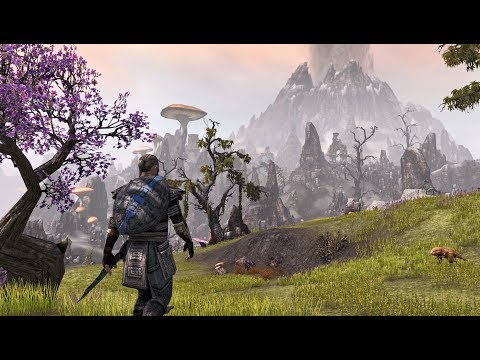 https://www.youtube.com/watch?v=dY7soSjmPgk&t=7s 0
 -
 Valkysas154✭✭✭✭✭I now use this all the time i kinda don't want to play with out it, it looks washed out and almost black and white now without it.
1 -
 MjolnirVilkas✭✭✭✭HEADS UP BIG NEWS: nVidia Freestyle working again with the latest driver updateSick liaisons raised this monumental mark
The sun sets forever over Blackwater Park1 -
MjolnirVilkas✭✭✭✭?Sick liaisons raised this monumental mark
The sun sets forever over Blackwater Park0 -
Chicharron✭✭✭✭✭
✭I tried it and I did not like it.
Also, all I want from NVIDIA are its drivers, not additional programs.
So I went back to my sweetfx, all i want in just 2mb.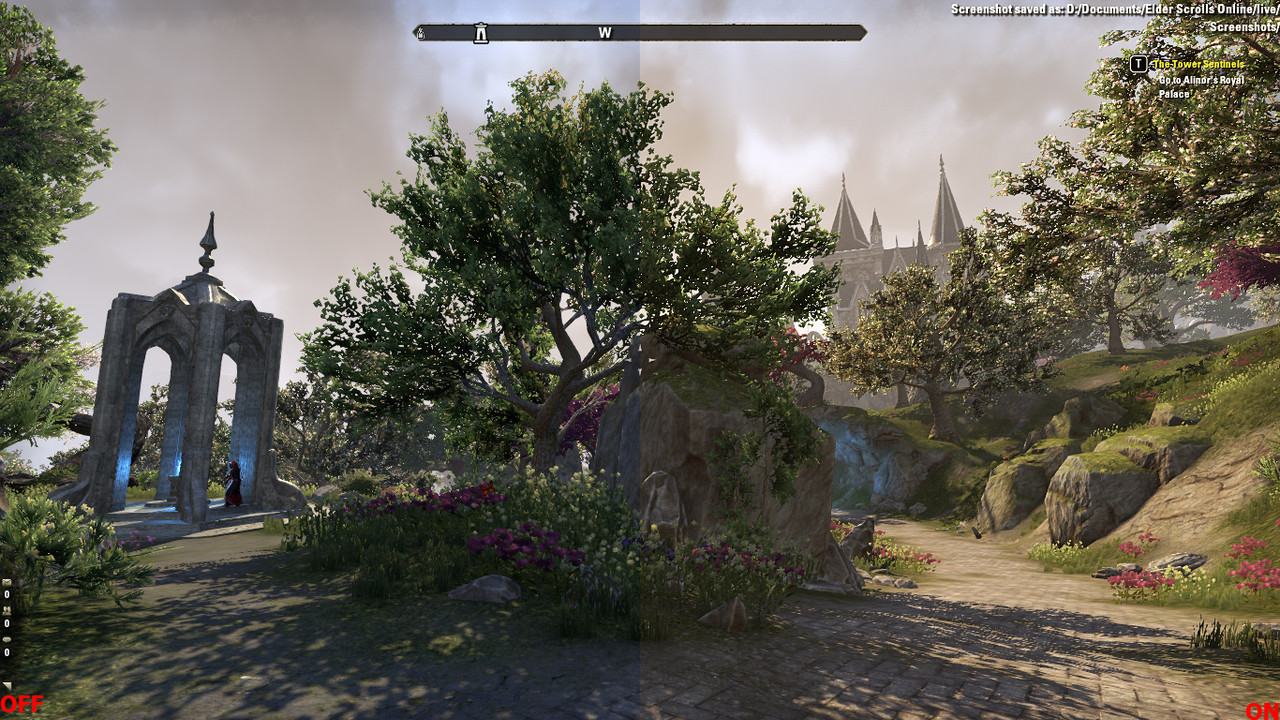 0
0 -
JasonSilverSpring✭✭✭✭✭LumbermillOverlord wrote: »everytime i need to setup them again and again
its only me?
latest drivers
I have had them reset occasionally but not every driver. Are you doing clean installs? I do like that it now remembers your last setting so you don't have to activate it every time.0 -
 Bashev✭✭✭✭✭
✭✭I dont install the latest drivers anymore. I use Geforce Driver 390.77 and nvidia freestyle works for all my games. It is really nice.
Here is the info:
https://forums.guru3d.com/threads/how-to-bypass-nvidia-freestyle-to-working-on-all-games.419619/Because I can!0 -
rumple9✭✭✭✭✭
✭Seems buggy to me with people having problems. I'll stick with sweet FX for the time being0 -
JasonSilverSpring✭✭✭✭✭LumbermillOverlord wrote: »im sick about it
new driver yesterday??
all filters wiped again
@LumbermillOverlord, are you doing a clean install? I have not had it wipe since that one time a wipe was forced due to a defect they introduced.
I have not tried this newest driver yet if one was just released0 -
yesterday was driver update for Vampyr if im not mistaken
and i never did clean installEdited by LumbermillOverlord on June 6, 2018 12:18PM0 -
JasonSilverSpring✭✭✭✭✭LumbermillOverlord wrote: »yesterday was driver update for Vampyr if im not mistaken
and i never did clean install
I will test tonight and post my results. Darn pesky work in the way. 0 -
Undefwun✭✭✭✭✭I don't even get the option to try it out.
I've enabled experimental features and all it adds into the list of features is 'Ansel', no Freestyle....Drank Sinatra Sr - PvP Magblade - DC
Juggathot - PvP Mag Sorc - DC
Jedi Mind Crits - PvP A-Hole Bowblade - DC
Dollar Store Thor - PvP Stamplar - DC
The Bone Sumpremacy - baby Stamcro - DC
Wârden Freeman - PvP Stamden - DC (on hold)
Lauryn Heal - PvE Magplar DPS - DC
Lil Orc Chop - PvP Stam Sorc - EP
Hamuel L Jackson - PvE DPS & PvP Stam DK - EP
Chandler Bling - PvP Magden - EP
Mahalia Lightborn - exiled crafting toon - cos you know, she's AD0 -
JasonSilverSpring✭✭✭✭✭I don't even get the option to try it out.
I've enabled experimental features and all it adds into the list of features is 'Ansel', no Freestyle....
@Undefwun, if you enable experimental features and the in-game overlay in Geforce Experience you should have it. They now call it game filter. While in ESO, press Alt-F3 to go directly to game filters, or press Alt-Z for the overlay and then click on game filter.0 -
JasonSilverSpring✭✭✭✭✭JasonSilverSpring wrote: »LumbermillOverlord wrote: »yesterday was driver update for Vampyr if im not mistaken
and i never did clean install
I will test tonight and post my results. Darn pesky work in the way.
@LumbermillOverlord, I finally got a chance to test. I installed the new driver via Geforce Experience using the express installation option. My game filter settings were not lost. Which installation method did you use?0
