Maintenance for the week of February 23:
· [COMPLETE] NA megaservers for maintenance – February 23, 4:00AM EST (9:00 UTC) - 12:00PM EST (17:00 UTC)
· [COMPLETE] EU megaservers for maintenance – February 23, 9:00 UTC (4:00AM EST) - 17:00 UTC (12:00PM EST)
· [COMPLETE] ESO Store and Account System for maintenance – February 23, 4:00AM EST (9:00 UTC) - 12:00PM EST (17:00 UTC)
· [COMPLETE] NA megaservers for maintenance – February 23, 4:00AM EST (9:00 UTC) - 12:00PM EST (17:00 UTC)
· [COMPLETE] EU megaservers for maintenance – February 23, 9:00 UTC (4:00AM EST) - 17:00 UTC (12:00PM EST)
· [COMPLETE] ESO Store and Account System for maintenance – February 23, 4:00AM EST (9:00 UTC) - 12:00PM EST (17:00 UTC)
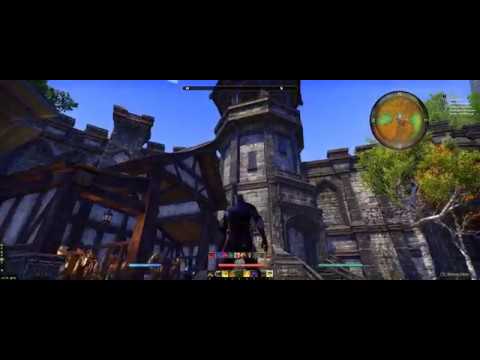
Anyone tried out the new Nvidia Freestyle game filter on ESO?
-
 JasonSilverSpring✭✭✭✭✭Anyone get a black screen in ESO with the experimental stuff checked? I can't launch ESO with it enabled. I uninstalled old version of Experience and installed new version, rebooted. It shows I have the latest driver.
I'd really love to play around with this.
Someone else has posted that problem. Not sure if they resolved it though. You might try a clean install of the driver. It works perfect for me. But there must be a conflict with something for some people.0 -
 Lake✭✭✭✭✭Works fantastic for me!
I ditched Reshade (which has FPS drops depending on how much you alter).
1 -
ookami007✭✭✭✭✭
✭I couldn't get it working at all... it continually caused black load screens. I had to disable experimental in GeForce Experience to play again.
Reshade didn't work either for whatever reason but honestly, I didn't invest much time in it since I wanted to play the game.0 -
Peekachu99✭✭✭✭✭
✭✭I swapped back since it was impacting 4K performance too much (and the base game looks fine). It is probably fine on lower resolutions. Oh and having it enabled spazzes our controller behaviour.0 -
 Izaki✭✭✭✭✭
✭✭Do these filters affect FPS?
Also another question: it says to turn on the Experimental Features, yet, when I do that, it just goes into an endless loop of looking for updates for Geforce Experience. How do I get that to work? ^^@ Izaki #PCEU
#FrenchKiss #GoneFor2YearsAndMyGuildDoesn'tRaidAnymore
#MoreDPSthanYou
#Stamblade0 -
JasonSilverSpring✭✭✭✭✭Do these filters affect FPS?
Also another question: it says to turn on the Experimental Features, yet, when I do that, it just goes into an endless loop of looking for updates for Geforce Experience. How do I get that to work? ^^
I imagine it depends on the filter. I see little to no fps changes for my settings. You can toggle them on an off fairly easily to monitor. I am not sure why some areas having such issues. It worked the first time for me.0 -
JasonSilverSpring✭✭✭✭✭Peekachu99 wrote: »I swapped back since it was impacting 4K performance too much (and the base game looks fine). It is probably fine on lower resolutions. Oh and having it enabled spazzes our controller behaviour.
I have a 1440p monitor but use DSR to use a resolution at almost 2160p. I don't see any performance impact with the settings I use. The base games colors are to washed out for me. Most of the changes this offers have nothing to do with resolution. It mostly affects lighting and colors, etc.0 -
 TheTwistedRune✭✭✭✭✭My drivers just updated and now this feature is not working for ESO. Am curious to see if anybody else has encountered this problem.
Geforce Drivers version 391.01
0 -
 MjolnirVilkas✭✭✭✭I updated my drivers after seeing your post and can confirm this nvidia feature is not working any longer with the newst drivers on ESO.Sick liaisons raised this monumental mark
The sun sets forever over Blackwater Park0 -
TheTwistedRune✭✭✭✭✭MjolnirVilkas wrote: »I updated my drivers after seeing your post and can confirm this nvidia feature is not working any longer with the newst drivers on ESO.
Thanks for letting me know. Am sorry you are having issues too, but at least you have confirmed that it is not just my system. Knowing Nvidia we will have a long wait for a fix.
0 -
MjolnirVilkas✭✭✭✭Hopefully not that long since it's a new feature and still in beta I think. Which means they're still developing it and obviously trying new stuff. It might be resolve by the time the next driver update hits.
That is of course my wishful thinking only and it's not based on any official statements or knowledge so you could be right just as well.Sick liaisons raised this monumental mark
The sun sets forever over Blackwater Park0 -
JasonSilverSpring✭✭✭✭✭TheTwistedRune wrote: »My drivers just updated and now this feature is not working for ESO. Am curious to see if anybody else has encountered this problem.
Geforce Drivers version 391.01
I have not tested yet, but did your try updating our reinstalling GeForce Experience? Are the experimental features still enabled?0 -
TheTwistedRune✭✭✭✭✭JasonSilverSpring wrote: »TheTwistedRune wrote: »My drivers just updated and now this feature is not working for ESO. Am curious to see if anybody else has encountered this problem.
Geforce Drivers version 391.01
I have not tested yet, but did your try updating our reinstalling GeForce Experience? Are the experimental features still enabled?
Yes I tried a reinstall of the newest drivers, no dice. Experimental features are enabled. It is now listing ESO as "unsupported".
I have not yet tried deleting and reinstalling the entire Geforce Experience program, as I know from experience reinstalling it after deleting can create odd conflicts. I kind of want to get an idea if everybody who updates is affected or just a few people, before I try a complete reinstall and the headaches it sometimes produces.
Thanks for the advice though. I would hold off updating if you haven't already, just to be safe.
0 -
JasonSilverSpring✭✭✭✭✭TheTwistedRune wrote: »JasonSilverSpring wrote: »TheTwistedRune wrote: »My drivers just updated and now this feature is not working for ESO. Am curious to see if anybody else has encountered this problem.
Geforce Drivers version 391.01
I have not tested yet, but did your try updating our reinstalling GeForce Experience? Are the experimental features still enabled?
Yes I tried a reinstall of the newest drivers, no dice. Experimental features are enabled. It is now listing ESO as "unsupported".
I have not yet tried deleting and reinstalling the entire Geforce Experience program, as I know from experience reinstalling it after deleting can create odd conflicts. I kind of want to get an idea if everybody who updates is affected or just a few people, before I try a complete reinstall and the headaches it sometimes produces.
Thanks for the advice though. I would hold off updating if you haven't already, just to be safe.
I checked on their forums and it seems Freestyle is broke for many, if not all, games. I cannot get it to work on any supported game that I have installed. I am going to roll back for now as well.0 -
TheTwistedRune✭✭✭✭✭JasonSilverSpring wrote: »TheTwistedRune wrote: »JasonSilverSpring wrote: »TheTwistedRune wrote: »My drivers just updated and now this feature is not working for ESO. Am curious to see if anybody else has encountered this problem.
Geforce Drivers version 391.01
I have not tested yet, but did your try updating our reinstalling GeForce Experience? Are the experimental features still enabled?
Yes I tried a reinstall of the newest drivers, no dice. Experimental features are enabled. It is now listing ESO as "unsupported".
I have not yet tried deleting and reinstalling the entire Geforce Experience program, as I know from experience reinstalling it after deleting can create odd conflicts. I kind of want to get an idea if everybody who updates is affected or just a few people, before I try a complete reinstall and the headaches it sometimes produces.
Thanks for the advice though. I would hold off updating if you haven't already, just to be safe.
I checked on their forums and it seems Freestyle is broke for many, if not all, games. I cannot get it to work on any supported game that I have installed. I am going to roll back for now as well.
You're right. I tried it on other games and its not working on those either. Have reinstalled 390.77 and all is well again. Going to turn off auto updates for now as well.
0 -
 greylox✭✭✭✭✭Can't get it working for love nor money, tried everything I could find on the internet.PC EU
House of the Black Lotus
*{Smokes-in-the-Shade }* (Mag pet Sorc Argonian, prolific thief, willing participant of the dark arts, gardener of exotic...herbs)
{Lugdum The Mechanist} (Hybrid Orc Templar, collector of ancient Ayleid smoking pipes)
{Rantoul} (Dark Elf Magknight, likes an ale between boss fights, has been known to offer daedric princes out in a fist fight)
{Red, The Wanderer} (Bosmer stam sorc and hunter extraordinaire)
{Shoots-For-Stars} (Argonian Mag pet Sorc Ice mage Healer)
*{Jinny the spark }* (Sassy Imperial Stamplar)
{Crezzi the Drifter} (Magblade khajiit burglar, available for questionable operations)
{Grif the Despised} (StamKnight Tank Nord, Eastmarch Master Drinker and spinner of tall yarns)
{Geraldine Stone-Heart} (High Elf MagSorc Ice Tank, Mystic, practitioner of the ancient arts)
*{Anawinn}* (Stam pet Ward Redguard, Mother to a bear and an unruly Hunger,Librarian, field medic and natures fist)
{*}Mains
{ CP 900+ }
Caretaker of Battle Island (Grand Topal), the holiday destination for the discerning warrior
Residing in Stay-Moist Mansion-Shadowfen - The Smoking Den (as of 6th feb 2017)0 -
 Bashev✭✭✭✭✭
✭✭TheTwistedRune wrote: »My drivers just updated and now this feature is not working for ESO. Am curious to see if anybody else has encountered this problem.
Geforce Drivers version 391.01
Same issue!Because I can!0 -
VerboseQuips✭✭✭✭✭JasonSilverSpring wrote: »Nvidia just released a new feature called Freestyle Game Filter: https://blogs.nvidia.com/blog/2018/01/07/geforce-experience-freestyle-ansel-ces-2018/
It is similar in a way to Reshade (and the Reshade developer is working with Nvidia on this), but requires no special files and can be tweaked on the fly with a fairly easy UI. I was pleasantly surprised to find that ESO is one of the games supported with its beta launch.
Has anyone tried it, and if so, do you have any settings you found very good that you would like to share? So far I have experimented with sharpening the image and adjusting color. I noticed it even has a filter to assist those that are color blind.
Please share any good settings you have found.
What's the game depicted in the last picture of the article that you linked here?My characters:Main and crafter: A Breton magicka templar named Erwann Sorril
Alt 1: A Bosmer sorcerer named Tuuneleg
Alt 2: An Imperial dragonknight named Gaius Tullius Hastifer
Alt 3: An Argonian vampire/nightblade named Observe-le-Xanmeer
Alt 4: A Nord werewolf/dragonknight named Sigurd Hurlevent
Alt 5: A Breton sorcerer named Gilian Sorril (he's Erwann's younger brother)
Alt 6: A Khajiit nightblade named Jolan-dar
Alt 7: A Nord warden named Sigurmar Hurlevent (he's Sigurd's younger brother)
Alt 8: An Altmer templar named Oioriel
Alt 9: An Argonian stamina Warden named Danse-avec-les-Rainettes
Alt 10: A Redguard templar named Neemokh af-Corelanya
Alt 11: A Nord stamina sorcerer named Olga Écoute-Vent
Alt 12: A Breton magicka Warden named Ian Sorril
Alt 13: A Dunmer magicka necromancer named Ilmoran Dren
Alt 14: An Orc stamina necromancer named Norgol gro-Borziel
Alt 15: A Nord magicka necromancer named Thorgen Givresang
Alt 16: An Imperial magicka dragonknight named Publius Valeirus Hastifer (Just call him "Valerio" - he's Gaius younger troublemaker of a brother)
Main in NA (For collaborative events): A Breton magicka nightblade named Titouan Sorril (long-lost brother of Erwann and Gilian)0 -
JasonSilverSpring✭✭✭✭✭OK, Nvidia released a hot fix driver (391.05) which includes a fix for Freestyle not working. Downloading it now. Hopefully we are back in business.
Update: Ugh, it did not fix it for me. I may try a clean install later.Edited by JasonSilverSpring on March 1, 2018 11:49PM1 -
MjolnirVilkas✭✭✭✭Thanks for the heads up! Even if it's not working, it's good to see they acknowledge the problem and are trying to fix it.Sick liaisons raised this monumental mark
The sun sets forever over Blackwater Park0 -
Scourch✭✭JasonSilverSpring wrote: »OK, Nvidia released a hot fix driver (391.05) which includes a fix for Freestyle not working. Downloading it now. Hopefully we are back in business.
Update: Ugh, it did not fix it for me. I may try a clean install later.
I was speaking with Nvidia support in a chat....
ME: "will games not listed under Nvidias supported games still work with Freestyle? Elder Scrolls Online is not listed as a supported game, but I was using it before the driver update just fine.
Support: "NVIDIA FreeSytle will work only with FreeSytle supported games, please visit the link below for the list of games that are supported with FreeStyle"
They then asked me to send them my msinfo sheet so she can forward it to the team to figure out why it was working on an unsupported game. So... best thing we can do, according to her is " ...open GeForce Experience and send feedback about this issue using option Send feedback."
I felt spoiled playing with it and now without it the game just looks so washed out.0 -
MjolnirVilkas✭✭✭✭Elder Scrolls Online is not listed as a supported game, but I was using it before the driver update just fine.
ESO is listed as supported game. Check under "T".
https://www.nvidia.com/sv-se/geforce/geforce-experience/freestyle-games/Edited by MjolnirVilkas on March 3, 2018 10:29AMSick liaisons raised this monumental mark
The sun sets forever over Blackwater Park2 -
JasonSilverSpring✭✭✭✭✭MjolnirVilkas wrote: »Elder Scrolls Online is not listed as a supported game, but I was using it before the driver update just fine.
ESO is listed as supported game. Check under "T".
https://www.nvidia.com/sv-se/geforce/geforce-experience/freestyle-games/
Agreed. I just went back to the prior driver since I did not need anything the new driver offered. Plus, people are reporting a lot of issues with it.0 -
Scourch✭✭JasonSilverSpring wrote: »MjolnirVilkas wrote: »Elder Scrolls Online is not listed as a supported game, but I was using it before the driver update just fine.
ESO is listed as supported game. Check under "T".
https://www.nvidia.com/sv-se/geforce/geforce-experience/freestyle-games/
Well I feel like an idiot, thank you!Agreed. I just went back to the prior driver since I did not need anything the new driver offered. Plus, people are reporting a lot of issues with it.
Would you mind sharing with me how to do the same?1 -
JasonSilverSpring✭✭✭✭✭JasonSilverSpring wrote: »MjolnirVilkas wrote: »Elder Scrolls Online is not listed as a supported game, but I was using it before the driver update just fine.
ESO is listed as supported game. Check under "T".
https://www.nvidia.com/sv-se/geforce/geforce-experience/freestyle-games/
Well I feel like an idiot, thank you!Agreed. I just went back to the prior driver since I did not need anything the new driver offered. Plus, people are reporting a lot of issues with it.
Would you mind sharing with me how to do the same?
Easiest is to go to Nvidia's website and download the 390.77 drivers. When installing, choose custom install and then check for clean installation. You will lose any customized settings, but that is the safest way to go to an earlier driver.
Note that you will lose any presets you have already created with Freestyle unfortunately.0 -
Lake✭✭✭✭✭Also getting the "A supported game is required to use this feature" notice after updating drivers.
Super annoying to have to downgrade & lose presets.Edited by Lake on March 7, 2018 8:31PM0


 https://www.youtube.com/watch?v=nSsJQfGWDac