Maintenance for the week of April 13:
• PC/Mac: No maintenance – April 13
• PC/Mac: No maintenance – April 13
Update 50 is now available for testing on the PTS! You can read the latest patch notes here: https://forums.elderscrollsonline.com/en/categories/pts
Pets getting in the way of outfit stations - I can't see!

Technica
✭✭✭
Please can you make all pets disappear when you enter the outfit station menu?
This is so frustrating that I can't see what my outfit looks like underneath this wolf, and unfortunately it's owner has been standing there for ages - it takes time to look fabulous.
But please, fix this, it's preventing me from looking fabulous too. :'(
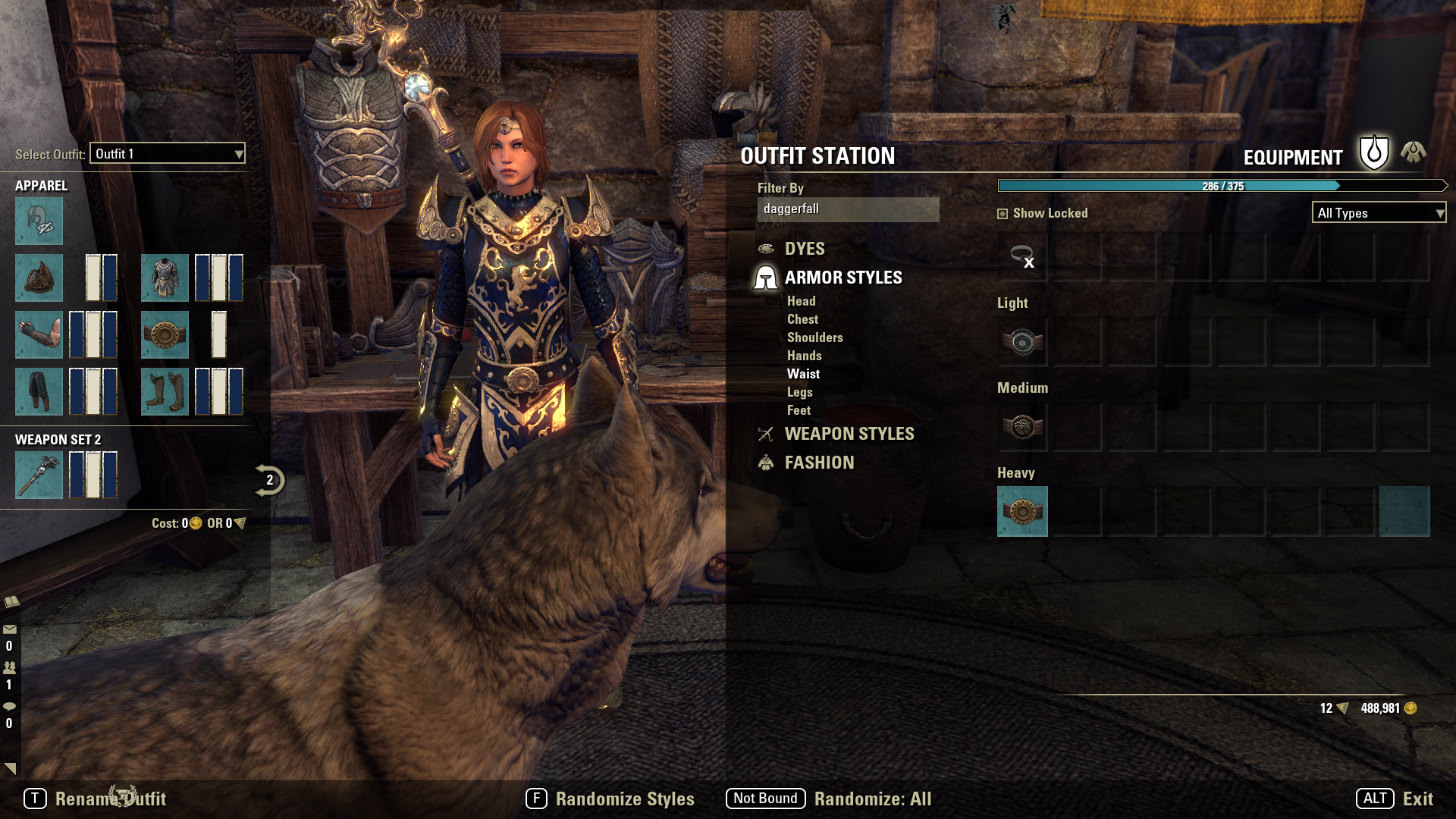
Edited by Technica on July 16, 2020 9:02PM This is so frustrating that I can't see what my outfit looks like underneath this wolf, and unfortunately it's owner has been standing there for ages - it takes time to look fabulous.
But please, fix this, it's preventing me from looking fabulous too. :'(
You will know me by my eye. | Adventuring since beta | PC EU | ESO+ | I recommend this reshade (Example Screenshots)
2
-
 RT01100111✭✭✭@Technica here is a easy work around. Fast key bind the pet. Unequip before entering crafting station. Reequip after leaving crafting station.0
 -
 virtus753✭✭✭✭✭
✭✭✭✭✭RT01100111 wrote: »@Technica here is a easy work around. Fast key bind the pet. Unequip before entering crafting station. Reequip after leaving crafting station.
This happens with other people's pets, especially the big wolf. There's no way to force those to despawn.
On PC one can try Lazy Writ Crafter's Hide Pets setting (and deal with Pacrooti instead), but that wouldn't be an option for Stadia users or console players.0 -
Technica✭✭✭RT01100111 wrote: »@Technica here is a easy work around. Fast key bind the pet. Unequip before entering crafting station. Reequip after leaving crafting station.
That's not my wolf, unfortunately.
I've had this on a few occasions, if it was my pet I would do that. But I can't despawn other people's petsYou will know me by my eye. | Adventuring since beta | PC EU | ESO+ | I recommend this reshade (Example Screenshots)0