Maintenance for the week of April 6:
• PC/Mac: No maintenance – April 6
• PC/Mac: No maintenance – April 6
Unable to download/install game

maxsaplingpeb18_ESO
Soul Shriven
I purchased the game June last year and I tried reinstalling it just yesterday. The launcher gets installed but when loaded I am greeted with an infinite loading screen. Any help will be much appreciated, Thank You. xxx. 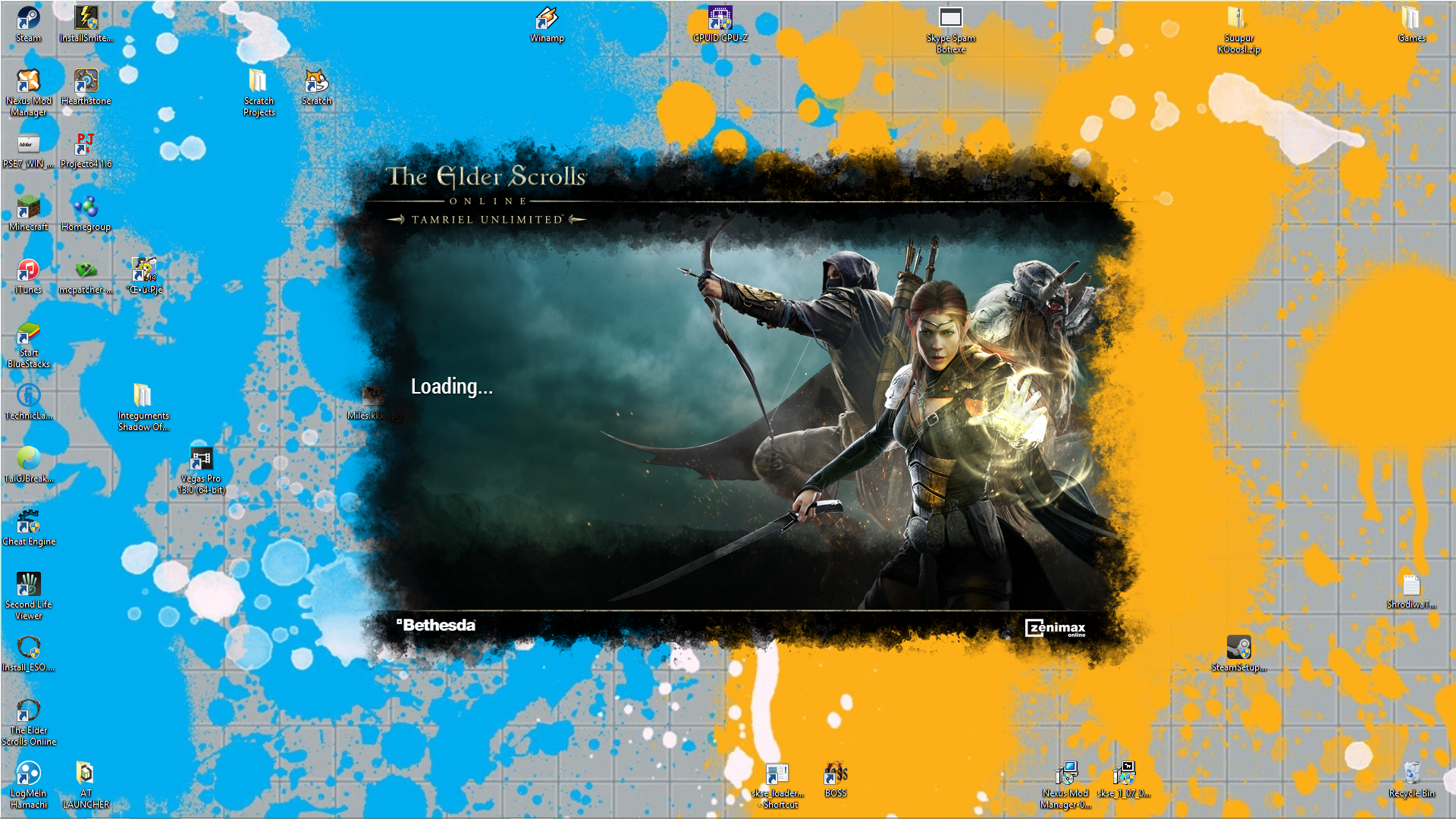
0
-
 Seravi✭✭✭✭✭Make sure your antivirus software and any firewalls are not blocking eso.exe. There are some knowledge base articles on other steps you can try in the Support section. The virus software would be the most likely to block access. Just make sure you have an exception for the program in there so it can access everything.0
 -
 freespirit✭✭✭✭✭
✭✭✭✭Try running as admin.
When people say to me........
"You're going to regret that in the morning"
I sleep until midday cos I'm a problem solver!0 -
ZOS_GaryA✭✭✭✭✭Hey there @maxsaplingpeb18_ESO,
Please give a try to the steps below and let us know if they help!
NOTE: The hosts file that is linked below is a core Windows file, so please only use the edits in this message if they are applicable. Do not add or remove any other information from this document.- Open up the hosts file. To do this, open any Windows Explorer window and paste this in without quotes: "c:\windows\system32\drivers\etc\hosts" , then press Enter.

Like this ^ - It'll likely ask which program you want to use to open it. Use Notepad.
- Check the hosts and see if the following line is in there: "54.243.115.56 launcher.bethesda.net"
- If this line is in your hosts file, remove it and delete the line spacing. As an example:
Data
54.243.115.56 launcher.bethesda.net
Data
Would become:
Data
Data - Save the file, then close it
- Note: If "54.243.115.56 launcher.bethesda.net" does not appear in the file, do not edit the document and close it.
If this doesn't help, or if the 54.243.115.56 launcher.bethesda.net isn't in your hosts file, please let us know and we'll be happy to continue helping!0 - Open up the hosts file. To do this, open any Windows Explorer window and paste this in without quotes: "c:\windows\system32\drivers\etc\hosts" , then press Enter.