Shadow render distance problem

Jordan141
Soul Shriven
Ok so recently I've been changing the settings of the game about in order to get better fps and whenever I play the game now ( even with shadow quality on high and render distance on 90/100) literally every shadow in the game renders when I'm about approaching something that would create a shadow - i.e a tree which means the shadows render in a blanket like motion even when I'm pretty close to them
It really is frustrating and is honestly preventing me from playing the game at this point, any help restoring my shadows would be appreciated.
It really is frustrating and is honestly preventing me from playing the game at this point, any help restoring my shadows would be appreciated.
0
-
Jordan141Soul ShrivenOk so I deleted usersetings.txt and my shadows are seemingly better however now I'm trying to run the game in max settings ( everything on/high or ultra if possible ) and now I'm getting this: (see image)
Which I'm pretty sure isn't max settings I'm getting there, it looks *** poor, anyone have an idea on what I should try in order for my game not to look this awful even on max settings...Edited by Jordan141 on July 25, 2014 4:00PM0 -
 GossiTheDog✭✭✭✭✭That is pretty much how the game looks. You can check your draw distance, but there is always a layer of fog.1
 -
Jordan141Soul ShrivenI don't mind about the draw distance itself that much, it's more how the level of detail on the ground/distant objects seems to deteriorate the further out it goes and does so pretty badly, even if said object/grass on the ground isn't very far away, it looks even worse in comparison to earlier screenshots I've taken of the game before I started tweaking likethis one:
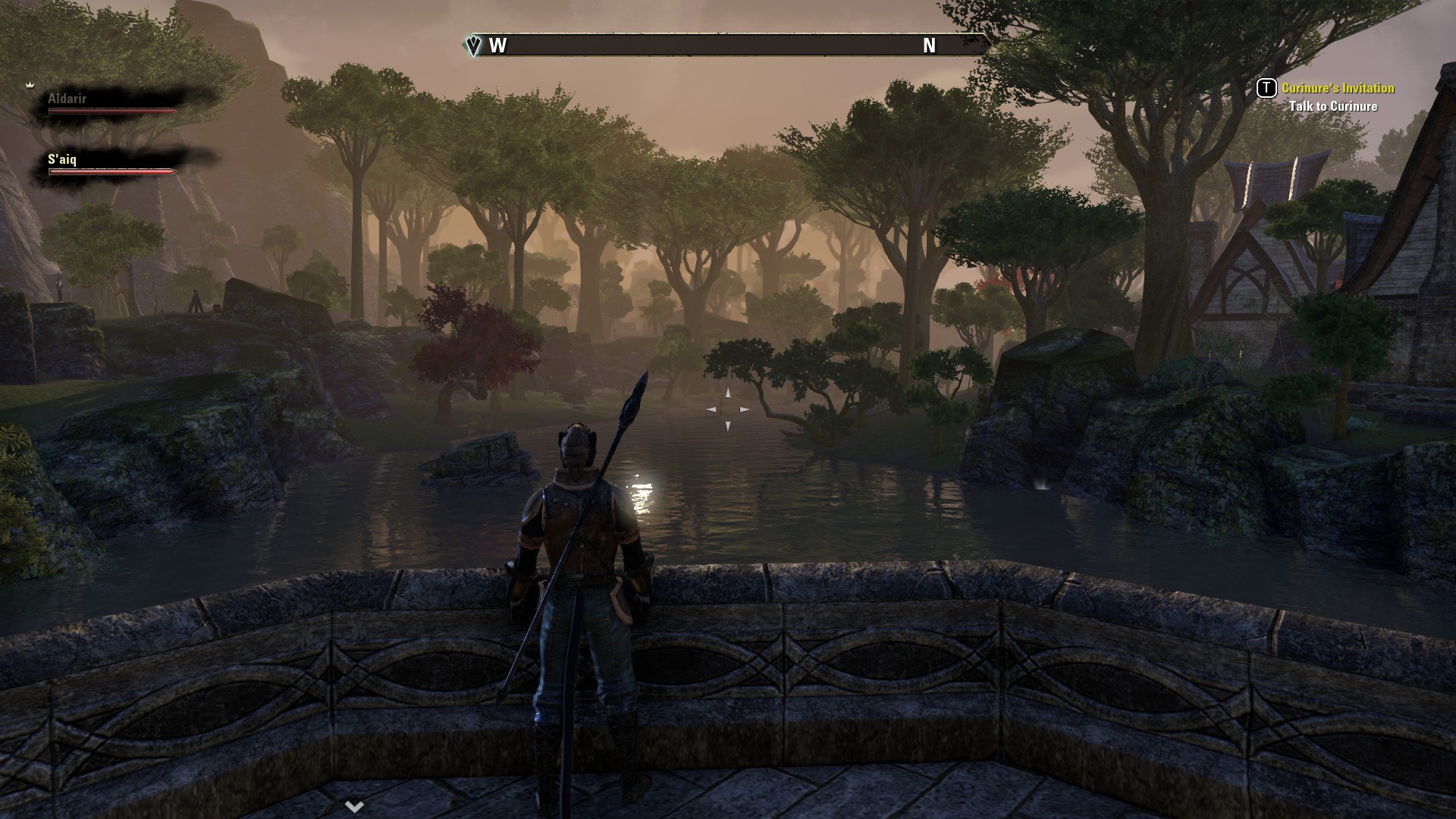
0 -
 danno8✭✭✭✭✭
✭✭✭✭✭Another thing to try is to turn the game settings preset to "Ultra" then work your way backwards as it apparently turns on certain visual enhancements.
If it is the fog that bothers you you can also google "eso launcher" as it has the ability to remove the fog completely. Be warned though that the fog is covering up some pretty ugly distant textures. Pick your poison.2 -
Jordan141Soul ShrivenAh, seems so simple but it has made my game look significantly better at a distance, thanks Danno.0