Maintenance for the week of August 31:
• ESO Store and Account System for maintenance – September 3, 10:00AM EDT (14:00 UTC) - 12:00PM EDT (16:00 UTC)
• ESO Store and Account System for maintenance – September 3, 10:00AM EDT (14:00 UTC) - 12:00PM EDT (16:00 UTC)
Help with Master Merchant

wenchmore420b14_ESO
✭✭✭✭✭
✭✭✭
✭✭✭
I have been having issues of my Master Merchant not working. It will be working fine, then one day it will just not be there. Not in tool tips, not when I open mail, no cost suggestions when in guild store, nothing. It is in my add-on list, all lib files ok, setting all same. I have had this happen before and reloading it, etc, it will sometimes get it to work again, but it has stopped this week again, so I am seeking answers from those smarter than me.
I have made no changes, new add-ons, or any thing to cause it to stop.
I have re-installed, all files are in proper place. Done all I know to do, which is not much. I am a noob at the technical aspects of ad-ons.
No, I have not received a in-game error msg.
Thank you in advance for any help or ideas.
I have made no changes, new add-ons, or any thing to cause it to stop.
I have re-installed, all files are in proper place. Done all I know to do, which is not much. I am a noob at the technical aspects of ad-ons.
No, I have not received a in-game error msg.
Thank you in advance for any help or ideas.
Drakon Koryn~Oryndill, Rogue~Mage,- CP ~Doesn't matter any more
NA / PC Beta Member since Nov 2013
GM~Conclave-of-Shadows, EP Social Guild, ~Proud member of: The Wandering Merchants, Phoenix Rising, Imperial Trade Union & Celestials of Nirn
"Not All Who Wander are Lost"
#MOREHOUSINGSLOTS
NA / PC Beta Member since Nov 2013
GM~Conclave-of-Shadows, EP Social Guild, ~Proud member of: The Wandering Merchants, Phoenix Rising, Imperial Trade Union & Celestials of Nirn
"Not All Who Wander are Lost"
#MOREHOUSINGSLOTS
0
-
 M0R_Gaming✭✭✭Did you follow the instructions to report the bug to the author, from the pinned comment on the esoui page?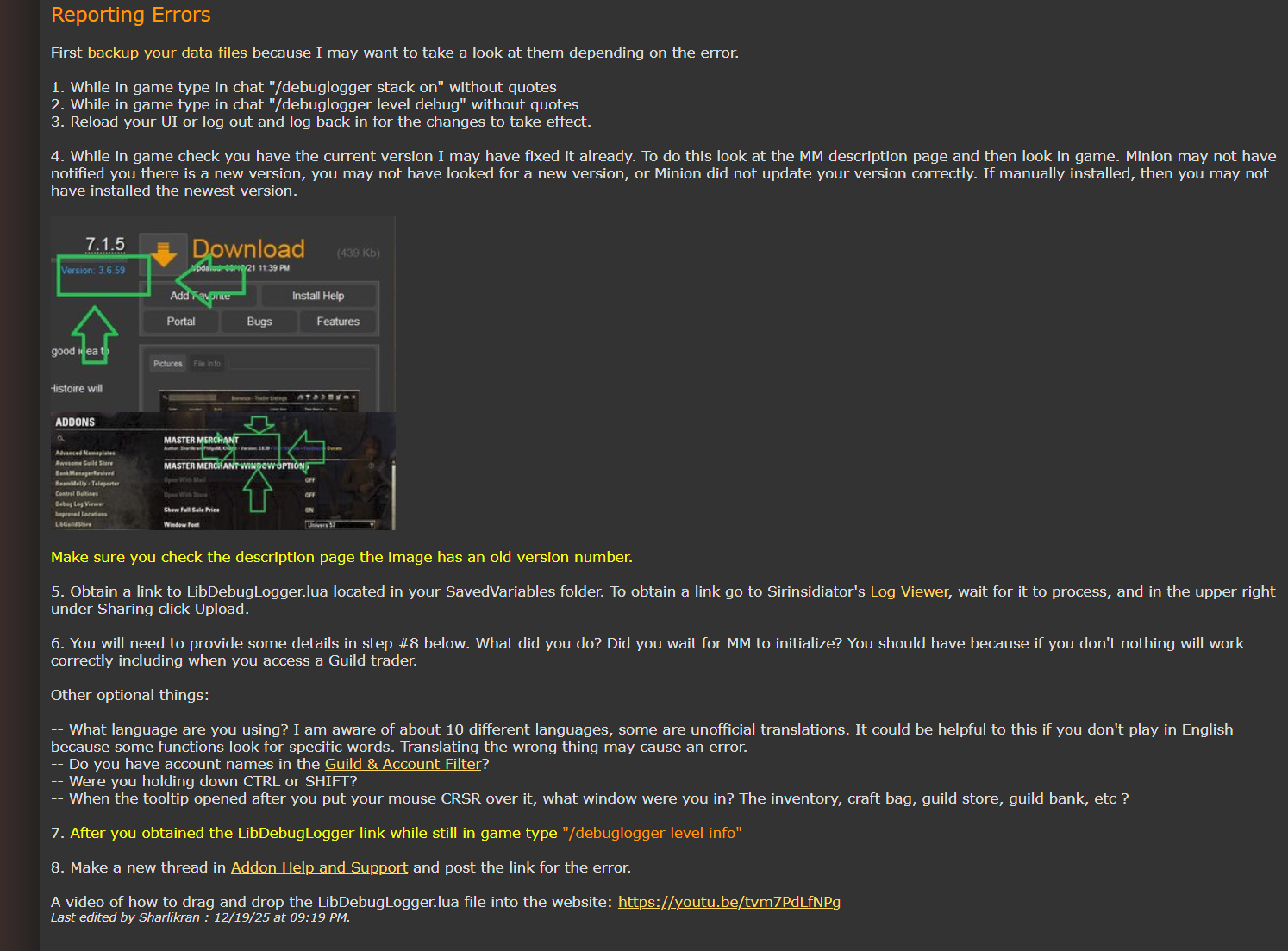
Also, double-checking: Do you have Bugcatcher or No, Thank you? Does the MM settings panel still show up in the settings? Is any other addon broken? Do you have OneDrive (and/or any other cloud syncing program, like MEGA or Google Drive)?My addons- PC/NA - PvP/PvE AD Sorc main
- Former Emp, GS, DB, TTT, IR, GH, PB, Swash, Misery Master
- PvP Addons - Artaeum Group Tool | Better Scoreboard
- PvE Addons - More Markers | One More Rockgrove Helper | Gear Tracker
- Bug Fix Addons - No M0R Block Bug | No M0R Sticky Wheels
- Other Addons - Simple Vote | Omni Stats
1 -
wenchmore420b14_ESO✭✭✭✭✭
✭✭✭M0R_Gaming wrote: »Did you follow the instructions to report the bug to the author, from the pinned comment on the esoui page?
Also, double-checking: Do you have Bugcatcher or No, Thank you? Does the MM settings panel still show up in the settings? Is any other addon broken? Do you have OneDrive (and/or any other cloud syncing program, like MEGA or Google Drive)?
Thank you SO much for your reply. And you said magic word. OneDrive. I had issues recently with that and yes, that is probably it. I will follow your other suggestions also, but pretty sure OneDrive is it. I hate that thing!! Lol.. Again, thank you!Drakon Koryn~Oryndill, Rogue~Mage,- CP ~Doesn't matter any more
NA / PC Beta Member since Nov 2013
GM~Conclave-of-Shadows, EP Social Guild, ~Proud member of: The Wandering Merchants, Phoenix Rising, Imperial Trade Union & Celestials of Nirn
"Not All Who Wander are Lost"
#MOREHOUSINGSLOTS0 -
wenchmore420b14_ESO✭✭✭✭✭
✭✭✭M0R_Gaming wrote: »Did you follow the instructions to report the bug to the author, from the pinned comment on the esoui page?
Also, double-checking: Do you have Bugcatcher or No, Thank you? Does the MM settings panel still show up in the settings? Is any other addon broken? Do you have OneDrive (and/or any other cloud syncing program, like MEGA or Google Drive)?
Just to answer your other questions: Yes, the MM settings panel still shows up. Am re-installing Bugcatcher. Thought I had it but not there, so will get it. No other add-ons broken that I know of. Again, thank you for your help. Drakon Koryn~Oryndill, Rogue~Mage,- CP ~Doesn't matter any more
NA / PC Beta Member since Nov 2013
GM~Conclave-of-Shadows, EP Social Guild, ~Proud member of: The Wandering Merchants, Phoenix Rising, Imperial Trade Union & Celestials of Nirn
"Not All Who Wander are Lost"
#MOREHOUSINGSLOTS0 -
 Aylish✭✭✭✭✭
No, you should not install Bug Catcher. This addon serves no purpose but hiding the problems that are there.wenchmore420b14_ESO wrote: »M0R_Gaming wrote: »Did you follow the instructions to report the bug to the author, from the pinned comment on the esoui page?
Also, double-checking: Do you have Bugcatcher or No, Thank you? Does the MM settings panel still show up in the settings? Is any other addon broken? Do you have OneDrive (and/or any other cloud syncing program, like MEGA or Google Drive)?
Just to answer your other questions: Yes, the MM settings panel still shows up. Am re-installing Bugcatcher. Thought I had it but not there, so will get it. No other add-ons broken that I know of. Again, thank you for your help.
No one can help you if you suppress your errors.
0 -
wenchmore420b14_ESO✭✭✭✭✭
✭✭✭
No, you should not install Bug Catcher. This addon serves no purpose but hiding the problems that are there.wenchmore420b14_ESO wrote: »M0R_Gaming wrote: »Did you follow the instructions to report the bug to the author, from the pinned comment on the esoui page?
Also, double-checking: Do you have Bugcatcher or No, Thank you? Does the MM settings panel still show up in the settings? Is any other addon broken? Do you have OneDrive (and/or any other cloud syncing program, like MEGA or Google Drive)?
Just to answer your other questions: Yes, the MM settings panel still shows up. Am re-installing Bugcatcher. Thought I had it but not there, so will get it. No other add-ons broken that I know of. Again, thank you for your help.
No one can help you if you suppress your errors.
Good to know. Thank you. What should I use to get an accurate bug report?Drakon Koryn~Oryndill, Rogue~Mage,- CP ~Doesn't matter any more
NA / PC Beta Member since Nov 2013
GM~Conclave-of-Shadows, EP Social Guild, ~Proud member of: The Wandering Merchants, Phoenix Rising, Imperial Trade Union & Celestials of Nirn
"Not All Who Wander are Lost"
#MOREHOUSINGSLOTS0