Maintenance for the week of August 17:
• PC/Mac: No maintenance – August 17
• PC/Mac: No maintenance – August 17
TorigaHUD

Toriga
✭✭✭
TorigaHUD
A modern, minimalist, and geometric combat HUD.
A modern, minimalist, and geometric combat HUD.
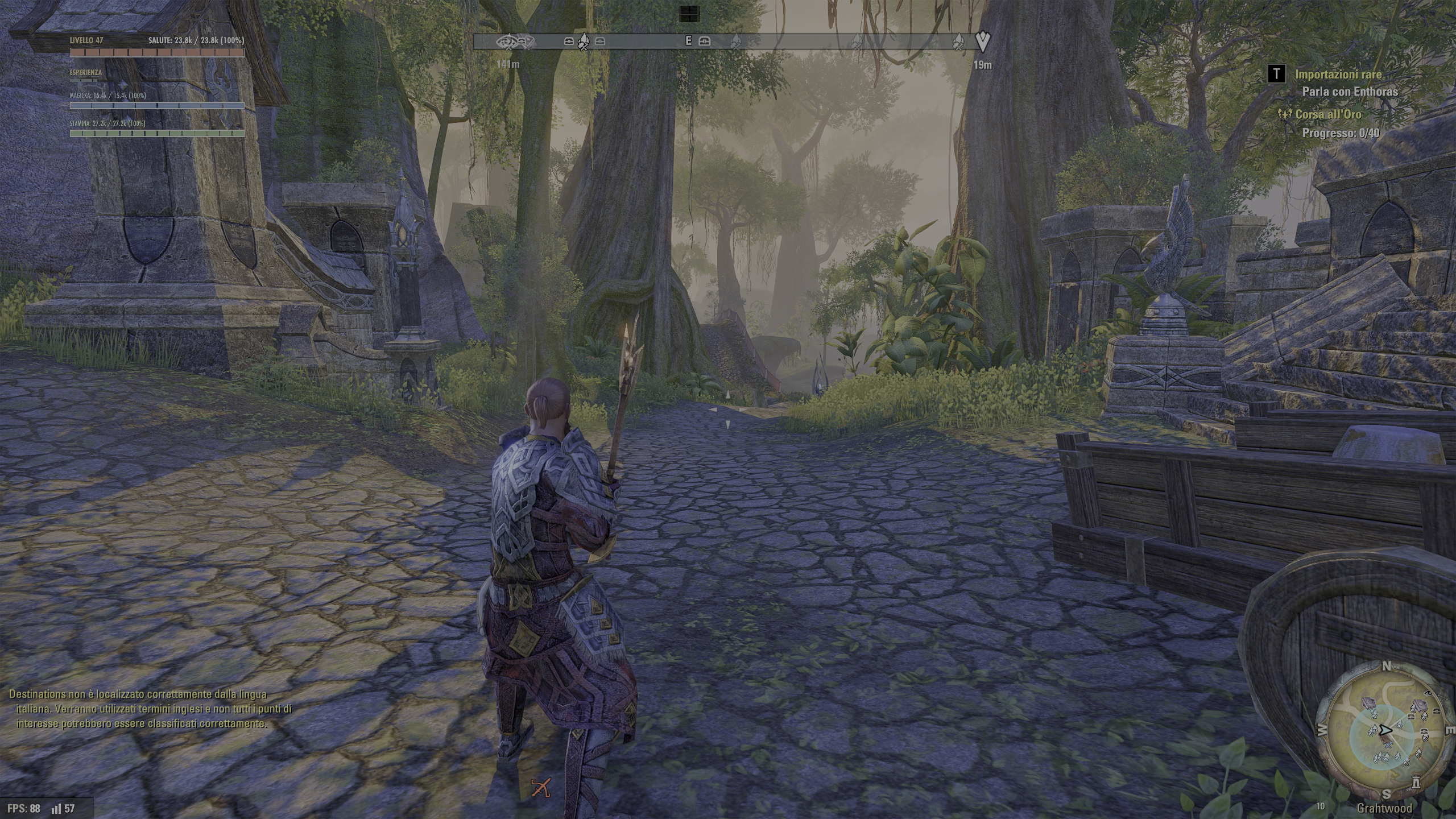
TorigaHUD is a clean, modern, and customizable combat HUD for The Elder Scrolls Online, designed to replace the game's default resource frames with a high-contrast geometric layout.
Featuring segmented resource bars and individually draggable frames, it provides optimal visual awareness in every battle.
Key Features
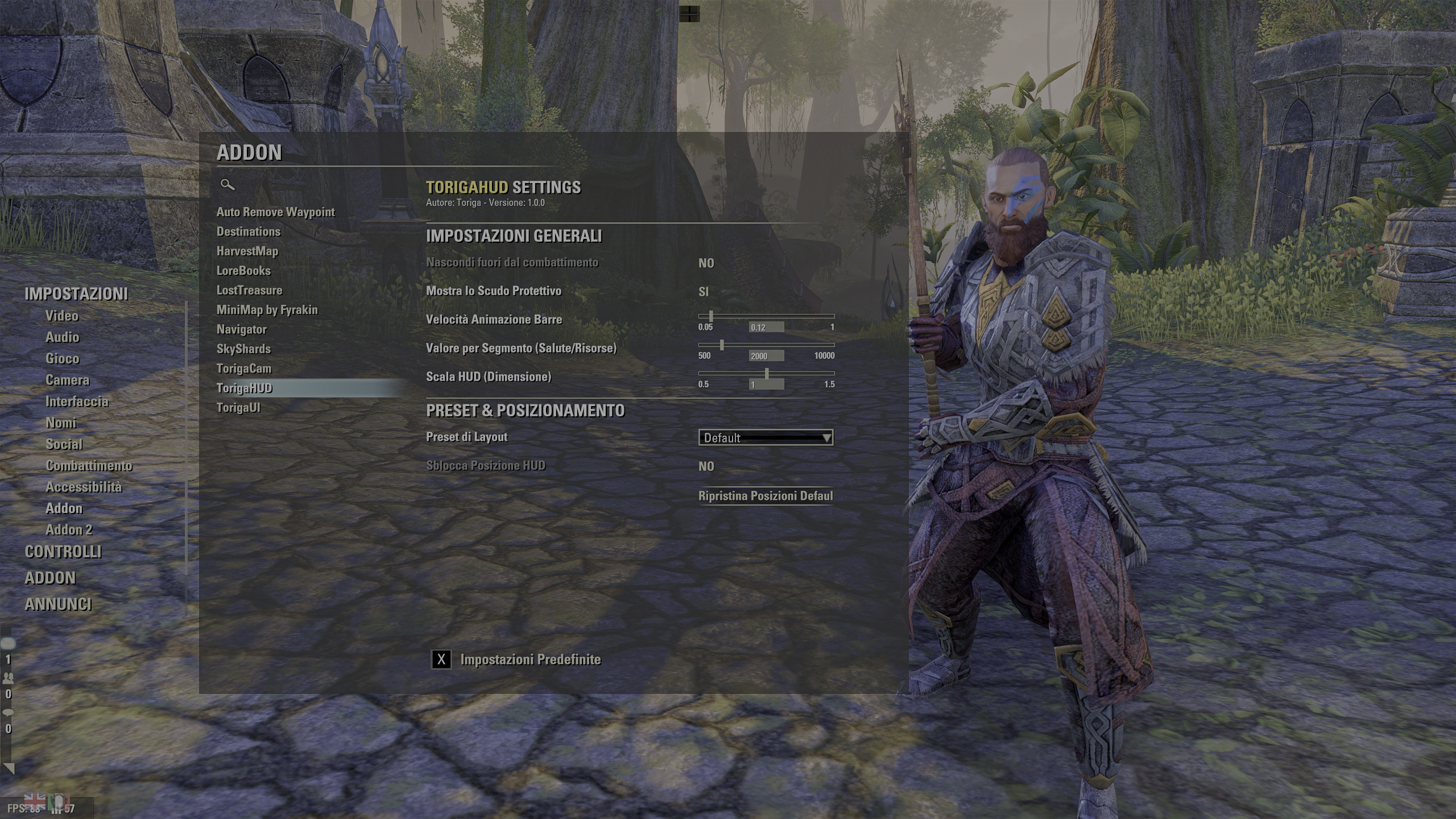
- Segmented Geometric Bars: The Health, Magicka, Stamina, and Target bars are divided into visual blocks. Each segment represents a fixed resource amount (default: 2000 points, fully configurable), allowing you to immediately gauge maximum and current resource pools at a glance.
- Smooth Animations (Lerp): Resource updates use linear interpolation to smoothly slide the bars rather than teleporting, giving a premium, dynamic feel during combat.
- XP & Level Bar: Includes a thin bar to monitor experience (or Champion Points) progress and current level.
- Free Positioning: All HUD elements (Health, Magicka, Stamina, Target, XP) can be unlocked, dragged with the mouse, and locked anywhere on the screen.
- Layout Presets:
- Default: Standard top-left screen position.
- Focus Combat (Vertical): Bars stacked vertically near the center of the screen, below the player character.
- Focus Combat (Horizontal): Rearranges bars side-by-side below the player character to keep the center screen clear.
- Minimalist (Compact): Reduced scale (85%) and larger resource segment values for a completely clean interface.
- Hide Out of Combat (Fade out): Automatically fades and hides the HUD when you are out of combat and have no active target, letting you enjoy the scenery of Tamriel.
- Global HUD Scale: Easily scale all HUD elements up or down using a simple slider.
- 7 Languages Supported: Natively supports English, German, French, Spanish, Italian, Russian, and Chinese.
Slash Commands & Bindings
- /torigahud or /thud: Unlocks or locks the HUD position. When unlocked, a dialog appears allowing you to Apply or Cancel changes.
- You can assign a keybinding in the ESO Controls menu to lock/unlock HUD positioning instantly.
Required Dependencies
To work properly, this addon requires the following library to be installed:
- LibAddonMenu-2.0 (game settings panel manager).
Installation
- Download the addon archive.
- Extract the TorigaHUD folder into your ESO addons directory:
Documents\Elder Scrolls Online\live\AddOns\
- Make sure LibAddonMenu-2.0 is installed in the same directory.
- Start the game and check that the addon is enabled in the Add-ons screen.
Link: https://www.esoui.com/downloads/info4666-TorigaHUD.html
Toriga
Senior Software Developer
Senior Software Developer
0
-
 Kickimanjaro✭✭✭✭A HUD addon with no screenshots as examples? I didn't even know you could upload to minion without screenshots.
Just sayin', you might get more people interested in trying it out if you can show them what it looks like first!Edited by Kickimanjaro on June 30, 2026 3:03PMgood thoughts, good words, good actions2 -
 LunaFlora✭✭✭✭✭
✭✭✭✭✭Hard to read yellow text and no screenshots is not great.
it sounds like a good add-on but how does it look?miaow this is my forum signature! my name is Luna ( she/her ).
🌸*throws cherry blossom on you*🌸
"Eagles advance, traveler! And may the Green watch and keep you."
🦬🦌🐰
PlayStation EU is my primary server.
LunaFloraBlossom on PlayStation 5 and PC.
my main character is a Bosmer Warden named Greehnhart in-game, Greenie Florahart in full.
all characters on PS EU:- Luna Blossom, Bosmer Dragonknight.
- Dotty Greehnhart, Bosmer Sorcerer.
- Lía Greehnhart, Khajiit Nightblade.
- Lady Greehnhart, Altmer Templar. Lady is her name and title.
- Holly Blossom, Altmer Sorcerer.
- Sally Jadehart, Argonian Nightblade. Like a green salamander.
- Dorothy Pizzalover, Orc Warden. add pizzas to the game please.
- Greehnhart, Bosmer Warden.
- Lúcia Azurehart, imperial Necromancer. Azureblight, she has a Maarselok outfit.
- Bunny Rubyhart, Dunmer Nightblade.
- Wisteria Antheia, Khajiit Templar. blue hair like the wisteria.
- Cynthia Turquesa, Breton Warden.
- Rubyhart, Bosmer Nightblade.
- Hestia Rubyhart, Dunmer Dragonknight.
- Aurelia Cherryhart, Altmer Warden. Spriggan.
- Aurora Honey, Redguard Templar. Meridian cultist.
- Speaks-With-Blossom, Argonian Warden.
- Lulu Nightshade, Nord Necromancer.
- Lunetta Gleamblossom, Bosmer Arcanist. Ohmes Khajiit.
- Dianna Hyacinth, Altmer Arcanist. Maormer, water hyacinth.
Links to my Housing threads:Weapon Racks
https://forums.elderscrollsonline.com/en/discussion/692081/housing-request-weapon-racks-wishlist-with-pictures
Desks
https://forums.elderscrollsonline.com/en/discussion/691313/housing-request-more-desk-furnishings-please
Orc
https://forums.elderscrollsonline.com/en/discussion/687765/wishlist-for-orcish-furnishings
Music control
https://forums.elderscrollsonline.com/en/discussion/683673/request-for-housing-music-changer
Sanguine
https://forums.elderscrollsonline.com/en/discussion/679400/housing-sanguine-furnishings-from-west-solstice-please
Statues
https://forums.elderscrollsonline.com/en/discussion/691652/housing-statues-from-zones-as-furnishings-please
Links to my Fashion threads:Tassets and Loincloths
https://forums.elderscrollsonline.com/en/discussion/650919/list-of-outfit-styles-without-tassets-and-loincloths-will-try-to-update
Outfit System refresh
https://forums.elderscrollsonline.com/en/discussion/690938/lunas-outfit-system-improvements-request-thread
Dye Stamps
https://forums.elderscrollsonline.com/en/discussion/688775/please-let-us-collect-the-dye-stamp-exclusive-dyes-outfit-system-request
Unavailable Styles
https://forums.elderscrollsonline.com/en/discussion/686841/please-release-all-unavailable-outfit-styles-for-outfits0 -
Toriga✭✭✭Kickimanjaro wrote: »A HUD addon with no screenshots as examples? I didn't even know you could upload to minion without screenshots.
Just sayin', you might get more people interested in trying it out if you can show them what it looks like first!
I didn't because i play with HDR, this cause my screenshot out my monitor very very very dark or burned.
It's faster just try and decide because addons are free and very little.Edited by Toriga on June 30, 2026 4:33PMToriga
Senior Software Developer0