Cannot buy the premium+bonus tome?

PurpleScroll
✭✭✭✭
So I want to buy the premium+bonus tome, but the ingame button to do so does absolutely nothing. I have payment info on my account, but nothing happens ingame and nothing shows up on my billing history. I've tried disabling all addons, which didn't fix it. I'm on PC-EU and in the UK, and there doesn't seem to be any way of buying the upgrade outside of the game?
4
-
 ZOS_GinaBrunoCommunity Manager@PurpleScroll Any chance you are able to grab a quick video? Even just cell phone footage would be fine.Gina Bruno
Principal Creator Engagement Manager
Dev Tracker | Service Alerts | ESO Twitter | My Twitter1 -
 danko355✭✭✭✭Same , PC EU Steam. When I click the button "Premium + Bonuses" in-game, nothing happens1
 -
 Bo0137✭✭✭✭✭I would like to take advantage of this post to ask: we can't buy the pass from Steam? Why?Advocating for crown crates to return to the store of adult Brazilians.
I am an adult, I want to spend the money I earn on crown crates.
ZOS can comply with Brazil's legislation and still sell crown crates to adults.4 -
PurpleScroll✭✭✭✭I found the problem. If the game is launched through Steam, you need to have the Steam Overlay enabled for it to show the purchase options, even if you have an older account like I have.5
-
 Techwolf_Lupindo✭✭✭I would like to take advantage of this post to ask: we can't buy the pass from Steam? Why?
If this is true, that leave me out as I only use prepaid cards on steam. This is because for a while, the #1 vector for shady stuff was games and there developers. Still is today somewhat. But Steam has crack down on that stuff. By not having that info online somewhere, the criminals can not get it.
UPDATE: Just for testing, I click on the Preminum + Bonuses 29.99 USD and it brough up the Steam Linux client where I can finish the transaction. I did not have enough funds, so the button on the Steam client was to Add Funds. So this does work, even on the Steam Linux client. (for those wondering, I use Gentoo Linux as the OS and use the Steam Linux client that uses Proton to run winblows only games)Edited by Techwolf_Lupindo on April 2, 2026 3:07PM2 -
ZOS_GinaBrunoCommunity ManagerPurpleScroll wrote: »I found the problem. If the game is launched through Steam, you need to have the Steam Overlay enabled for it to show the purchase options, even if you have an older account like I have.
Thanks so much for reporting back!Gina Bruno
Principal Creator Engagement Manager
Dev Tracker | Service Alerts | ESO Twitter | My Twitter0 -
 Maitsukas✭✭✭✭✭
✭✭✭My saved payment option is PayPal, yet when I click on the purchase Premium + Bonuses button, the pop-up tells me to refresh, which does nothing: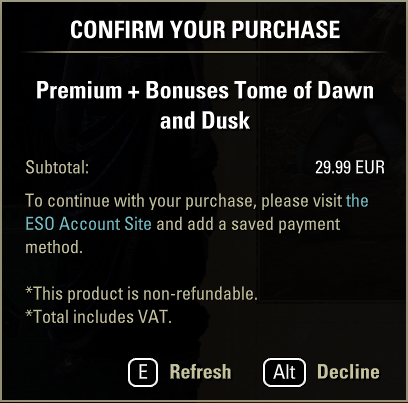
Playing on the ESO Store version of the game.Edited by Maitsukas on April 2, 2026 2:53PMPC-EU @maitsukas
Posting the Infinite Archive and Imperial City Weekly Vendor updates.
Also trying out new Main Quests, Companions, ToT decks, Events and Styles on PTS.6 -
 johnjetau✭✭✭✭I turned on the Steam Overlay. Still not working. All I get is a message saying "Transaction Failed. Please try again later".
I'm PC NA, from Australia.Edited by johnjetau on April 2, 2026 2:55PM2 -
 allmyxlvntx✭✭✭I get a popup window - looking for me to add a payment method to my ESO account.... which I have... then a "refresh" button but nothing happens.
So there is no way to upgrade at this point, at least for me1 -
allmyxlvntx✭✭✭ZOS_GinaBruno wrote: »PurpleScroll wrote: »I found the problem. If the game is launched through Steam, you need to have the Steam Overlay enabled for it to show the purchase options, even if you have an older account like I have.
Thanks so much for reporting back!
Keep looking into this please... as I have no way to upgrade. I do not use Steam... just the launcher. I get the page asking me to "refresh" and then nothing happens.
Same as another post in this thread.
Thank you2 -
ZOS_GinaBrunoCommunity Managerallmyxlvntx wrote: »I get a popup window - looking for me to add a payment method to my ESO account.... which I have... then a "refresh" button but nothing happens.
So there is no way to upgrade at this point, at least for me
Try closing the Upgrade Tomes window and try again?Gina Bruno
Principal Creator Engagement Manager
Dev Tracker | Service Alerts | ESO Twitter | My Twitter0 -
Maitsukas✭✭✭✭✭
✭✭✭ZOS_GinaBruno wrote: »allmyxlvntx wrote: »I get a popup window - looking for me to add a payment method to my ESO account.... which I have... then a "refresh" button but nothing happens.
So there is no way to upgrade at this point, at least for me
Try closing the Upgrade Tomes window and try again?
Now the option is there for me: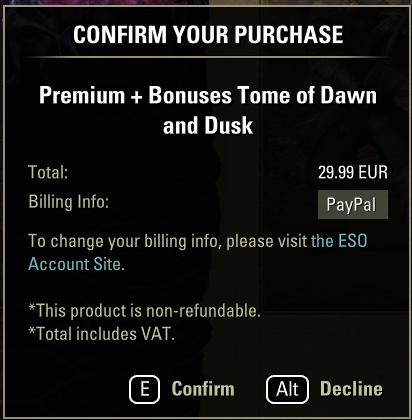
I had to re-add PayPal as a saved payment method for it to work for me.Edited by Maitsukas on April 2, 2026 3:22PMPC-EU @maitsukas
Posting the Infinite Archive and Imperial City Weekly Vendor updates.
Also trying out new Main Quests, Companions, ToT decks, Events and Styles on PTS.1 -
licenturion✭✭✭✭✭
✭Shame we can’t buy this with crowns, the premium currency of ESO.
Literally all games with battlepasses I played for the past 8 years let you buy battlepasses with premium currency.From Overwatch, Rivals, Diablo, Call Of Duty, Sea Of Thieves, Finals, Apex, Fortnite etc
Not buying tomes until this is fixed. It is very anti-player and anti-consumer to always invent new things(tomes, trader bars, content passes, dlc, upgrades, …) that can’t be purchased with already purchased crowns and default premium currency.
I understood when it were big expansions that this were separate purchases, but for low effort content like battlepasses it should have been possible to buy with crowns.Edited by licenturion on April 2, 2026 3:28PM11 -
ZOS_GinaBrunoCommunity ManagerZOS_GinaBruno wrote: »allmyxlvntx wrote: »I get a popup window - looking for me to add a payment method to my ESO account.... which I have... then a "refresh" button but nothing happens.
So there is no way to upgrade at this point, at least for me
Try closing the Upgrade Tomes window and try again?
Now the option is there for me:
I had to re-add PayPal as a saved payment method for it to work for me.
Thank you!Gina Bruno
Principal Creator Engagement Manager
Dev Tracker | Service Alerts | ESO Twitter | My Twitter1 -
 Maythor✭✭✭✭I wonder, does opening up a premium tome allow you access on both servers, that might be a positive to having outside payment for it rather than using crowns? Not a great positive, but a little one.0
 -
 DoofusMax✭✭✭✭Looked into this on my alt account shortly after Anniversary started (haven't yet been on with my main account) and immediately noticed two things:
1. Really laggy. Clicking the "Upgrade Tome" button in-game initially didn't do anything (-tap-tap-is this thing working?-tap-tap-), but it eventually opened a pop-up from Steam where the option to purchase the Premium was available.
2. The pop-up page only allowed paying with my Steam wallet (and its glaringly obvious "Add Funds" button since I don't use that payment method)
I checked Steam itself on both accounts and the Tome is not a currently available item for purchase, so there is something going on under the hood. That's more in ZOS' bailiwick than mine, but it might be worth examining on their end.
Follow-up EDIT: checked the Tome in-game on my main account and same problem: only purchasable with Steam wallet funds (which I don't use).Edited by DoofusMax on April 2, 2026 4:31PMI'm fresh out of outrage, but I could muster up some amused annoyance if required.0 -
 Tyralbin✭✭✭✭✭@ZOS_GinaBruno
Isn't there an option to buy from our ESO account page?
If not will one be added in future?Live a little love a lot send all your gold to this Imperials pot.8 -
 DaiKahn✭✭✭✭This happened to me RE: the Refresh or Decline pop-up using the non-Steam Launcher
Click the "the ESO Account Site" link in the pop-up, add your same payment method you already use (mine was PayPal), go back to game and press E
This worked for me. No idea why on Earth ZOS made this happen when I et al already have payment methods on our accounts
I'm just a manHail Sithis1 -
Akskad✭✭✭Hello,
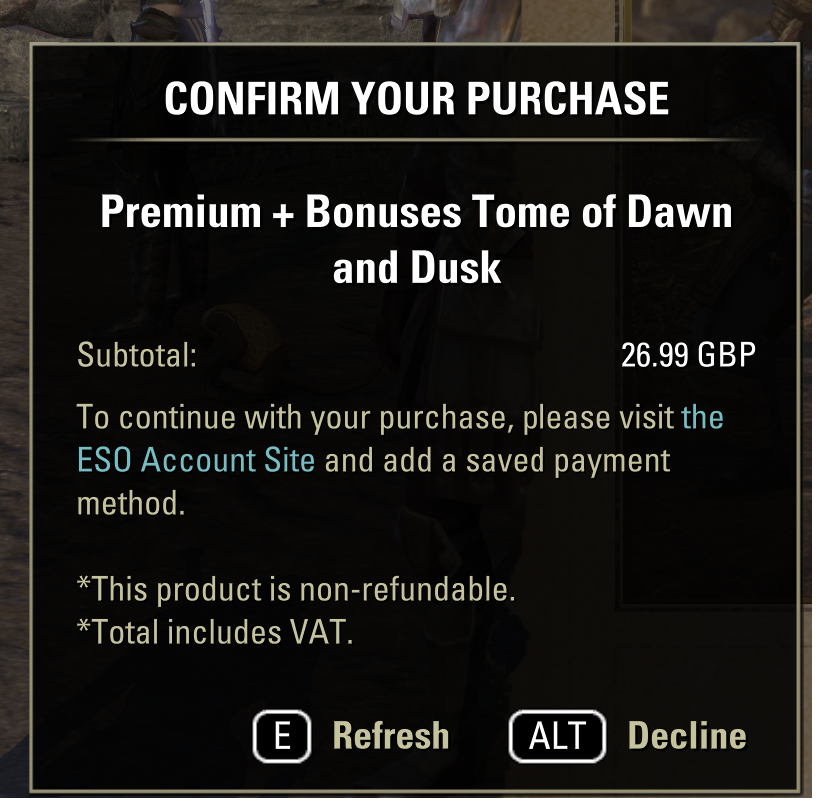
I have the same problem. I cannot buy the tome upgrade, and my payment details are already on ESO account. I do not use Steam.
Thanks3 -
TheDutchChef✭✭I use steam, linked my paypal to my account on ESO website.
Still same error as a lot of people have:
Transaction failed. Please try again later.0 -
 wolfie1.0.✭✭✭✭✭
✭✭✭✭i really dont like that tomes require a saved payment method to buy the upgrades.
I also dont like that the options to purchase them are not directly available on Steam or through the ESO website.
In ALL honestly, the hassle of having to go through the hassle involved will likely discourage me from buying into the system.
Call, me paranoid, but i do not like saving payment information in websites when i have a choice regarding the matter.Edited by wolfie1.0. on April 2, 2026 5:01PM10 -
 eredthelionSoul ShrivenOkay after a long session of Player vs Technology I managed to buy the Premium + Bonus tome.
This is how I managed:- I am a steam user. I still had to go to the ESO website and add my payment method (I used VISA) and had to have it approved through the Bank's Authenticator App.
- I had to enable the steam overlay (which I had turned off on all my games).
- After this for a long while i got the "transaction failed please try again later".
- I finally got the steam overlay pop up where It only allowed me to purchase with steam wallet (which i never used).
- I had to transfer money to my steam wallet and approve the transaction on the Bank Authenticator again.
- I had to approve of the transaction in steam and once again approve with my Bank's Authenticator App.
- The game told me I got it and its there.
I hope an easier to use version of this comes out for future tomes as I don't think I had to ever work so hard to give my money to a company 2
2 -
allmyxlvntx✭✭✭I was able to finally purchase the Tome Upgrade... but only after "saving" my payment information WHILE MAKING a purchase of something else. I could not just update and save my payment information on my account. I HAD TO BUY something.
Come on... let's get the website actually working. Now to remove my payment information. Is ESO website really that secure?
2 -
mistpeak✭✭I'm on the eso store version of the game. After trying some of the suggestions here, I still can't purchase the Premium Plus Bonus Tome .
I'll purchase when and if it's fixed.
I don't understand why we can't buy this off the eso store page just like past chapters. The whole process would be much easier.6 -
 Adhara✭✭✭I tried clicking the button like 8 times. Nothing happened the first 7 times. Finally it said "transaction failed. please try again later." I thought maybe I needed to do it through Steam, but Steam's store page for ESO has no option for the Tome. I enabled Steam Overlay in ESO (I had it disabled for everything because it messes with TESIII) thinking it had to launch the in-game overlay, but still "transaction failed. please try again later".
You all do KNOW that the harder you make it to spend money, the less people will spend…right?1 -
Jordan_Black✭✭✭✭allmyxlvntx wrote: »I was able to finally purchase the Tome Upgrade... but only after "saving" my payment information WHILE MAKING a purchase of something else. I could not just update and save my payment information on my account. I HAD TO BUY something.
Come on... let's get the website actually working. Now to remove my payment information. Is ESO website really that secure?
@ZOS_GinaBruno @ZOS_KaiSchober really? I have to *buy something else* to get this to work? Can you at least put something on sale with a deep discount we could buy for $1 while this gets worked on?2 -
Jordan_Black✭✭✭✭I meant to tag @ZOS_Kevin in that last post because he spends time on the forums, sorry @ZOS_KaiSchober , I don't even know who you are :-)0
-
TheDutchChef✭✭If you really have to buy something first they can put the tome somewhere .... (Ill stay nice
 )
)
Its already bad enough a ton of people have issues from the beginning of the release.... I hope they will fix this stuff soon....0 -
BasP✭✭✭✭✭I can't buy either the Premium or the Premium + Bonuses Tamriel Tome either. When I click on those options, I immediately see the following message:
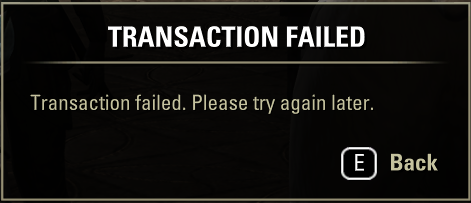
I play the game through Steam and am subscribed to ESO+ through Steam as well. I did just add a payment method on ESO's website as well, enabled the Steam Overlay and restarted the game. It sadly still doesn't work, though.
Edit: It seems complaining about it did wonders; I just managed to buy the Premium Tome.Edited by BasP on April 2, 2026 7:32PM0

