Maintenance for the week of March 16:
• PC/Mac: No maintenance – March 16
• ESO Store and Account System for maintenance – March 18, 6:00AM EDT (10:00 UTC) - 4:00PM EDT (20:00 UTC)
• PC/Mac: No maintenance – March 16
• ESO Store and Account System for maintenance – March 18, 6:00AM EDT (10:00 UTC) - 4:00PM EDT (20:00 UTC)
Game Starting on the Wrong Screen...

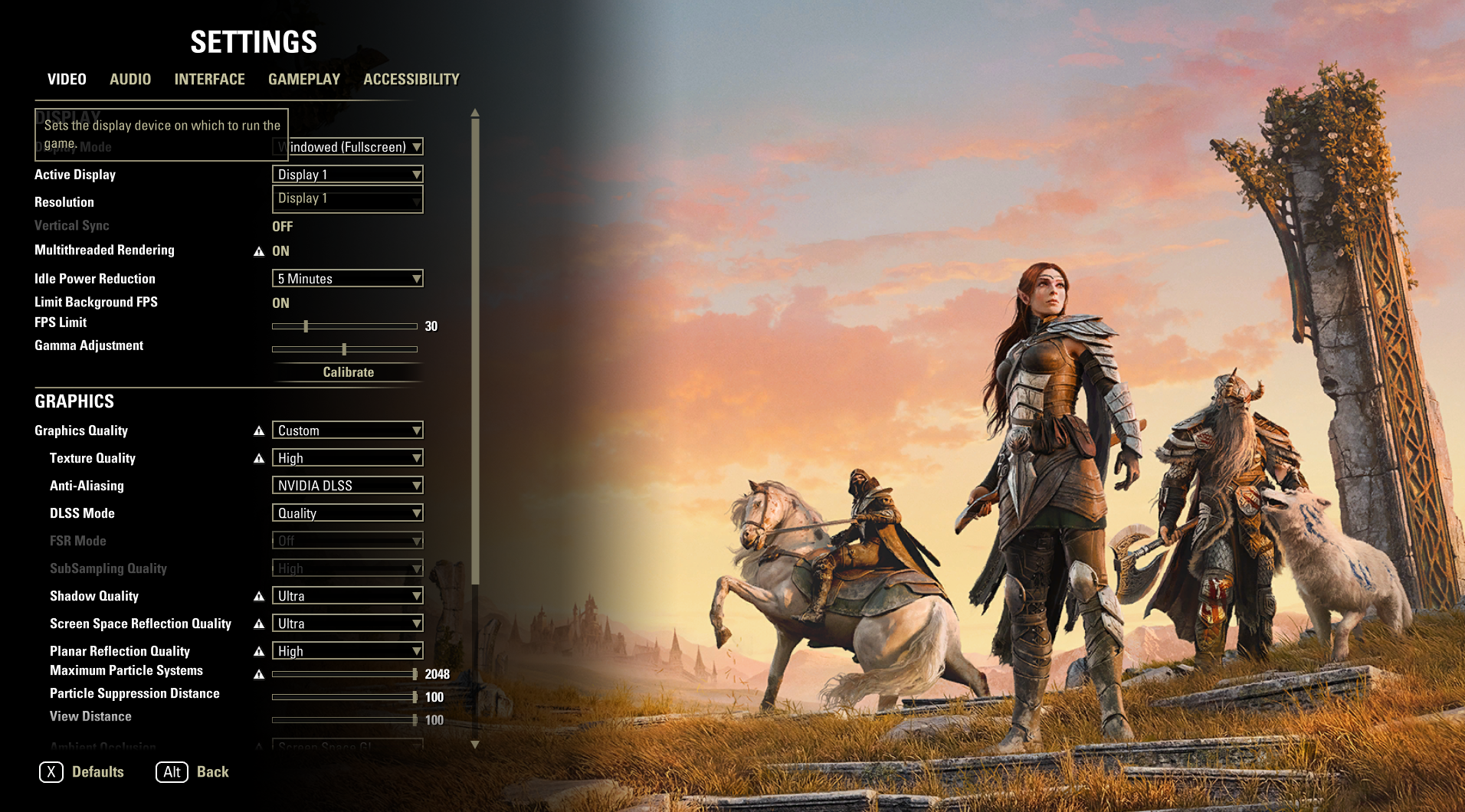
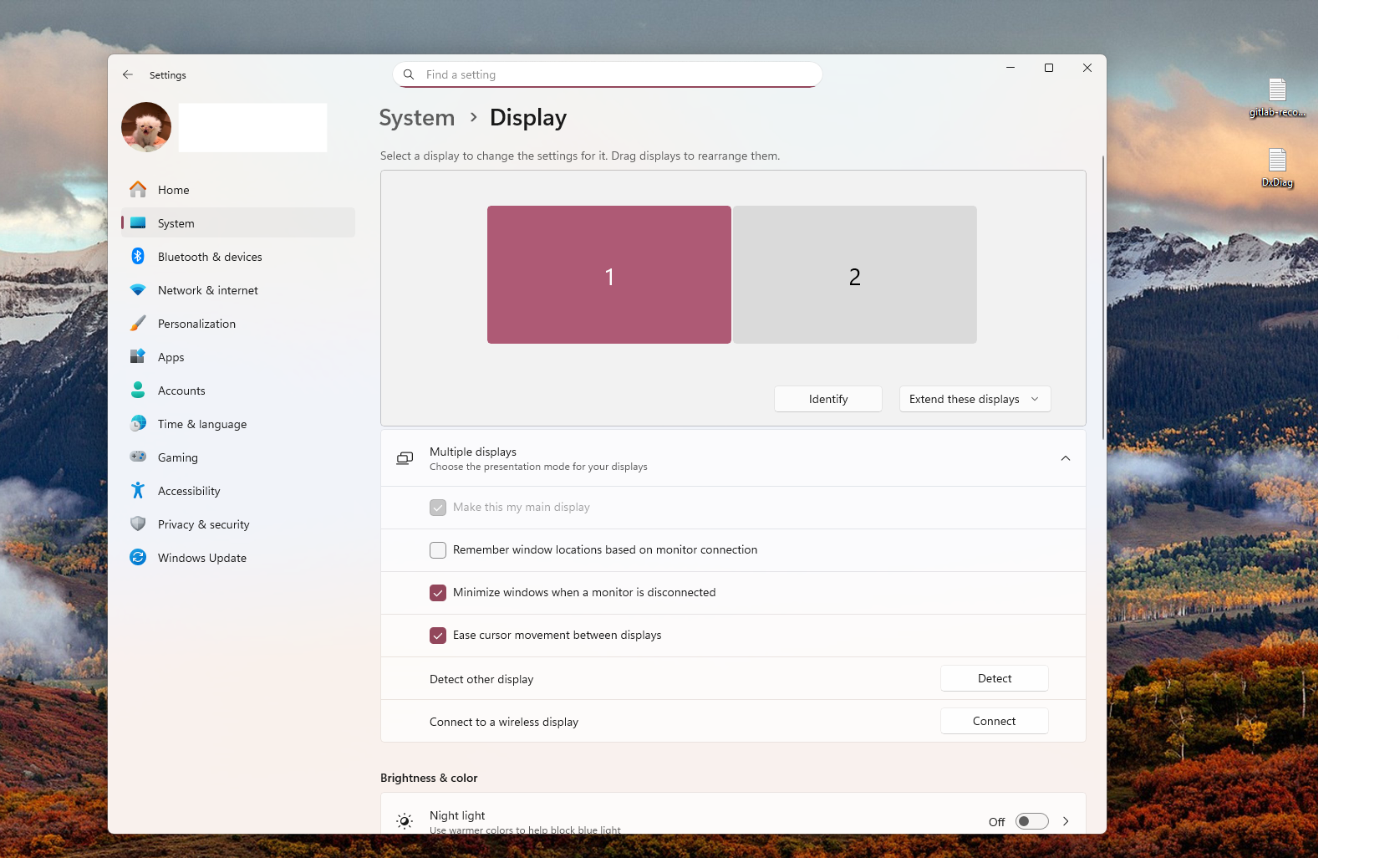
I brought this up on the pts that u49 broke my game's situation with a dual monitor, so I guess I'll bring it up again... I have changed no settings, my monitors are labeled correctly (1 and 2 respectively) and the game, when launched, pops up on the wrong screen. I know for a fact that I have changed nothing, but this update broke how the game launches. Is there anything I can do to fix this??
3
-
 Emeratis✭✭✭✭✭Yeah same thing happened to me on pts and just now launching the game but thankfully all I needed to do was flip to my display 2. I know that doesn't help you because your second display isn't showing for some reason so sorry I couldn't be of more help. Hoping they fix it soon for you and the others affected by it.0
 -
Yeah same thing happened to me on pts and just now launching the game but thankfully all I needed to do was flip to my display 2. I know that doesn't help you because your second display isn't showing for some reason so sorry I couldn't be of more help. Hoping they fix it soon for you and the others affected by it.
Yeah I'm really disappointed this happened, I brought it up all the way back in the first week of the PTS. I have no idea what could be causing it, but I really don't think it's a me-issue.
https://forums.elderscrollsonline.com/en/discussion/688200/two-screens-and-the-pts#latest0 -
 sshogrin✭✭✭✭I started up the game on PTS this morning and it was on my "Screen 2" even though the game said "Screen 1". I switched to "Screen 2" in game, and it put it on "Screen 3" on my monitors. I then switched it to "Screen 3" in game and it put it on "Screen 1" on my monitors.
Not sure I can help if the game only sees one monitor.2 -
Yep, I tried this fix https://steamcommunity.com/app/306130/discussions/0/603018985919797156/?l=italian and that didn't seem to do anything. I've tried several different changes to the "user settings" txt file, but nothing has helped. I'm kind of at a loss at this point.
Edit, just to clarify-- the game is thinking that my secondary display IS my primary display, and won't show the monitor labeled by windwos as "monitor 1".Edited by drip_fromtheinkwell on March 9, 2026 4:22PM0 -
 method__01✭✭✭✭✭dual monitors here too but no prob ,live or pts
check my settings PC EU/NA /// PS4 EU/NA
Vasanha
This one hears nothing. Sees nothing. This one only sweeps.
desperately need a survey assistant0 -
method__01 wrote: »dual monitors here too but no prob ,live or pts
check my settings
That's what mine looks like in windows, like in the screenshot I posted, but the problem is that the game doesn't even recognize that the second monitor exists, let alone that a game can be on it.0 -
Emeratis✭✭✭✭✭@drip_fromtheinkwell a friend of mine got the same bug just now as you and had to go into his user settings and manually edit the file to fix it! Not ideal but a temp fix that could help.0
-
@drip_fromtheinkwell a friend of mine got the same bug just now as you and had to go into his user settings and manually edit the file to fix it! Not ideal but a temp fix that could help.
I think I mentioned it above but I did try that, and it also didn't work. I just don't know what to do now, I've been banging my head against the wall of this for an hour with no results. @ZOS_Kevin I'm not sure if anyone else has submitted any reports on it aside from me here and in the thread I had from the pts.
0 -
method__01✭✭✭✭✭ok,have same game setting as you but i can see and choose sec monitor
PC EU/NA /// PS4 EU/NA
Vasanha
This one hears nothing. Sees nothing. This one only sweeps.
desperately need a survey assistant0 -
 ZOS_KevinCommunity Managerdrip_fromtheinkwell wrote: »@drip_fromtheinkwell a friend of mine got the same bug just now as you and had to go into his user settings and manually edit the file to fix it! Not ideal but a temp fix that could help.
I think I mentioned it above but I did try that, and it also didn't work. I just don't know what to do now, I've been banging my head against the wall of this for an hour with no results. @ZOS_Kevin I'm not sure if anyone else has submitted any reports on it aside from me here and in the thread I had from the pts.
We have the team looking into this now. We'll update once we have more info.Community Manager for ZeniMax Online Studio and Elder Scrolls OnlineDev Tracker | Service Alerts | ESO Twitter1 -
drip_fromtheinkwell wrote: »@drip_fromtheinkwell a friend of mine got the same bug just now as you and had to go into his user settings and manually edit the file to fix it! Not ideal but a temp fix that could help.
I think I mentioned it above but I did try that, and it also didn't work. I just don't know what to do now, I've been banging my head against the wall of this for an hour with no results. @ZOS_Kevin I'm not sure if anyone else has submitted any reports on it aside from me here and in the thread I had from the pts.
We have the team looking into this now. We'll update once we have more info.
thank you so much!0 -
Emeratis✭✭✭✭✭drip_fromtheinkwell wrote: »@drip_fromtheinkwell a friend of mine got the same bug just now as you and had to go into his user settings and manually edit the file to fix it! Not ideal but a temp fix that could help.
I think I mentioned it above but I did try that, and it also didn't work. I just don't know what to do now, I've been banging my head against the wall of this for an hour with no results. @ZOS_Kevin I'm not sure if anyone else has submitted any reports on it aside from me here and in the thread I had from the pts.
Ah rip, my bad. Seems like you have the worst version of this bug so hoping they can find out what's causing it and how to fix it.0 -
 ZOS_JessicaFolsomCommunity ManagerHey all, we can confirm we do have a bug in for this issue (and did during the latest PTS cycle.) In our testing of this issue, we have had inconsistent results reproducing it. We're continuing to look at it but don't yet have a fix. As a temporary workaround, you can change your monitor assignments in the Windows Display Settings, but we recognize that isn't always ideal. We'll add this to the known issues list.2
 -
I did a little more fiddling around in the txt file and I came up with a bandaid that MIGHT help figure out the root issue-- I changed that "SET ACTIVE_DISPLAY" from a "0" to a "1" which got it on the right screen at least. the only problem with this is I can't flip back from a "screen 1" to a "screen 2" or reverse. I feel terrible for poking about it on the forums, but my wheelhouse is material editors, blender and zbrush, not this 0's and 1's nonsense 😅
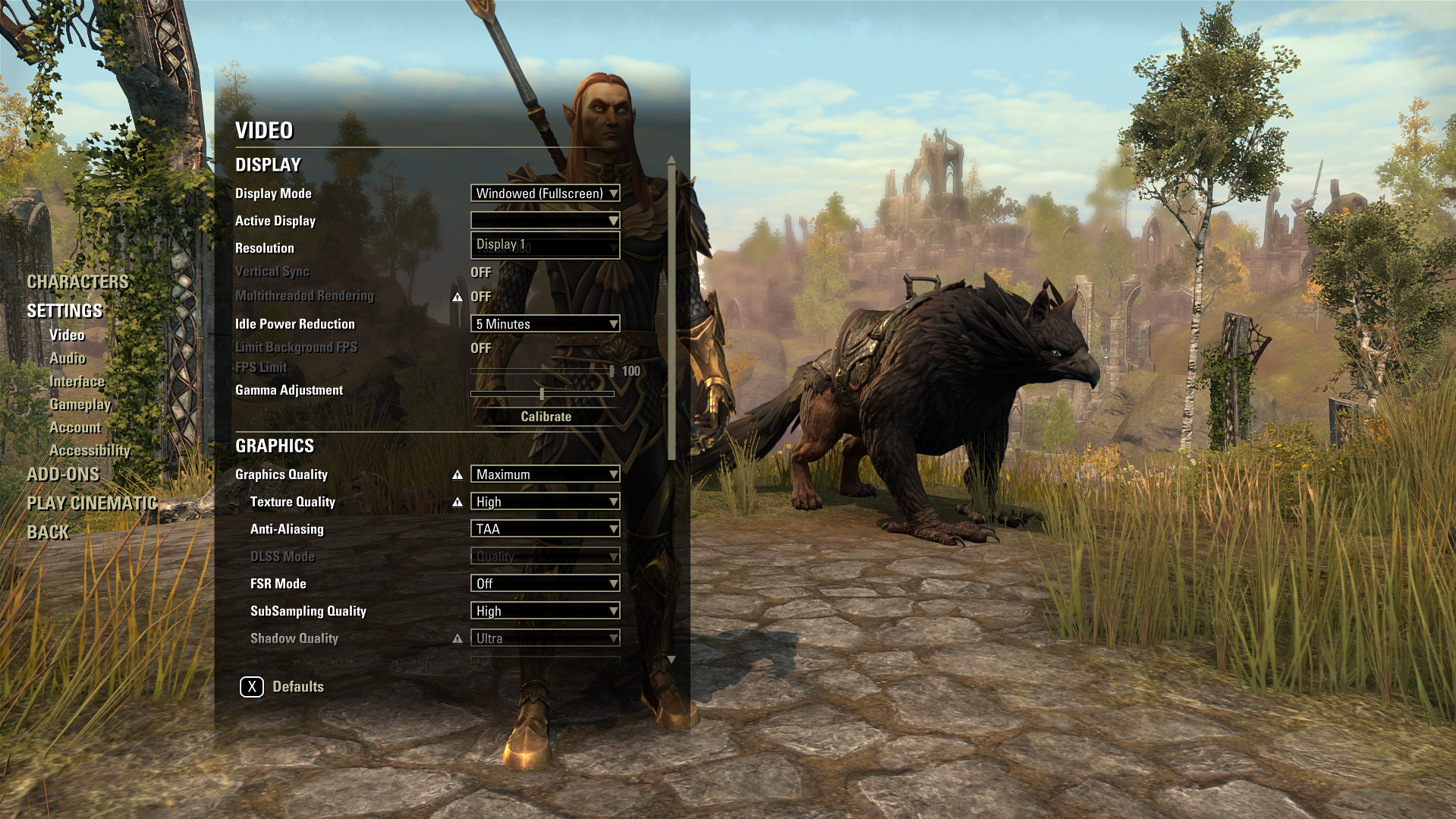
Edited by drip_fromtheinkwell on March 9, 2026 5:10PM1 -
 Dimorphos✭✭✭✭Same problem here. I have 3 monitors and now ESO refuses to understand that windows set display 1 (main display) is truly display 1 and main display. It tries to force the idea that monitor 2 is the main display. Tried all the problem solving from new user settings to re-cabling and resetting everything, still it thinks display 2 in eso settings must be the "main display" or windows display 1 equivalent.
0 -
Dimorphos✭✭✭✭drip_fromtheinkwell wrote: »I did a little more fiddling around in the txt file and I came up with a bandaid that MIGHT help figure out the root issue-- I changed that "SET ACTIVE_DISPLAY" from a "0" to a "1" which got it on the right screen at least. the only problem with this is I can't flip back from a "screen 1" to a "screen 2" or reverse. I feel terrible for poking about it on the forums, but my wheelhouse is material editors, blender and zbrush, not this 0's and 1's nonsense 😅
I did the same but ESO still wants to think that display 2 in ESO settings means main display/display 1 in windows settings. I have SET ACTIVE_DISPLAY "1" in ESO user settings but if I want to show ESO on my main display 1 I have to set display 2 in ESO in game settings. Truly confusing and nothing helps from my end, but we know it is 100% messed up in latest patch so hopefully they fix it soon.
Might be related but I've noticed that fps keeps dropping more than usual. Nothing changed in my setup but only ESO patch.Edited by Dimorphos on March 9, 2026 5:24PM0 -
 sirinsidiator✭✭✭✭That was the first thing I noticed and reported when I logged in on PTS...
To me it looks like a problem when you have multiple graphics adapters. Seems the game now only recognizes the primary one and as a result the order of monitors in the settings changed.
In my case it even crashed the game when I tried to select a different monitor in the settings menu. Manually changing it in UserSettings.txt works fine for me.https://www.imperialtradingcompany.eu/ - My Addons - The Vault (Early updates and experimental projects) - My patreon - My blog2 -
 ZOS_IcymodGreetings,
This thread has been moved to the Bug Reports section, as it is better suited there.
The Elder Scrolls Online Team
0 -
Emeratis✭✭✭✭✭So, I had a thought it might be hardware related. Asked my guildies about it and a few got back to me. I and another guildie both had incorrect monitor initially but it was fixed after initial switch. She has a Nvidia rtx 4060 and I have an rtx 4070. Third guildie just responded and he has an rtx 3070 and had to go into the user settings file to fix. As mentioned by sirinsidiator, we all have other graphics adapters besides our main one since most of us are artists. I'm hoping this info helps you narrow down the problem.Edited by Emeratis on March 9, 2026 5:47PM1
-
 zaria✭✭✭✭✭
✭✭✭✭✭
My settings looks like this but screen 2 is far the better one and the one in front of me, 1 is the off screen to the right. Screen 1 does not have an display port connection and as usual only one hdmimethod__01 wrote: »dual monitors here too but no prob ,live or pts
check my settings
Grinding just make you go in circles.
Asking ZoS for nerfs is as stupid as asking for close air support from the death star.0 -
JeroenB✭✭✭✭Perhaps I am misreading things, but it feels like a few posters are attaching significance to whether the monitor Windows labels 'Display 1' is also called 'Monitor 1' or whatever in a given software application. To my understanding there is no inherent meaning in what Windows or an application such as a game labels different monitors. In my experience it is entirely normal for Windows to label your monitors 1 and 2 and a game to label the same monitors 2 and 1. They could have used the labels A, B, C, or blue, green, orange, or Hank, John, and Dave instead. There is also no relation between the display called 'Display 1' in Windows and the 'Primary Display' in Windows (apparently now 'Main Display').
Upon starting ESO today I also noticed that it started on the other monitor from yesterday. Unlike OP's situation, luckily both displays were available in ESO Settings, so I could just move it back. This seems to persist across launches of the game so far. As an aside, I have a strong feeling that this isn't the first time an ESO update has swapped displays this way.1 -
Varana✭✭✭✭✭
✭✭✭Josh Strife Hayes should play ESO now that it's second monitor content by default. 0
0 -
 Drebin893✭✭Adding to the above, I'm also seeing this.
In Windows 10 settings my primary display is set as 1 and my secondary display is set as 2. ESO is launching on "Monitor 1" which is my secondary display.
0 -
 Jestir✭✭✭✭✭I have the same issue and setting the display in the settings text document is a work around0
 -
 ArzyeL✭✭✭Same issue as in the PTS. In multi-Screen setups, the client runs in the wrong screen.
- Check my Linktree
- Visit my Website ArzyelBuilds
- Join me on Discord
- Subscribe to my Newsletter
0 -
g0thiCiCecReaM✭✭✭On my desktop:
XFX Merc 310 Radeon 7900XT (current drivers), Intel Core Ultra 285k, MSI Tomahawk Wifi Z890, also have 2 USB GPUs, 7x monitors. My client can be switched back to the correct monitor. After changing it via UI, the monitor selection stuck and it's working as expected.
Laptop:
Lenovo P53, some nVidia GPU, I think like a 970 or something, drivers are probably a year old since all the latest ones suck...and the ones I'm running are the last "good" set, especially for what I have. I have an external monitor plugged in usb-c port via display port cable. Can't detect the plugged in monitor, stuck on the laptop screen when having windows extend the desktop to both.Edited by g0thiCiCecReaM on March 9, 2026 9:08PM0 -
 Gnatz✭✭For those of y'all using multiple monitors, my wife's Win11 system has a quick work-around for loading on the wrong monitor. Try Win+Shift+LeftArrow (or RightArrow).
Quick, albeit temporary, fix for us. Your mileage may vary.Gnatz
"The squeaky wheel gets the kick." -- Minsc0 -
 Plasmawalker9Soul Shriven+1
Yesterday evening after the patch, the game loaded fine. Today it loaded on the wrong moniter and the TESO settings only showed one monitor. I have Win11 and tried Win+Shift+ (Left and Right) Arrow. The game flashed to the monitor it usually loads on, but wouldn't stay.
I do see Jessica added this to the known issues list.
My graphics card is a NVIDIA GeForce RTX 4070 Ti.
0 -
 verminjerky✭✭✭I logged onto PTS and wound up not reporting this issue because I was lazy and figured someone else would catch it.
Well, here we are. When in either fullscreen mode, ESO will only open on my secondary monitor. I've tried everything, checked my settings. This is very definitely set as my secondary monitor and, because I use my computer for work, I can't switch their positions/order. I have not yet found a way to get ESO to open on my main monitor, so for now I can only play windowed.
ETA: By this I mean it's the main display, and nothing has permitted me to open the game in the main display except moving the window. If I then try to put the game back into fullscreen, it again moves to the wrong monitor, which is not set as my main.
Using real photos to demonstrate how it looks on my monitors.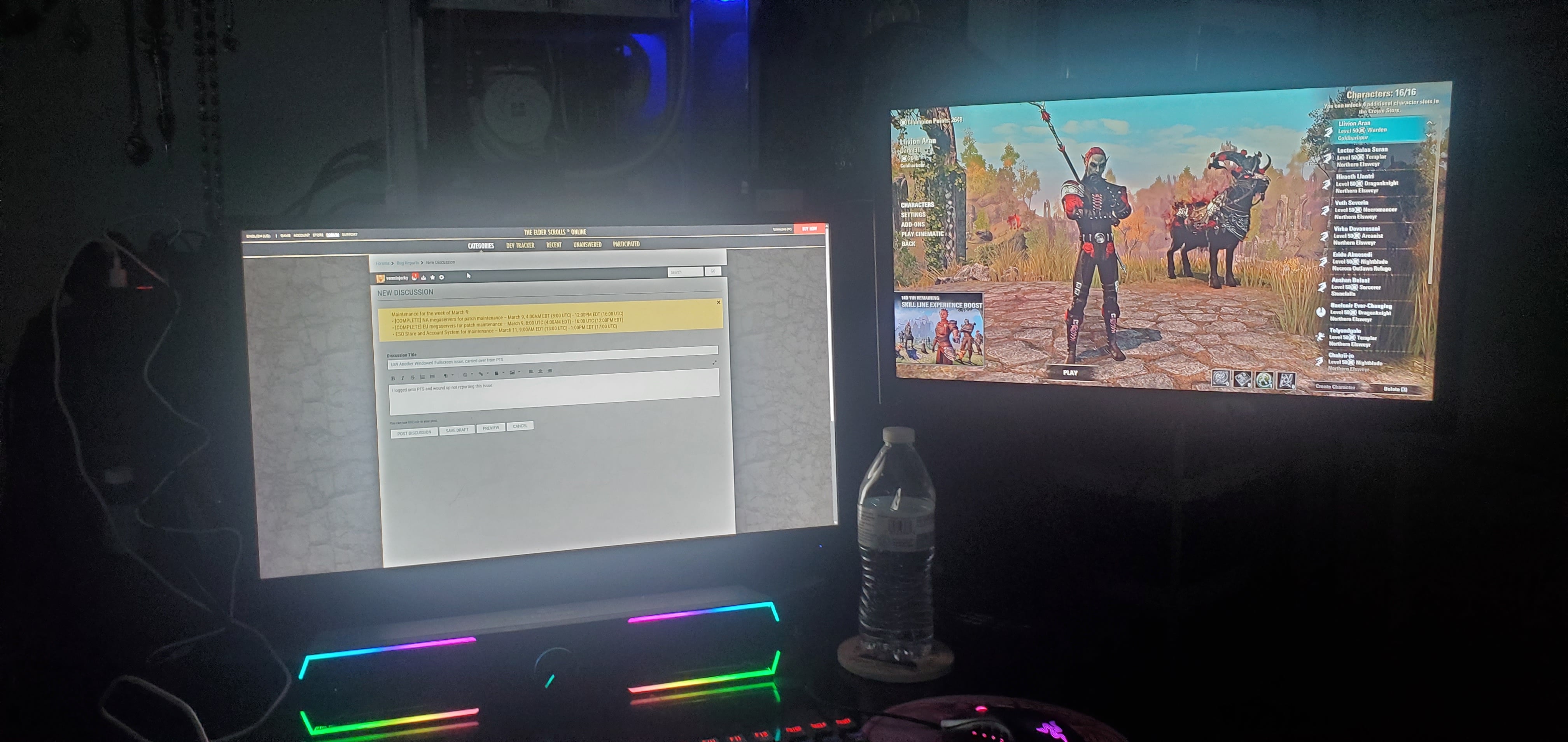
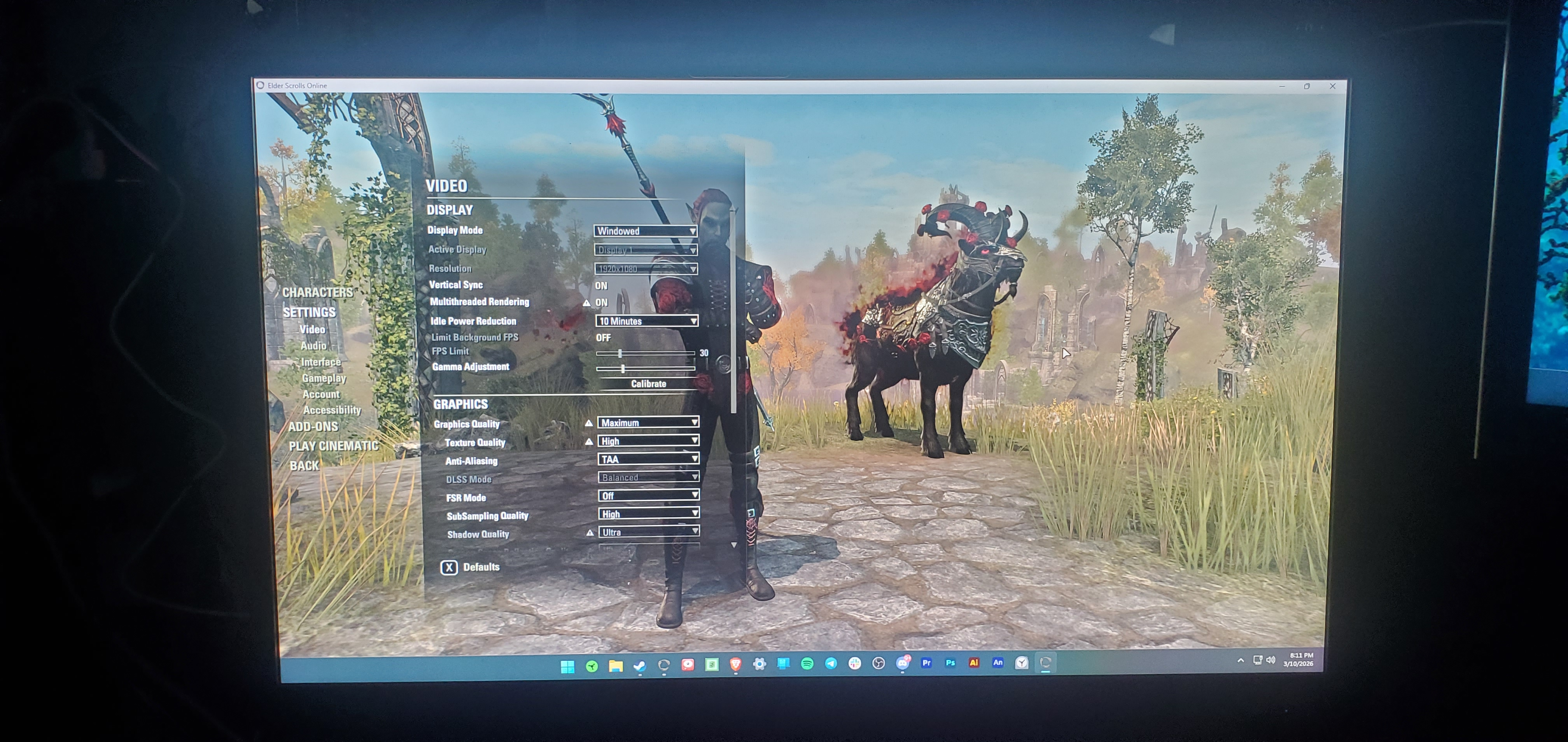
ETA: By this I mean it's the main display, and nothing has permitted me to open the game in the main display except moving the window. If I then try to put the game back into fullscreen, it again moves to the wrong monitor, which is not set as my main.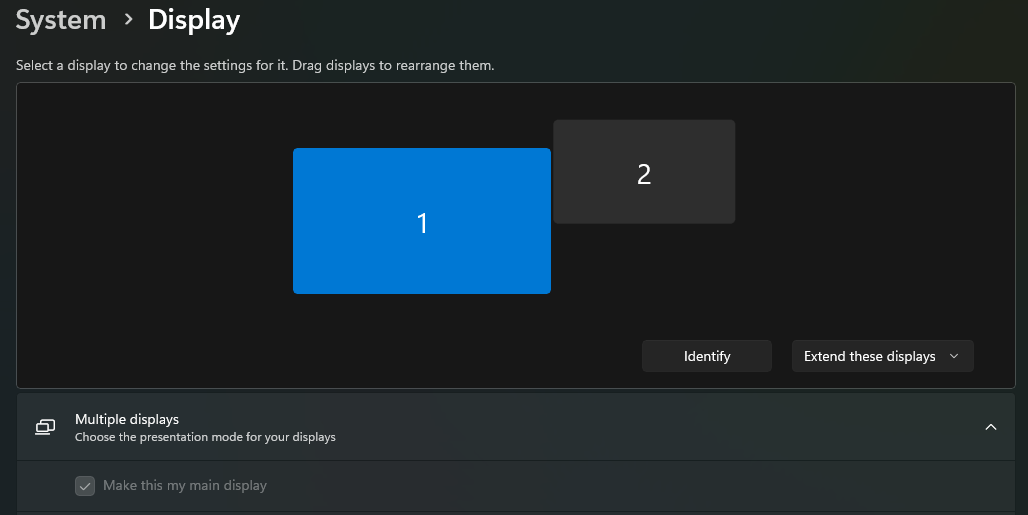 Edited by verminjerky on March 11, 2026 3:42AM0
 -
Dimorphos✭✭✭✭Now what ESO does for me using 3 monitors, It keeps changing the monitor when I launch the game. In user settings I have display 1 set, in windows settings I have clearly set main display as monitor 1 but sometimes ESO launches on my 3rd monitor, sometimes on 2nd monitor but never on my main monitor. And always I have to set graphics settings again because they get messed up. My monitors are 1440p (1) 1080p (2) and 4k TV (3).
Maybe this patch messed up setups that use multi-monitor setup with different monitors, I don't know but this is really getting annoying.
0