Maintenance for the week of May 11:
• PC/Mac: No maintenance – May 11
• PC/Mac: No maintenance – May 11
PS5 Console - Any AddOn that will show unhandled Dolmens in Cyrodiil?

FlopsyPrince
✭✭✭✭✭
✭✭✭
✭✭✭
The addons I enabled make the special mark for Dolmens in Cyrodiil go away on the map. It looks similar to the way I can't see delves on the map either.
Do I have any way to get those to show up?
Do I have any way to get those to show up?
PC
PS4/PS5
PS4/PS5
0
-
 Baertram✭✭✭✭✭Not sure which addon you talk about but:
Is there any map filters in gamepad/console UI, if you open the map, so you can filter e.g. different POI types on/off?
1 -
FlopsyPrince✭✭✭✭✭
✭✭✭Not sure which addon you talk about but:
Is there any map filters in gamepad/console UI, if you open the map, so you can filter e.g. different POI types on/off?
I recall something existing in the past, but I am not sure if it was PS5 or PC or which addon. I just know whatever I have now shows them as greyed until I find them then they disappear. I remember seeing them marked active in the past on the PC, though that was more than a year ago. A brown spot on the map is there, but not the dolmen marker.PC
PS4/PS50 -
imPDA✭✭✭✭You are probably talking about MapPins, it adds all unknown POIs in gray, including dolmens, because they are type of POIs. When you discover the dolmen, it disappears because you probably have them turned off in map settings. To see what dolmen is active, you must discover it first, status of undiscovered dolmens can't be shown on map. To close all dolmens, I would recommend checking achievements/zone guide as there should be something containing full list of dolmens with marks what of them are finished.
You can check if there are any additional setting for you use case, but basically, ^ this should be enough to close all dolmens.
https://www.esoui.com/downloads/info1881-MapPins.html#info
https://mods.bethesda.net/en/elderscrollsonline/details/d9a6dba3-bff5-4696-ac94-a914acd957c2/Map_PinsYour Friendly Neighborhood PvP Enjoyer (prior to U48)0 -
FlopsyPrince✭✭✭✭✭
✭✭✭You are probably talking about MapPins, it adds all unknown POIs in gray, including dolmens, because they are type of POIs. When you discover the dolmen, it disappears because you probably have them turned off in map settings. To see what dolmen is active, you must discover it first, status of undiscovered dolmens can't be shown on map. To close all dolmens, I would recommend checking achievements/zone guide as there should be something containing full list of dolmens with marks what of them are finished.
You can check if there are any additional setting for you use case, but basically, ^ this should be enough to close all dolmens.
https://www.esoui.com/downloads/info1881-MapPins.html#info
https://mods.bethesda.net/en/elderscrollsonline/details/d9a6dba3-bff5-4696-ac94-a914acd957c2/Map_Pins
I didn't see any setting where it was turned off, but I will look around again once they fix the addons again. I can't do much right now. PC
PC
PS4/PS50 -
 fizl101✭✭✭✭✭
✭✭FlopsyPrince wrote: »You are probably talking about MapPins, it adds all unknown POIs in gray, including dolmens, because they are type of POIs. When you discover the dolmen, it disappears because you probably have them turned off in map settings. To see what dolmen is active, you must discover it first, status of undiscovered dolmens can't be shown on map. To close all dolmens, I would recommend checking achievements/zone guide as there should be something containing full list of dolmens with marks what of them are finished.
You can check if there are any additional setting for you use case, but basically, ^ this should be enough to close all dolmens.
https://www.esoui.com/downloads/info1881-MapPins.html#info
https://mods.bethesda.net/en/elderscrollsonline/details/d9a6dba3-bff5-4696-ac94-a914acd957c2/Map_Pins
I didn't see any setting where it was turned off, but I will look around again once they fix the addons again. I can't do much right now.
Go to cyro and your map then check if objectives are enabled in your filters (base game setting not add on)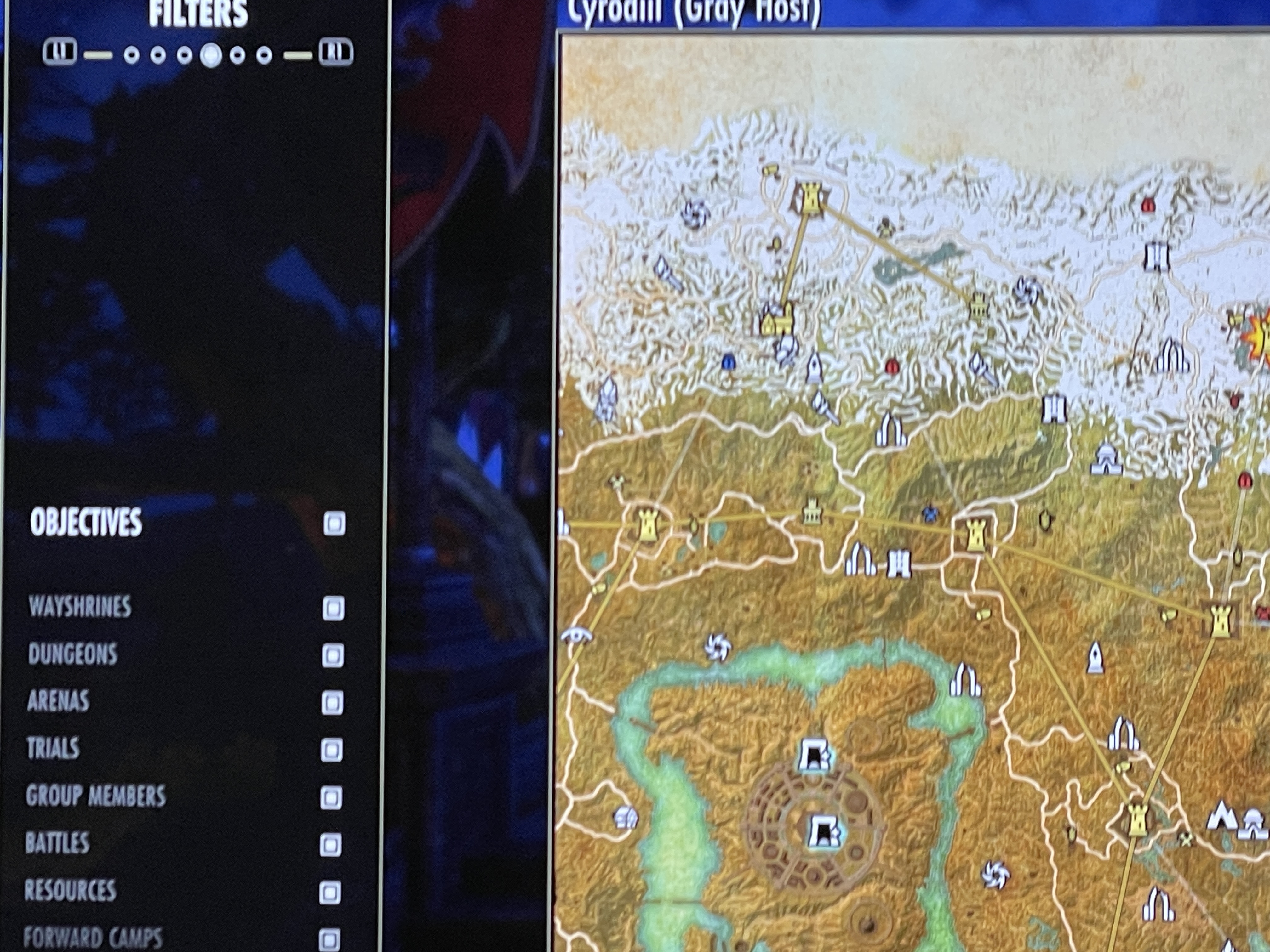
Soupy twist0 -
FlopsyPrince✭✭✭✭✭
✭✭✭Thanks everyone. I finally found the way to see the map filter. Not sure why I couldn't find it before, but this should help!PC
PS4/PS50