Maintenance for the week of February 23:
• NA megaservers for maintenance – February 23, 4:00AM EST (9:00 UTC) - 12:00PM EST (17:00 UTC)
• EU megaservers for maintenance – February 23, 9:00 UTC (4:00AM EST) - 17:00 UTC (12:00PM EST)
• ESO Store and Account System for maintenance – February 23, 4:00AM EST (9:00 UTC) - 12:00PM EST (17:00 UTC)
• NA megaservers for maintenance – February 23, 4:00AM EST (9:00 UTC) - 12:00PM EST (17:00 UTC)
• EU megaservers for maintenance – February 23, 9:00 UTC (4:00AM EST) - 17:00 UTC (12:00PM EST)
• ESO Store and Account System for maintenance – February 23, 4:00AM EST (9:00 UTC) - 12:00PM EST (17:00 UTC)
Game not shutting down/always running

Whiskey_JG
✭✭✭
Hello, I require some assistance on a persisting issue.
I recently reinstalled ESO after 2 years and I am encountering a strange problem.
1) When i switch on the PC, both steam and the ESO launcher say that its already running. Checking the task manager, and I cannot find any related process still active. Restarting the pc sometimes helps but usually requires multiple restarts to get it to close properly.
Trying to force Steam to shut down and ESO still persists.
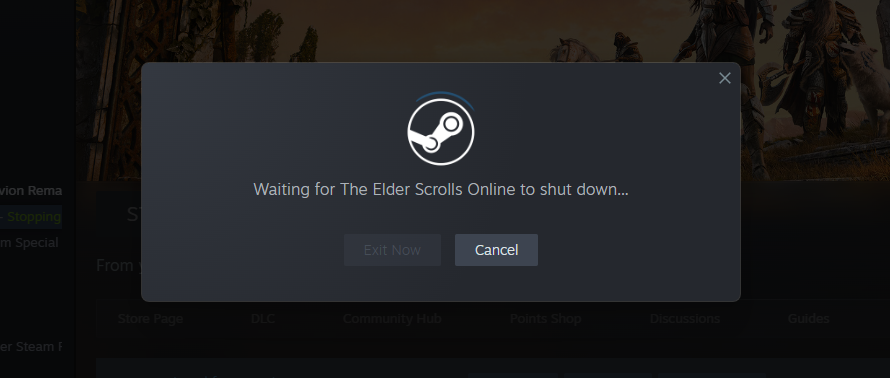
2) I have tried running a repair on the game twice, and it has not solved this issue. I have also uninstalled and reinstalled.
3) I also found on the forum that running the launcher and ESO64 as administrator might be a fix. this did not work for me, and the launcher stopped working completely when I did this.
4) When i eventually get the game to run, the game thinks its my first time playing so I get asked to set brightness setting, language, accessibility options, server and the EULA agreements etc. This happens every time I manage to run the game, even in the same day. These settings are not being saved it seems.
Would appreciate some assistance as I do not know what to try at this point.
I recently reinstalled ESO after 2 years and I am encountering a strange problem.
1) When i switch on the PC, both steam and the ESO launcher say that its already running. Checking the task manager, and I cannot find any related process still active. Restarting the pc sometimes helps but usually requires multiple restarts to get it to close properly.
Trying to force Steam to shut down and ESO still persists.
2) I have tried running a repair on the game twice, and it has not solved this issue. I have also uninstalled and reinstalled.
3) I also found on the forum that running the launcher and ESO64 as administrator might be a fix. this did not work for me, and the launcher stopped working completely when I did this.
4) When i eventually get the game to run, the game thinks its my first time playing so I get asked to set brightness setting, language, accessibility options, server and the EULA agreements etc. This happens every time I manage to run the game, even in the same day. These settings are not being saved it seems.
Would appreciate some assistance as I do not know what to try at this point.
0
-
 LootAllTheStuff✭✭✭✭✭That last one sounds like an issue with the changed settings not getting saved. That often happens because either
(a) system or 3rd party antivirus/antimalware software is blocking the folder containing the settings file
(b) OneDrive has helpfully moved your settings/games folder to the cloud, but the install is using hard-coded paths
Since those are pretty common issues across games on PC, you should be able to find guides describing how to check for and resolve those issues.
Not sure if that would also come into play with your initial issue though - hopefully someone else can chime in on that.
0 -
 Freezbeez✭✭✭Hello,
usually when you have to reset the brightness settings, it's because the UserSetting file hasn't saved the information.
I make a copy of the entire Live folder every day because my activity in the game warrants it. Sometimes, after a crash for example, the file resets when I log in, so I copy and paste the old one over it and everything goes back to normal.
This problem can also occur because Onedrive gets stuck in the file's address bar.
If I go to my User Settings, the path in the top bar is:
Documents>Elder Scrolls Online>Live>
But if I click on the bar for this path, the full address becomes visible: C:\Users\User\Documents\Elder Scrolls Online\live.
This is how you can tell if OneDrive is also in the line when you didn't know it was there.
It's also possible that your file is “read-only”; this can happen.
You're not the only one experiencing problems. One friend loses his video settings if he quits the game without going through the character selection page, and another doesn't keep his autoloot settings.
If you find the solution, please come back here and let us know.
0 -
 cptscotty✭✭✭✭first thing, dont use one drive for your eso folder. causes issues. same with other games.
second is that steam is not expecting ESO to close...its expecting the LAUNCHER to close. you need to find out why your launcher is staying open and get that closed. i have noticed lately it takes a minute or so for it to wrap up whatever process its trying to do before i can close it. I wouldnt try and run it under another user as then you run the risk of whatever user is setup to automatically control it not having appropriate permissions.0 -
 freespirit✭✭✭✭✭
✭✭✭As others all have mentioned, One Drive is an awful problem.
I would definitely start with disabling that!When people say to me........
"You're going to regret that in the morning"
I sleep until midday cos I'm a problem solver!0