We are currently investigating issues some players are having logging into the European PC/Mac megaserver. We will update as new information becomes available.
Adding Pictures to Post

MJ202
✭✭✭✭
Okay, a technical question here. What's the proper method for uploading or adding pictures to a post? Do I need to have an online hosting site to link to?
0
-
 Sylvermynx✭✭✭✭✭
✭✭✭✭✭Use a free image site like imgur.com - upload your pic there, then click the dots next to the words "Copy link", from the dropdown click Get Share Links, and from that menu, select BBCode, and copy the link, then past it into your post. It comes with the img tags already, you don't have to use the image thing here.0 -
 UntilValhalla13✭✭✭✭✭
✭✭If you're on mobile, go into any topic in the housing tab. Near the reply box is a little drop-down that will let you upload a file. Cut the picture file link that gets posted in the reply box. Post the link in whatever topic you want.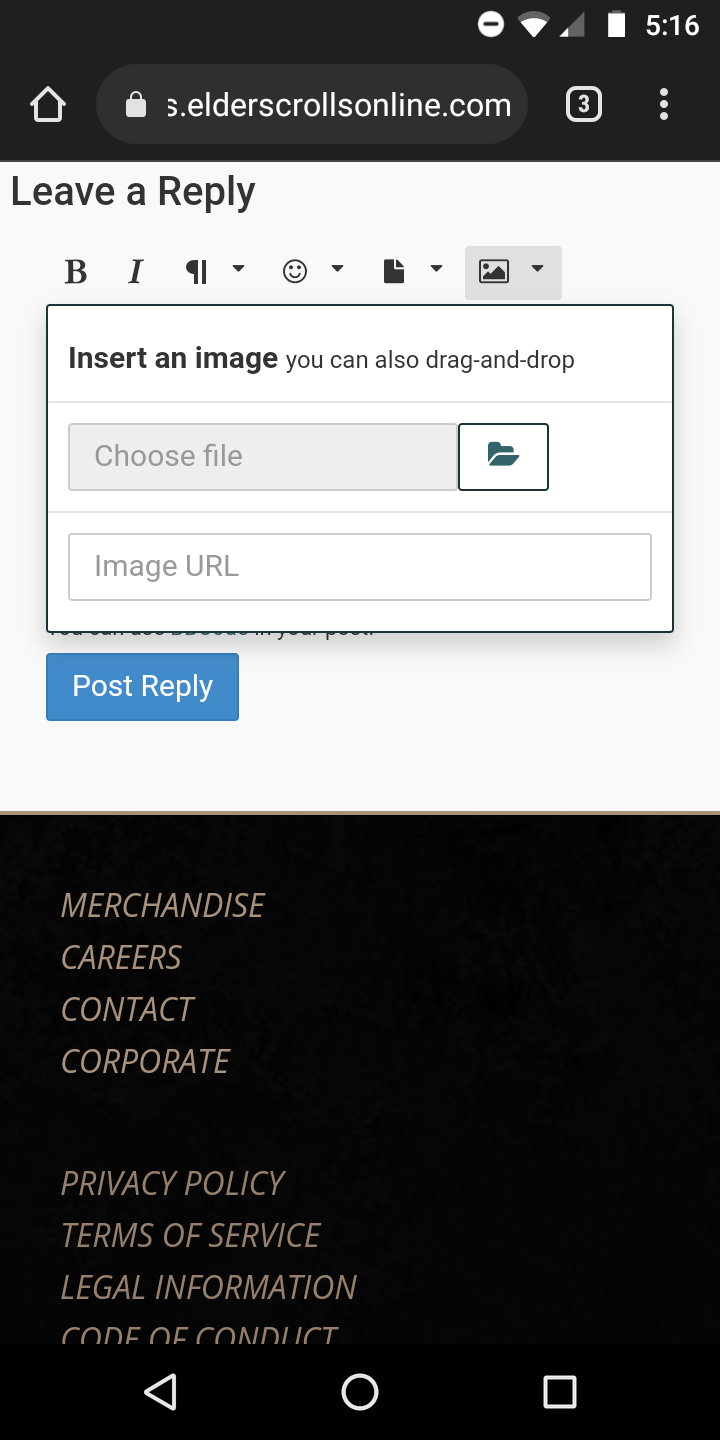
0 -
 barney2525✭✭✭✭✭
✭✭✭✭Sylvermynx wrote: »Use a free image site like imgur.com - upload your pic there, then click the dots next to the words "Copy link", from the dropdown click Get Share Links, and from that menu, select BBCode, and copy the link, then past it into your post. It comes with the img tags already, you don't have to use the image thing here.
Actually, you upload the pic to imgur.com, then click on the picture, then copy "Direct Link"
Go to Forums, open a message, mouse over the picture that says 'Image", click for the drop down, make sure to click on the box, paste the url.
thats it
Edited by barney2525 on October 21, 2021 10:47PM0

