Maintenance for the week of December 15:
• PC/Mac: NA and EU megaservers for maintenance – December 15, 4:00AM EST (9:00 UTC) - 12:00PM EST (17:00 UTC)
• Xbox: NA and EU megaservers for maintenance – December 15, 4:00AM EST (9:00 UTC) - 12:00PM EST (17:00 UTC)
• PlayStation®: NA and EU megaservers for maintenance – December 15, 4:00AM EST (9:00 UTC) - 12:00PM EST (17:00 UTC)
• PC/Mac: NA and EU megaservers for maintenance – December 15, 4:00AM EST (9:00 UTC) - 12:00PM EST (17:00 UTC)
• Xbox: NA and EU megaservers for maintenance – December 15, 4:00AM EST (9:00 UTC) - 12:00PM EST (17:00 UTC)
• PlayStation®: NA and EU megaservers for maintenance – December 15, 4:00AM EST (9:00 UTC) - 12:00PM EST (17:00 UTC)
UI seriously bugged - char specific, across multiple machines with clean installs

My UI is completely bugged for one of my characters.
Problems:
- I have an extra (completely blank) chat box floating in the top left of my UI
- Multiple chat boxs on top of each other
- Empty menus appearing
- Everything going blurry and staying blurry
This occured after installing a series of addons:
https://www.esoui.com/downloads/info233-ChatMultiWindow.html
https://www.esoui.com/downloads/info93-pChat.html
https://www.esoui.com/downloads/info673-CirconiansChatIt.html
I believe it to be ChatMultiWindow that caused the issue. After many attempts to fix it (standard stuff, disabling addons etc.) I found nothing worked, so I have deleted all ESO data from the My Documents folder, deleted all Steam files, and reinstalled the entire game on a clean system.
It was still broken.
So I wiped everything again, tried using a non-steam installer - same problem. Next I tried installing it on a different machine - SAME PROBLEMS. That was when I noticed it was only one of my characters that had the problems, the rest were completely fine!
What can I do!?
Please see collection of problems below:




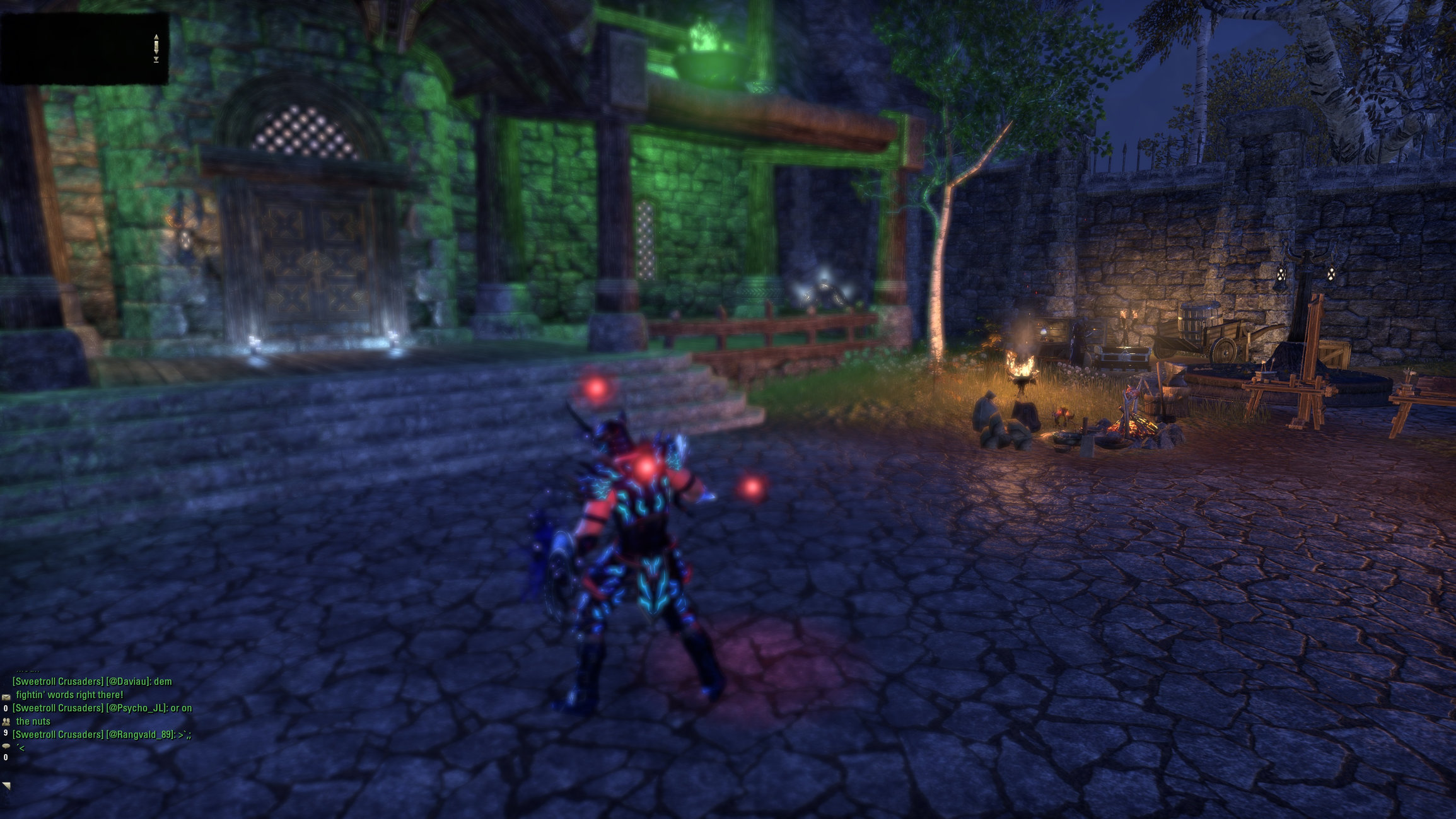
Problems:
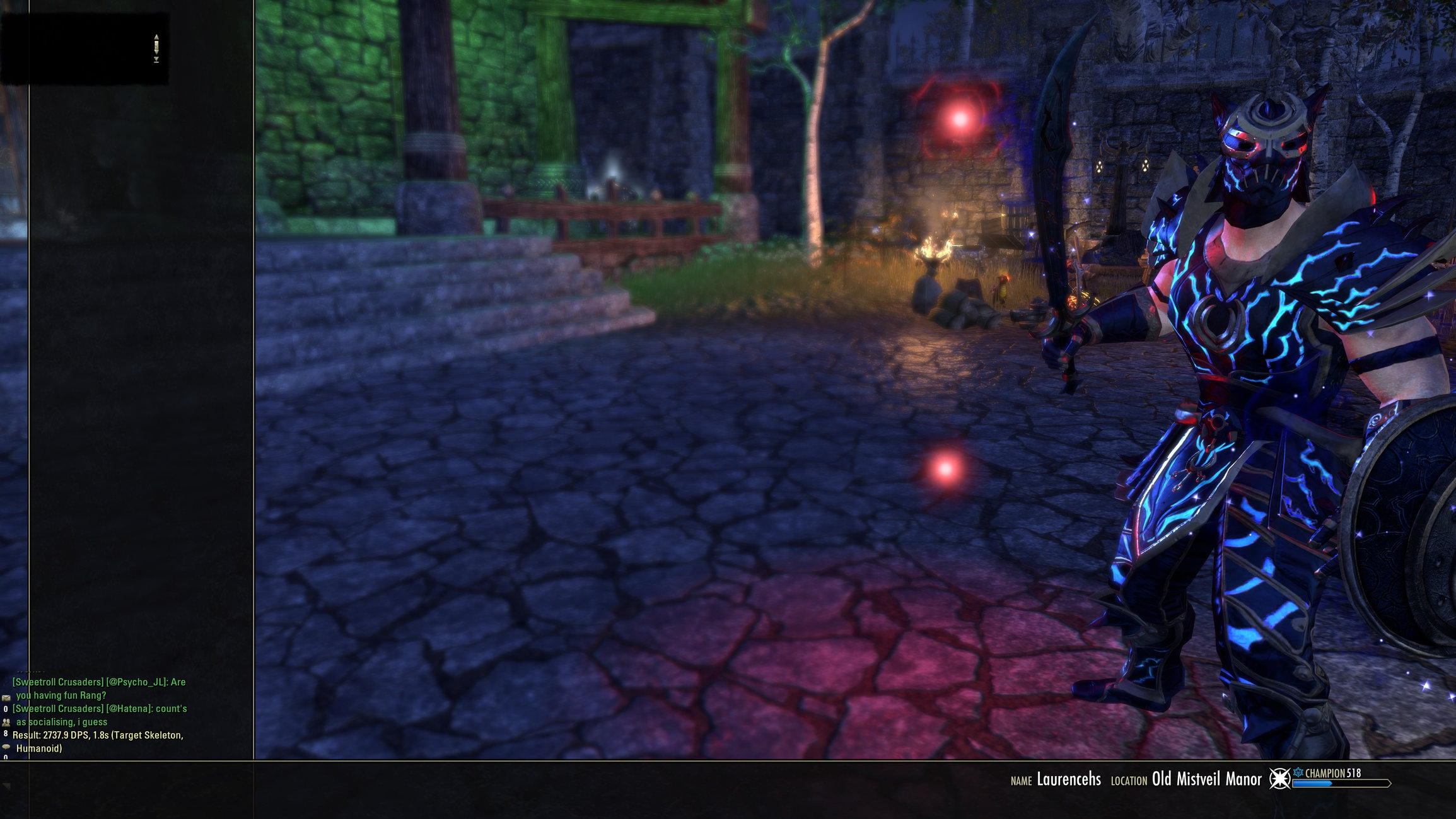
- I have an extra (completely blank) chat box floating in the top left of my UI
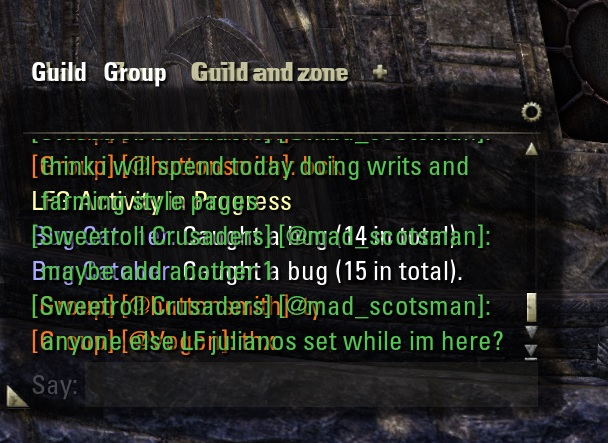
- Multiple chat boxs on top of each other
- Empty menus appearing
- Everything going blurry and staying blurry
This occured after installing a series of addons:
https://www.esoui.com/downloads/info233-ChatMultiWindow.html
https://www.esoui.com/downloads/info93-pChat.html
https://www.esoui.com/downloads/info673-CirconiansChatIt.html
I believe it to be ChatMultiWindow that caused the issue. After many attempts to fix it (standard stuff, disabling addons etc.) I found nothing worked, so I have deleted all ESO data from the My Documents folder, deleted all Steam files, and reinstalled the entire game on a clean system.
It was still broken.
So I wiped everything again, tried using a non-steam installer - same problem. Next I tried installing it on a different machine - SAME PROBLEMS. That was when I noticed it was only one of my characters that had the problems, the rest were completely fine!
What can I do!?
Please see collection of problems below:
1
-
 Nestor✭✭✭✭✭
✭✭✭✭✭Not at my gaming machine, but the saved variables might be where the issue is. These are not in the Addons Folder per say, but in the same general area. Heck, it might be a sub folder of Addons. Anyway, find that, it will have a sub folder for most of your addons. For testing, rename it instead of deleting.
Also, for future reference, Addons issues are never solved by reinstalling the game.
And, one character can get weird in this game. Sometimes parking it for 72 hours can sort things, but that mostly applies with game world related things. But it could be worth a shot here.Enjoy the game, life is what you really want to be worried about.
PakKat "Everything was going well, until I died"
Gary Gravestink "I am glad you died, I needed the help"0 -
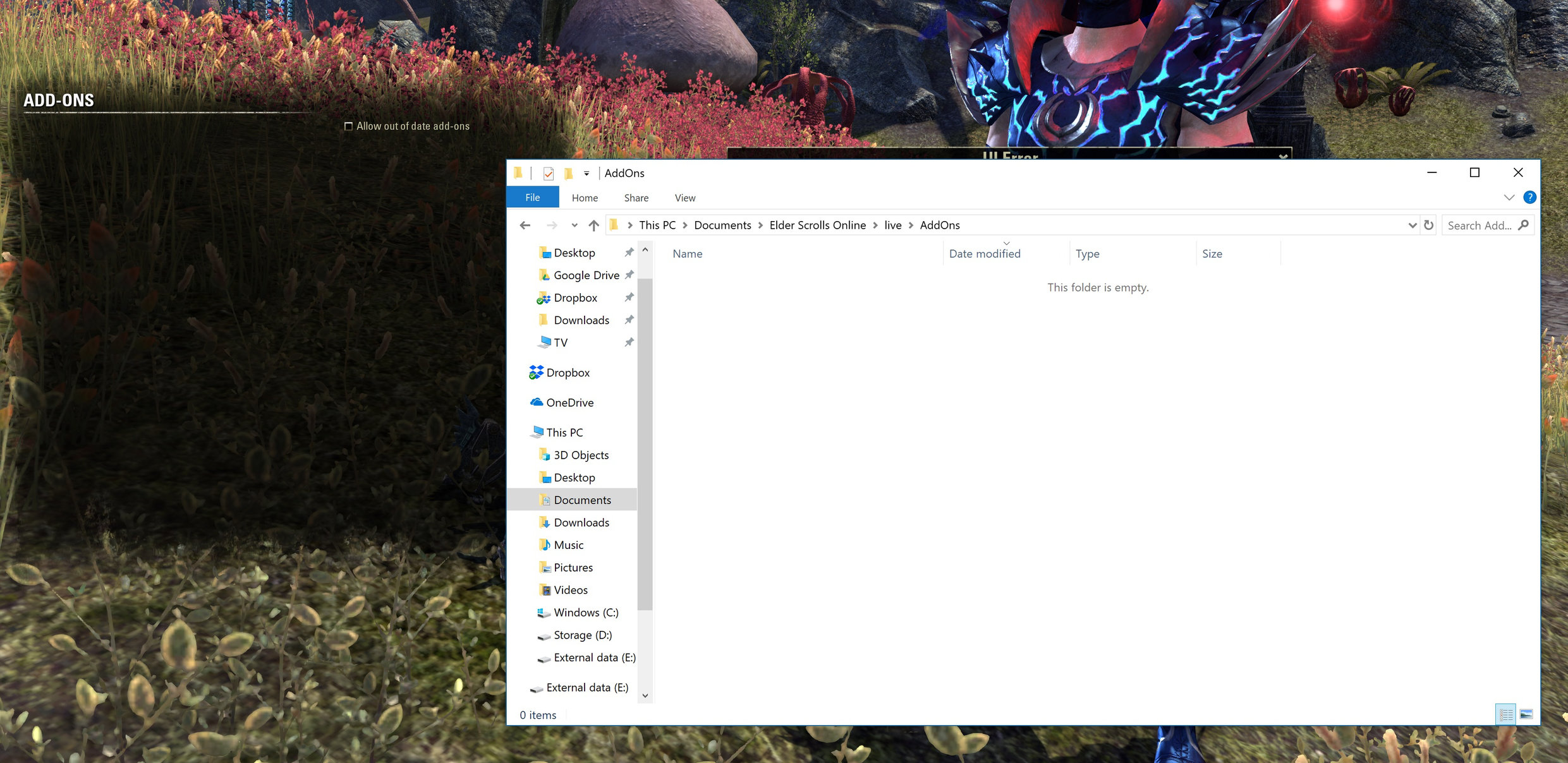
Thanks for your reply! So when I said I deleted it I backed it up. However I removed ALL ESO data from the My Documents folder, that includes saved variables, they were one of the first things I reset.
Yes, I would have thought not! However I removed all trace of the addons.
I installed the game on ANOTHER computer, clean install, and it had the same issue with the same character. So confused!0 -
SirAndy✭✭✭✭✭
✭✭✭✭✭Do you have steam setup to sync your local files for ESO? If so, you need to turn that off before you delete your local files.
0 -
I wiped everything and then installed using a non-steam installer, and did the same on my second machine. No difference.0
-
 votan73✭✭✭Even without any add-on one saved var is loaded: ZO_Ingame.lua
Inspect it, rename it, start the game and play just the problematic char and quit.
If the file has the same size as the renamed one, it got synced from somewhere.
If not, compared the content with the renamed one.
Good luck.0 -
I found the file, renamed it.
I ran the game using a non-Steam launcher from a fresh install.
Watched the folder where the file was found while the game was loaded and exited, it was created upon exiting the game. It seems to just contain basic setting data, and to be created by the game to store such information taken from the server.
Here is what was in the file: https://pastebin.com/xDtSe4jM
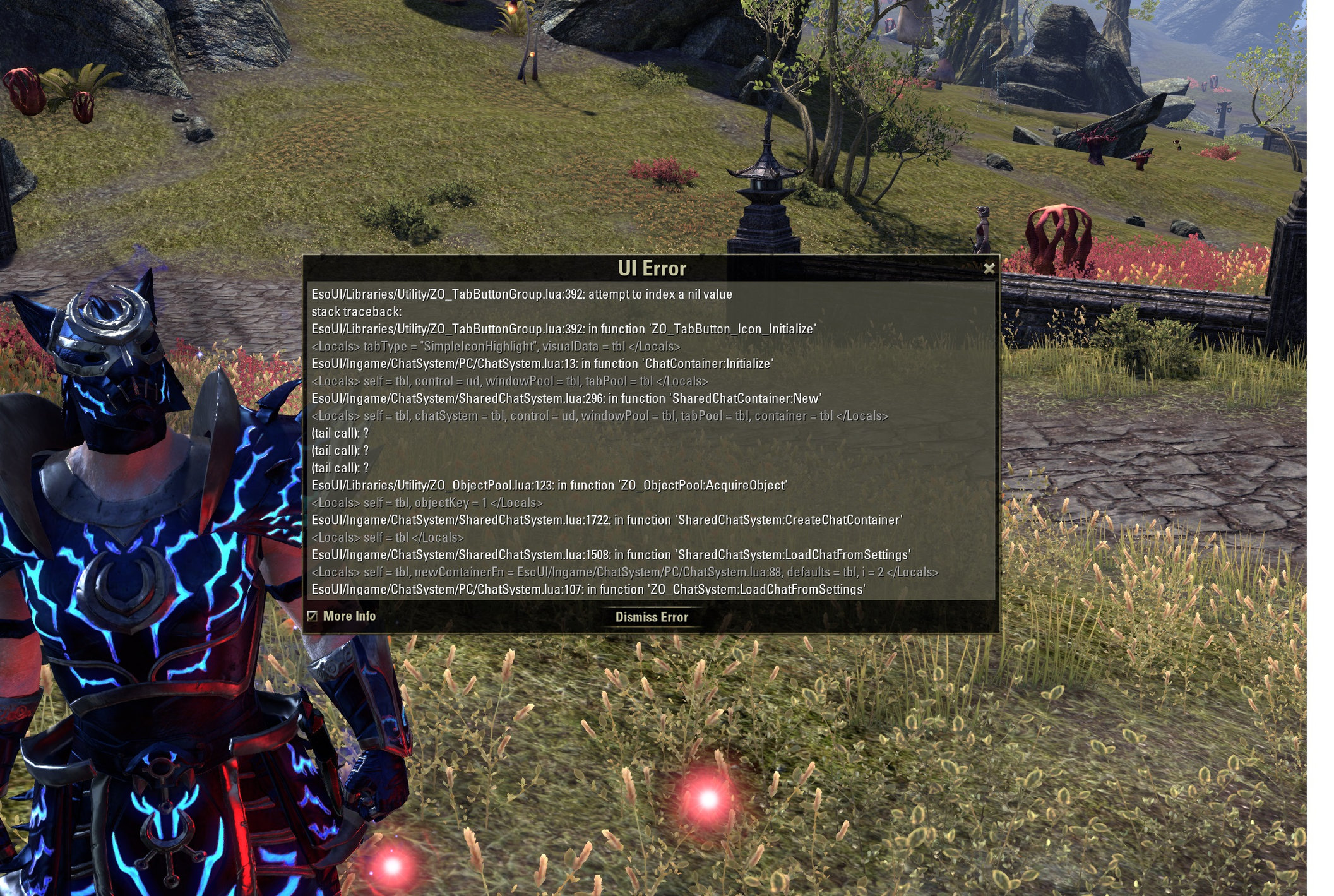
Here is the error displayed upon logging in, as well as an error that appears after I place the mouse over the phantom top-left chat box.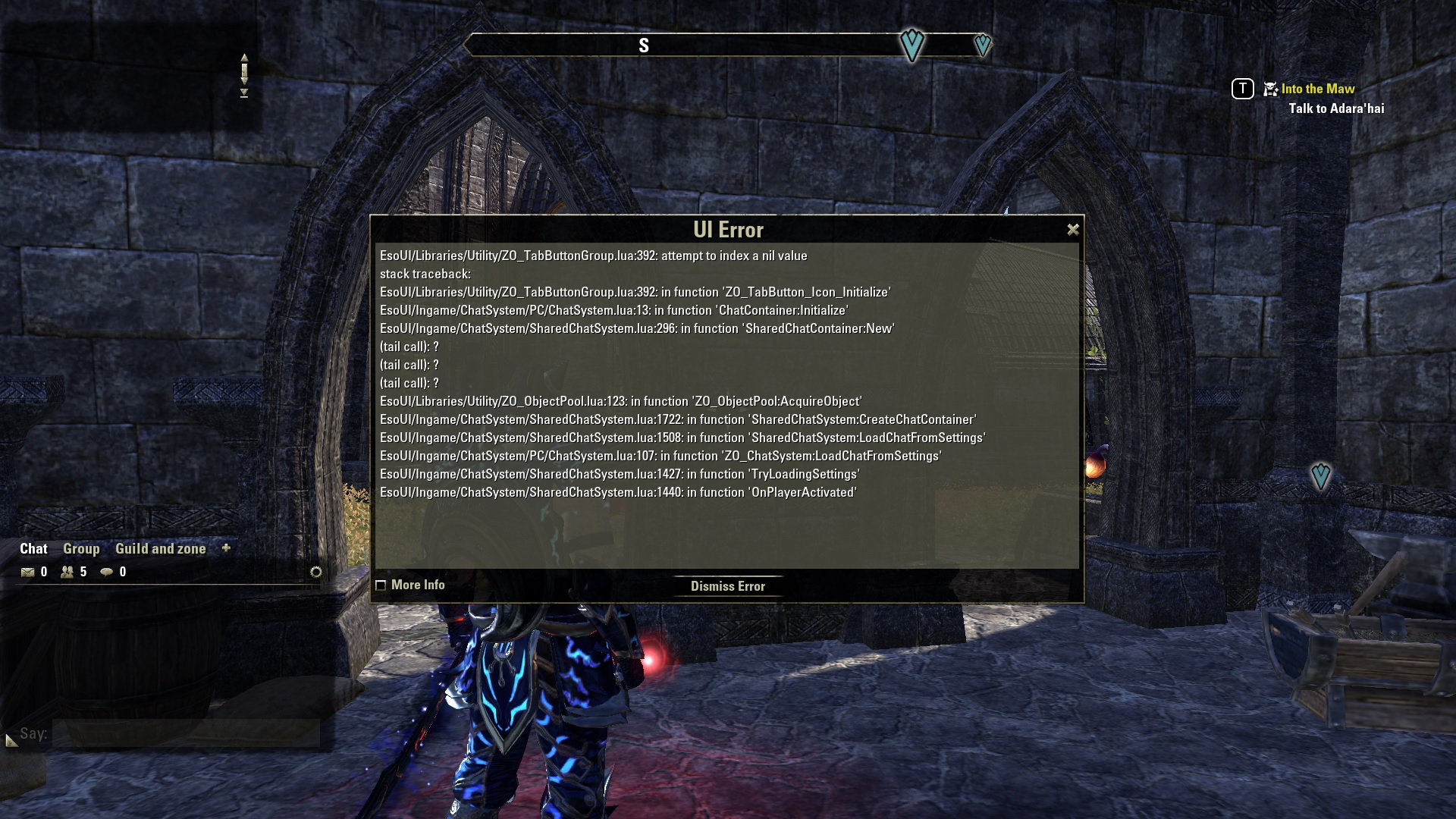
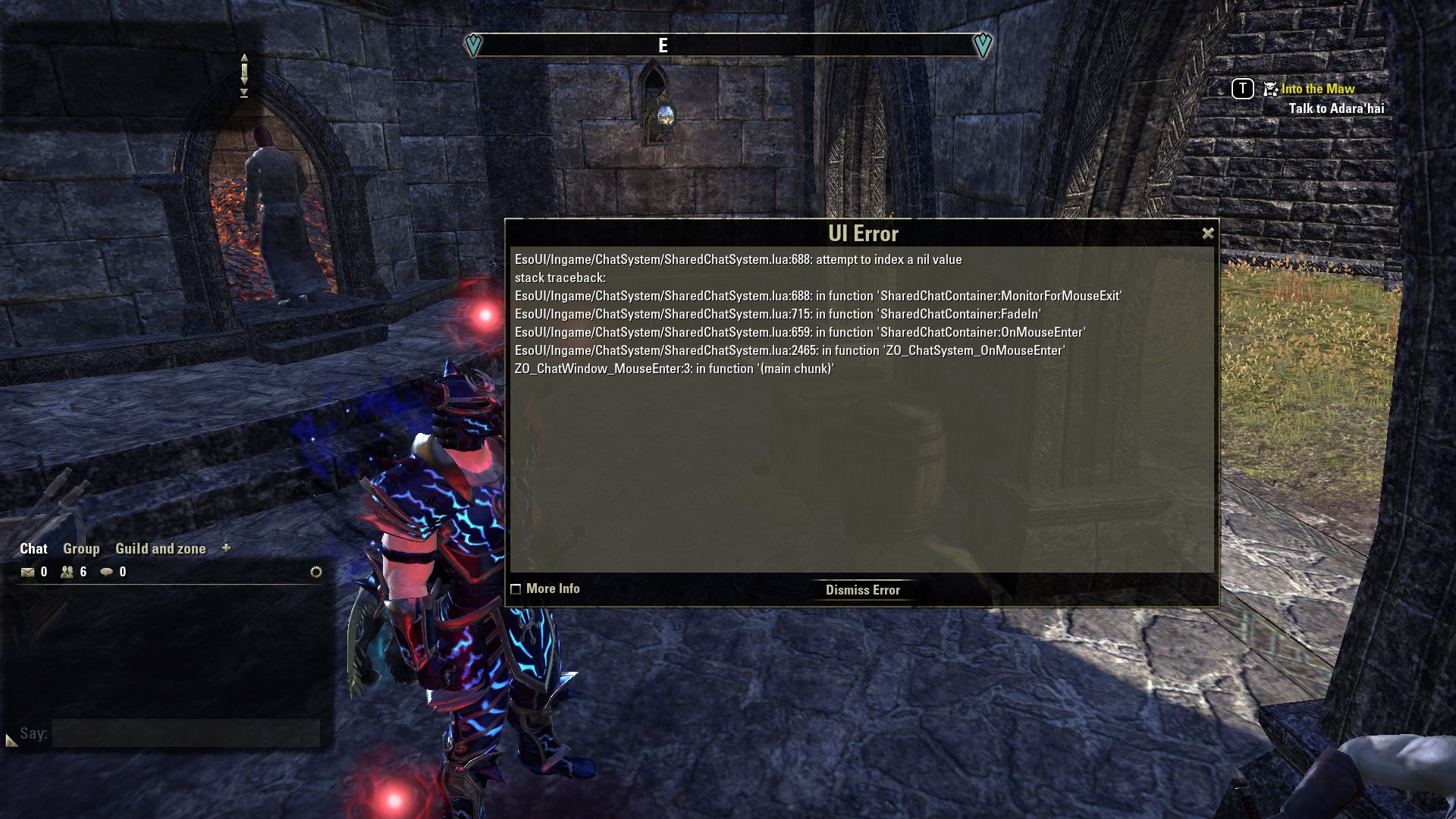
Edited by huttonsmith on April 2, 2019 11:31AM0 -
I'm almost 100% certain this error isn't linked to my local files. Is there a way to hard reset my UI? To wipe any server side saved setting attached to the character?
@ZOS_GinaBruno can someone look into this?Edited by huttonsmith on April 2, 2019 12:58PM0 -
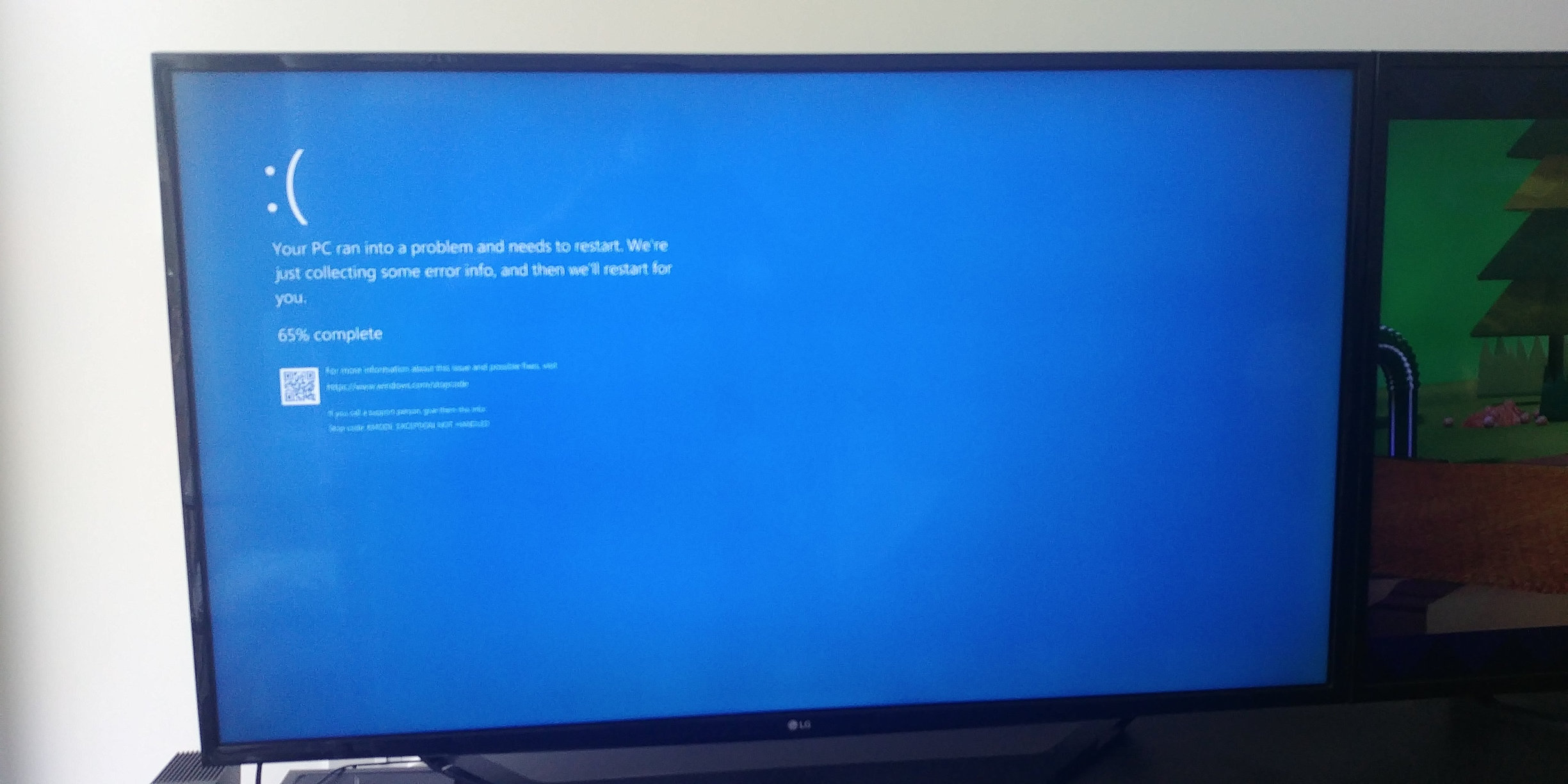
Testing it again, it got trapped in some sort of weird combination of gameplay and menus, started buzzing and then bluescreened my PC.
0 -
Grakdrogru✭✭Win 10 sometimes save them in Onedrive
C:\Users\%username%\OneDrive\Documents\Elder Scrolls Online\live\AddOns
0 -
Thanks for the tip, checked, nothing in my Onedrive docs folder. Don't have it set up to sync anything.0
-
Nestor✭✭✭✭✭
✭✭✭✭✭The One Drive thing might be worth looking into. It caused some issues for me with another game, even though I was not using it. Unless you have multiple machines you do work and want all your files for all your machines stored in one place, you dont need it either.
Now, with the Libraries feature of Windows 10, nothing has to be in your actual One Drive service for this to active and messing with what you do. So, if you don't have a need for 1D, then disable the service itself.Enjoy the game, life is what you really want to be worried about.
PakKat "Everything was going well, until I died"
Gary Gravestink "I am glad you died, I needed the help"1 -
Onedrive has always been disabled on my PCs unfortunately, it's one of those annoying Windows features I immediately remove.1
-
Grakdrogru✭✭https://forums.elderscrollsonline.com/de/discussion/212179/chat-window-error-spamming
Install
https://www.esoui.com/downloads/info673-CirconiansChatIt.html
type
/reloadclear
and /reloadui after
maybe thats help idk
1 -
OMG I think that worked. I did as you said, it went away! Not only did that remove the bug on my main PC it removed across my PCs. I have tested it for 30 mins, checked things that normally triggered further errors, they didn't occur!!
I'm still suspicious... because I have no idea how that fixed it - or even what the problem was in the first place!! But *** good job!0