Maintenance for the week of February 16:
• [COMPLETE] ESO Store and Account System for maintenance – February 19, 9:00AM EST (14:00 UTC) - 6:00PM EST (23:00 UTC)
• [COMPLETE] ESO Store and Account System for maintenance – February 19, 9:00AM EST (14:00 UTC) - 6:00PM EST (23:00 UTC)
Using controller with PC UI

Hello, I was searching and found this video
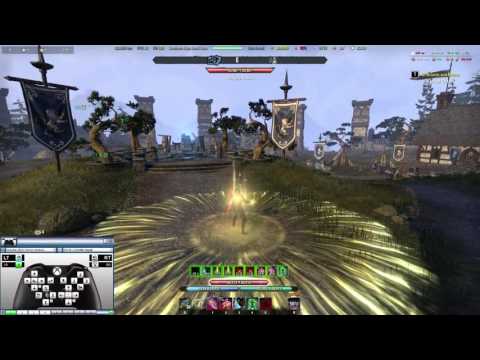 https://www.youtube.com/watch?v=JEVpo2QO6ls
does anyone know if this still works?
Using a controller without the GamePad mode, keeping the PC UI
Edited by theBrains on December 20, 2018 3:32PM https://www.youtube.com/watch?v=JEVpo2QO6lsdoes anyone know if this still works?
Using a controller without the GamePad mode, keeping the PC UI
1
-
 Perwulf✭✭✭✭✭He's using a program similar to Pinnacle Game Profiler or is that the same? I can't tell, I haven't used the program in ages. Programs like that only binds a keyboard/mouse key to your gamepad so basically you're still using k&B via controller.
GamePad mode is still better because it's built in the game but I feel you, gamepad UI in PC is horrible!"Monsters doesn't exist, we create them"0 -
 Oberstein✭✭✭What will happen if you use keyboard and mouse on XBOX/PS?History, like a human being, is thirsty when it wakes from its slumber…History wants to drink up an enormous amount of blood. And even if history has tired of drinking blood, that’s only in regards to the amount. But what about quality? The larger the sacrifice is, the more delighted the cruel gods will be.0
 -
 UnseenCat✭✭✭✭If you have a controller plugged in when you start the game, it should work right away. (At least Xinput/XBox controllers will)
The gamepad UI usually has to be turned on in the settings, per character.
I like to set a key mapping to toggle between the controller and keyboard UIs - either control method will work regardless of what UI you have up. (ESO won't auto-switch between controller and keyboard UIs.)0 -
If you have a controller plugged in when you start the game, it should work right away. (At least Xinput/XBox controllers will)
The gamepad UI usually has to be turned on in the settings, per character.
I like to set a key mapping to toggle between the controller and keyboard UIs - either control method will work regardless of what UI you have up. (ESO won't auto-switch between controller and keyboard UIs.)
I've a Razer Raiju, it does not work unless I activate the GamePad that is Xbox UI and I used to play PS4, makes it even worse and the PC UI is better than consoles overall.0 -
 DjMuscleboy02✭✭✭✭✭@iBraiins I think he's using an addon called "Advanced Disable Controller UI." I'm not sure if that's the exact one, but it's what I use and it's similar to that.Brodor - PC NA - ESO's only pure bodybuilding guild
Hodor, but stronger0
