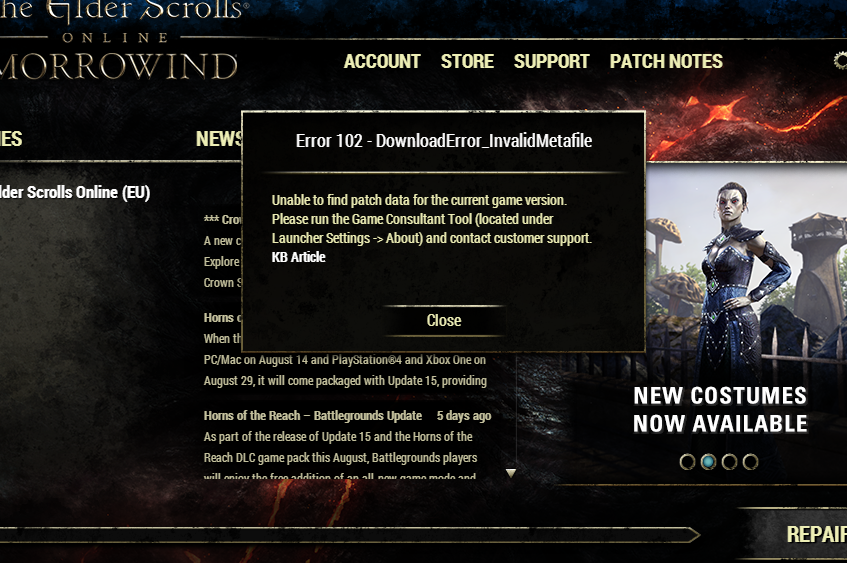
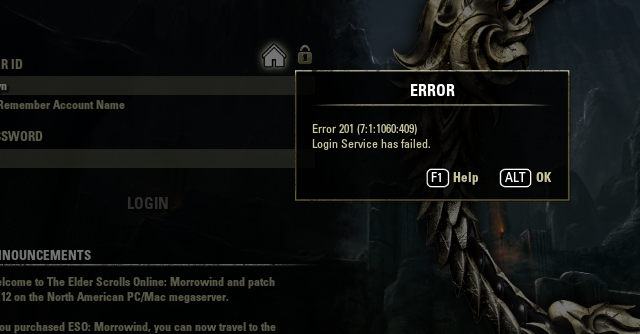
On my 3rd install

Mureel
✭✭✭✭✭
✭✭✭
✭✭✭
First full, fresh install hung up on a 4mb download - saying Content Write Failed. None of the workarounds fixed it. Also, there was no eso.exe in the folder or anything but it was 90gb on disk. 
Decided ok, I'll install from Disk, chose EU, and yet *starting the EU exe from within the EU folder due to errors with launcher* launches me into the logon for the NA server.
Now on 23ish gb remaining and 41% for 3rd try...I do not have a good feeling about it
I think if this fails I just won't be coming back to the game after all. *Cross Fingers!*
Decided ok, I'll install from Disk, chose EU, and yet *starting the EU exe from within the EU folder due to errors with launcher* launches me into the logon for the NA server.
Now on 23ish gb remaining and 41% for 3rd try...I do not have a good feeling about it
I think if this fails I just won't be coming back to the game after all. *Cross Fingers!*
0
-
Mureel✭✭✭✭✭
✭✭✭But did you start the launcher as Administrator?
Always xD
Played since beta, jumped all the hoops, negotiated all the tricks and traps ;-)
Thank you though! (even though I guess you're being a wiseacre, since that's the ESO version of did you turn it off and on again!? I'd give you lol, but no more lol.)Edited by Mureel on August 8, 2017 2:36PM0 -
 Nestor✭✭✭✭✭
✭✭✭✭✭I hate to tell you this, but you did not need to reinstall because it started you out on a server you did not want. All you had to do was point the game to other server.
Enjoy the game, life is what you really want to be worried about.
PakKat "Everything was going well, until I died"
Gary Gravestink "I am glad you died, I needed the help"1 -
Mureel✭✭✭✭✭
✭✭✭I hate to tell you this, but you did not need to reinstall because it started you out on a server you did not want. All you had to do was point the game to other server.
Thanks. I did do that. It did not work lol I literally even then went from INSIDE the EU folder itself and started that exe.
I didn't even use the launcher and the login page literally says PC NA vers blahblahblah
Please to save me having an annoyance induced cardiac event could you read what I say before you assume I'm an idiot and don't know what I am doing? I know how to switch servers. I played on both FOR YEARS. This issue is not to do with that. 0 -
 Runs✭✭✭✭✭
✭✭✭On this next install before trying to run the game. Run the launcher and let it update. If it can't update properly after installing from disc, try downloading from your account page.
You should not have an EU folder at all when properly installed. There hasn't been separate clients for some time, both servers now use the same client and the same folder.Runs| Orc Nightblade • Chim-el Adabal| Dunmer Templar • M'air the Honest| Khajiit Templar
Oddity| Altmer Sorceror • Drizlo| Orc DragonKnight • Lady Ra Gada| Redguard Sorceror
Taste-of-Hist-Sap| Argonian Nightblade • War'den Peace| Khajiit Warden • Little Warden Annie Altmer Warden
Ports with Blood| Breton Templar • Dirty-Old-Man| Dunmer DragonKnight • Eyes-of-the-Sun| Argonian DragonKnight
Bleak Mystique| Nord Warden • Polychronopolous| Imperial Sorceror • Bullcrit| Khajiit Nightblade
PC NA CP 1250+ and still a noob
At Writs End - A place to complete master writs2 -
Mureel✭✭✭✭✭
✭✭✭On this next install before trying to run the game. Run the launcher and let it update. If it can't update properly after installing from disc, try downloading from your account page.
You should not have an EU folder at all when properly installed. There hasn't been separate clients for some time, both servers now use the same client and the same folder.
I figured this might now (finally!) be the case - ugh I wrote a whole reply and it broke; short version- I started will full DL and install from account page which failed as per my OP, so how do I update the launcher? When it switches to PLAY do I just close it and open the launcher via the desktop shortcut?
Thank you so much for confirming that and for the help I'm now roping you into :-)Edited by Mureel on August 8, 2017 4:24PM0 -
Mureel✭✭✭✭✭
✭✭✭So, for whatever reason, during the time I was making dinner and cleaning up my PC rebooted and this is where we are:
Does this look legit? (and No, I do not use Steam, or have a steam key! Just fyi)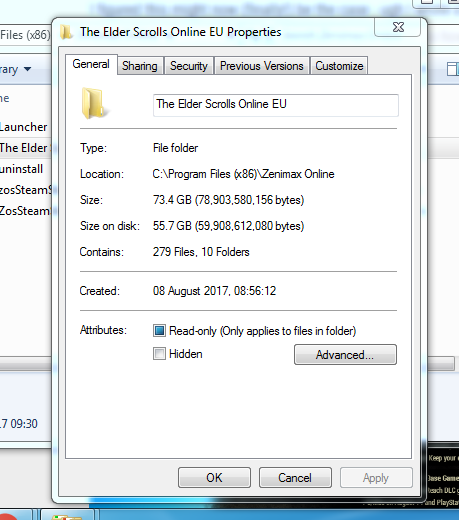 Edited by Mureel on August 8, 2017 7:09PM0
 -
Mureel✭✭✭✭✭
✭✭✭Ever since this was moved from general, I'm getting zero help. Ok. So wish me luck then...I may or may not see you in game.0 -
Mureel✭✭✭✭✭
✭✭✭Whelp. Finally to 100% again and right at the end, between PAUSE and PLAY: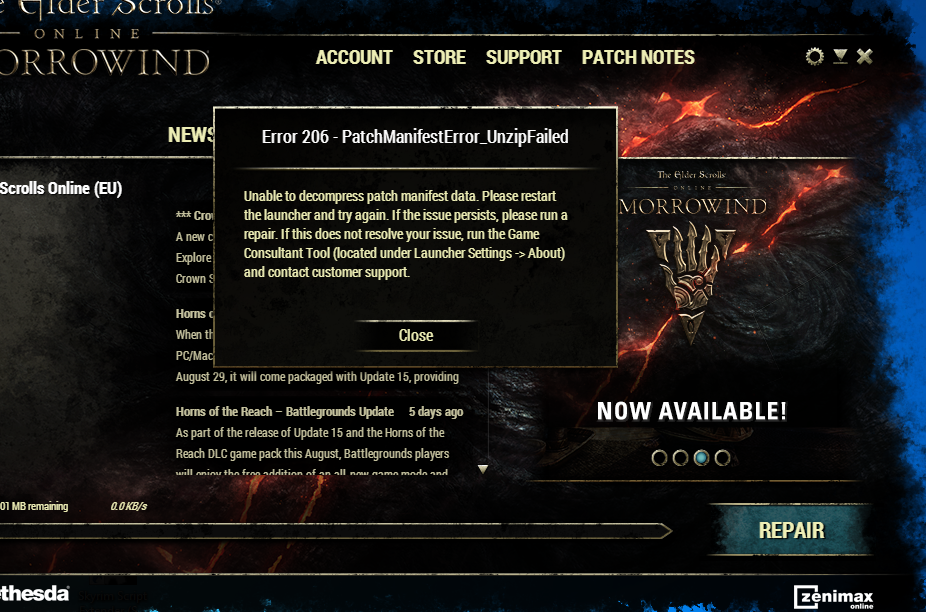
Now what?
0 -
 ZOS_BilladminSince you are getting Error 206 when clicking Play in the launcher, there may be a conflict with whatever anti-virus you are running. You will want to make sure the correct exceptions have been added into whichever antivirus program you are running.
The application files that may require exceptions are:- Bethesda.net_launcher: C:\Program Files (x86)\ZenimaxOnline\Launcher
- ESO.exe: C:\Program Files (x86)\ZenimaxOnline\The Elder Scrolls Online\game\client\eso.exe
- Steam.exe: C:\Program Files (x86)\Steam\steam.exe
In some anti-virus programs you may need to add the entire folders below:- C:\Program Files (x86)\Zenimax Online\The Elder Scrolls Online\
- C:\Program Files (x86)\Steam\
The Elder Scrolls Online: Tamriel Unlimited - ZeniMax Online Studios
Forum Rules | Code of Conduct | Terms of Service | Home Page | Help Site0 -
 Idinuse✭✭✭✭✭
✭✭Also. Installing the game from Disc will probably create the old folder structure as opposed to downloading the installer from the account page. I'd suggest you download the installer and get a fresh updated and patched game from the start, after allowing the above programs in your Firewall and AntiVirus sofware. The update will be as big for the Disc version as the Download version is, give and take a few. Also check if you've opened up the port forwarding, might as well have that set up from the start imo.
Best of luck to you, hope you solve it!Edited by Idinuse on August 9, 2017 2:03PMSed ut perspiciatis unde omnis iste natus error sit voluptatem accusantium dolorem que laudantium, totam rem aperiam, eaque ipsa quae ab illo inventore veritatis et quasi architecto beatae vitae dicta sunt explicabo. Nemo enim ipsam voluptatem quia voluptas sit aspernatur aut odit aut fugit, sed quia consequuntur magni dolores eos qui ratione voluptatem sequi nesciunt. Neque porro quisquam est, qui dolorem ipsum quia dolor sit amet, consectetur, adipisci velit, sed quia non numquam eius modi tempora incidunt ut labore et dolore magnam aliquam quaerat voluptatem. Ut enim ad minima veniam, quis nostrum exercitationem ullam corporis suscipit laboriosam, nisi ut aliquid ex ea commodi consequatur? Quis autem vel eum iure reprehenderit qui in ea voluptate velit esse quam nihil molestiae consequatur, vel illum qui dolorem eum fugiat quo voluptas nulla pariatur?0 -
Mureel✭✭✭✭✭
✭✭✭
Best of luck to you, hope you solve it!
Thanks!
I am on like the 3rd pass of this install, the folder names have changed, the name in the interface has changed, the file sizes look right, no errors so far, this time. Just under half done, I reckon 8ish pm it will be done barring any more nonsense and then we see...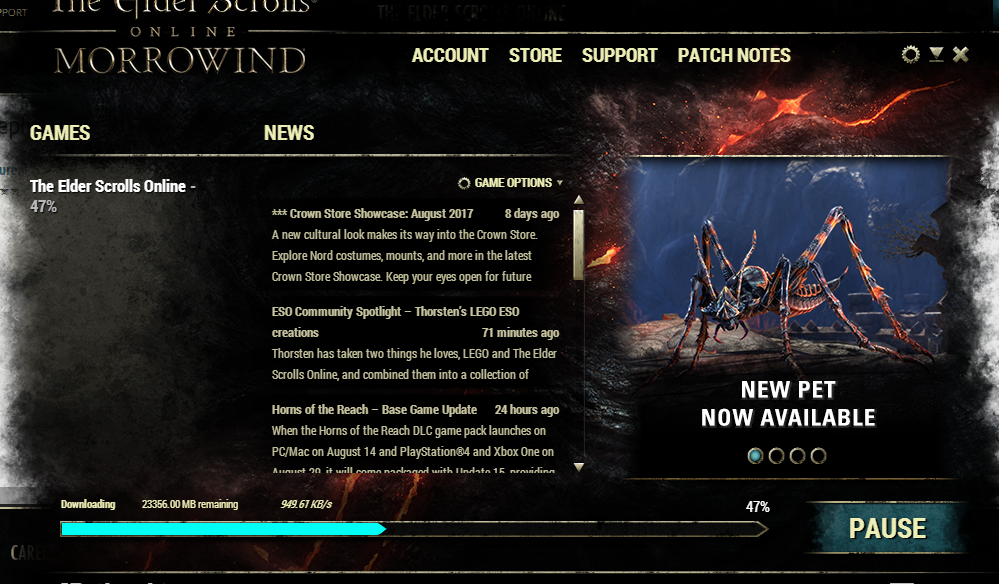 1
1