Maintenance for the week of December 15:
· [COMPLETE] PC/Mac: NA and EU megaservers for maintenance – December 15, 4:00AM EST (9:00 UTC) - 12:00PM EST (17:00 UTC)
· [COMPLETE] Xbox: NA and EU megaservers for maintenance – December 15, 4:00AM EST (9:00 UTC) - 12:00PM EST (17:00 UTC)
· [COMPLETE] PlayStation®: NA and EU megaservers for maintenance – December 15, 4:00AM EST (9:00 UTC) - 12:00PM EST (17:00 UTC)
· [COMPLETE] PC/Mac: NA and EU megaservers for maintenance – December 15, 4:00AM EST (9:00 UTC) - 12:00PM EST (17:00 UTC)
· [COMPLETE] Xbox: NA and EU megaservers for maintenance – December 15, 4:00AM EST (9:00 UTC) - 12:00PM EST (17:00 UTC)
· [COMPLETE] PlayStation®: NA and EU megaservers for maintenance – December 15, 4:00AM EST (9:00 UTC) - 12:00PM EST (17:00 UTC)
Anyone having this issue with their EVGA GeForce 980 It while playing ESO?

RSram
✭✭✭✭✭
While playing ESO and several other games (although not as pronounced as with ESO), I get lines or shadows that appear random while moving, but the pattern repeats if I stand in the same spot as I am in the following video:
Updating to the latest drivers didn’t resolve the issue, and there are no errors in my window logs. Checking the hardware, changing the cables didn’t work. I tried a display port, HDMI, and a second DVI cable, on three different monitors – the same result. Made sure all cables were not crossing or near any power cords. Thinking there might be interference near the CPU, I moved the card to three other slots on the motherboard - same issue. I plugged the computer into two difference UPS and received the same results; did the same with all three monitors - same result. Note that each UPS is on a separate circuit.
When I replace the GeForce 980 IT with my GeForce 680 GTX. I don’t have this issue. My old Evga 680 works perfectly!
This is an RMA EVGA GeForce 980 TI, so I don’t want to send this back until I exhausted all possibilities on my software and hardware configuration. The motherboard is an Asus Rampage IV and is PCIe 3.0 compatible. I’m not seeing any voltages out of range when I’m in the Bios. I’m not seeing any issue with fans or heat while playing ESO with the EVGA GeForce. My system when maxed out uses about 450 watts, and I have a Corsair 1200 watt power supply, so power isn't an issue.
The Evga 980 TI works fine in all my Windows 10 applications. It's only games that are having this issue.
Anyone have a suggestion?
Updating to the latest drivers didn’t resolve the issue, and there are no errors in my window logs. Checking the hardware, changing the cables didn’t work. I tried a display port, HDMI, and a second DVI cable, on three different monitors – the same result. Made sure all cables were not crossing or near any power cords. Thinking there might be interference near the CPU, I moved the card to three other slots on the motherboard - same issue. I plugged the computer into two difference UPS and received the same results; did the same with all three monitors - same result. Note that each UPS is on a separate circuit.
 https://www.youtube.com/watch?v=WbmQsvm68M4
When I replace the GeForce 980 IT with my GeForce 680 GTX. I don’t have this issue. My old Evga 680 works perfectly!
This is an RMA EVGA GeForce 980 TI, so I don’t want to send this back until I exhausted all possibilities on my software and hardware configuration. The motherboard is an Asus Rampage IV and is PCIe 3.0 compatible. I’m not seeing any voltages out of range when I’m in the Bios. I’m not seeing any issue with fans or heat while playing ESO with the EVGA GeForce. My system when maxed out uses about 450 watts, and I have a Corsair 1200 watt power supply, so power isn't an issue.
The Evga 980 TI works fine in all my Windows 10 applications. It's only games that are having this issue.
Anyone have a suggestion?
0
-
 NerfPlease✭✭✭its not a game problems
its smthing wrong with your videocard
very bad like chip too old and become broken,
temp fix is thermo-hair dryer with soldering station - and heating your card
but againg its temp solution and if you idk how to do it/havent instruments - better go to the service
and save money for new card because after successfull heating the card will glitch again like in a month or two
on youtube there is alot of videos how to do it
example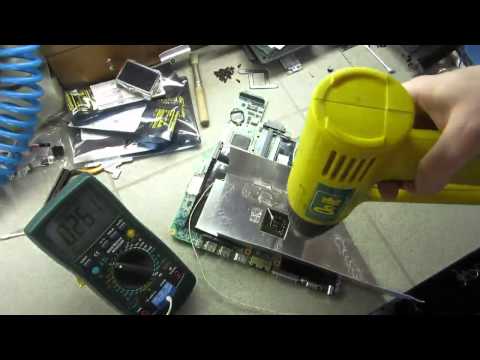 https://www.youtube.com/watch?v=tjWXExWM4RU Edited by NerfPlease on March 17, 2016 7:11AM0