Maintenance for the week of March 16:
• PC/Mac: No maintenance – March 16
• ESO Store and Account System for maintenance – March 18, 6:00AM EDT (10:00 UTC) - 4:00PM EDT (20:00 UTC)
• PC/Mac: No maintenance – March 16
• ESO Store and Account System for maintenance – March 18, 6:00AM EDT (10:00 UTC) - 4:00PM EDT (20:00 UTC)
Eso using 1 core problem HELP :/
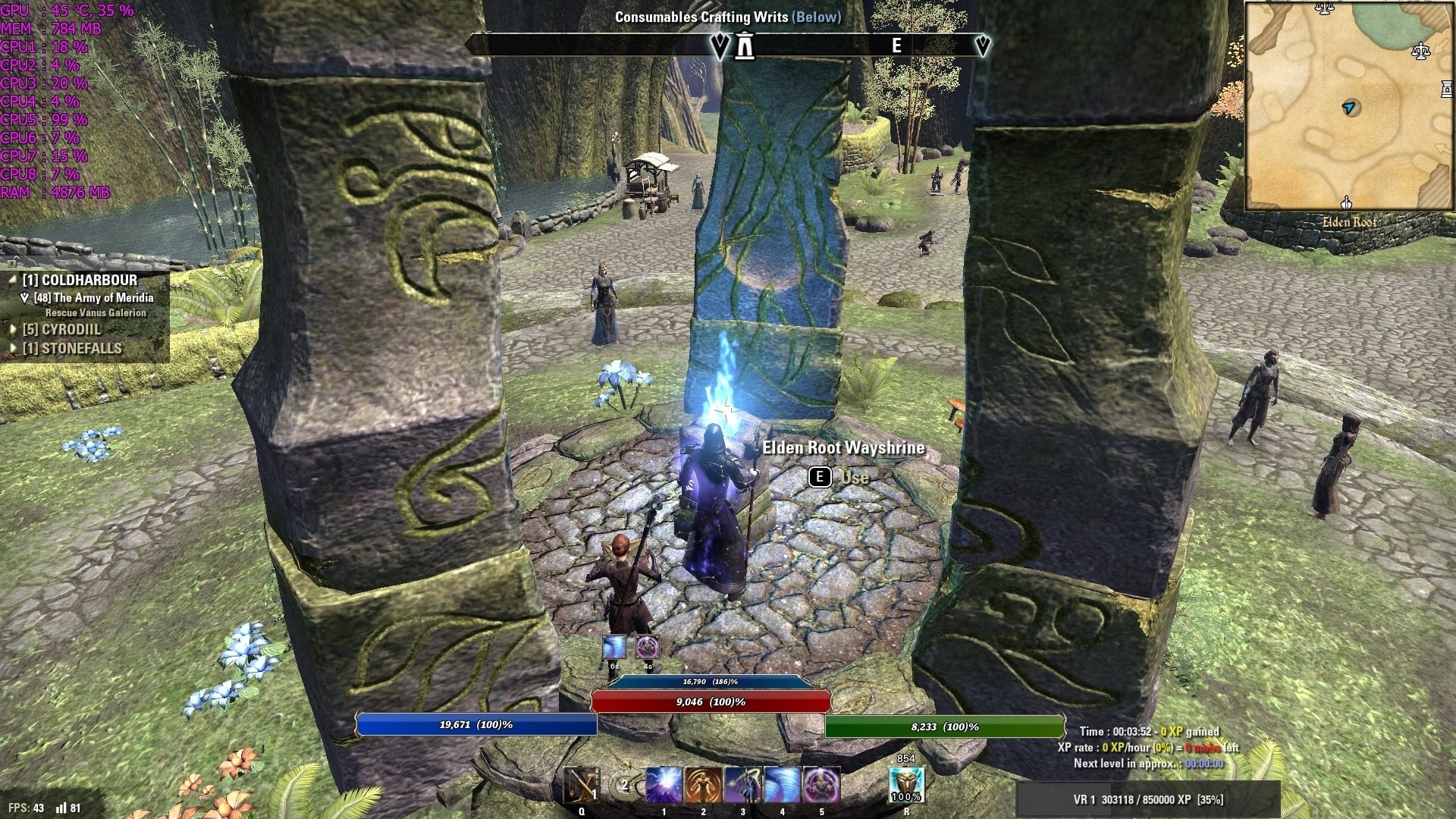
-
 Septimus_Magna✭✭✭✭✭
✭✭You cannot fix this, ESO is coded to only use 1 core.PC - EU (AD)Septimus Mezar - Altmer Sorcerer
Septimus Rulanir - Orsimer Templar
Septimus Desmoru - Khajiit Necromancer
Septimus Iroh - Dunmer Dragon Knight
Septimus Thragar - Dunmer Nightblade
Septimus Jah'zar - Khajiit Nightblade
Septimus Nerox - Redguard Warden
Septimus Ozurk - Orsimer Sorcerer0 -
 s1mq✭Septimus_Magna wrote: »You cannot fix this, ESO is coded to only use 1 core.
:'( :'( :'( :'( :'( :'( :'( 0
 -
Septimus_Magna✭✭✭✭✭
✭✭There are a couple things you can do to help performance though.
1. Set the view distance to 35-40, this is probably the most effective setting to reduce fps drops.
2. Turn off all the optional settings like Ambient Occlusion, Bloom, Distortion etc.
3. Go to User Setting .ini and change the following line to: SET NORMAL_MAPS "0"
There's also a good guide to improve graphics here, he also explains how you can change the settings to increase performance.PC - EU (AD)Septimus Mezar - Altmer Sorcerer
Septimus Rulanir - Orsimer Templar
Septimus Desmoru - Khajiit Necromancer
Septimus Iroh - Dunmer Dragon Knight
Septimus Thragar - Dunmer Nightblade
Septimus Jah'zar - Khajiit Nightblade
Septimus Nerox - Redguard Warden
Septimus Ozurk - Orsimer Sorcerer0 -
 Lennz✭✭Septimus_Magna wrote: »There are a couple things you can do to help performance though.
1. Set the view distance to 35-40, this is probably the most effective setting to reduce fps drops.
2. Turn off all the optional settings like Ambient Occlusion, Bloom, Distortion etc.
3. Go to User Setting .ini and change the following line to: SET NORMAL_MAPS "0"
There's also a good guide to improve graphics here, he also explains how you can change the settings to increase performance.
Set normal_maps 0 , what this change in game?0 -
 Smasherx74✭✭✭✭✭
✭Septimus_Magna wrote: »There are a couple things you can do to help performance though.
1. Set the view distance to 35-40, this is probably the most effective setting to reduce fps drops.
2. Turn off all the optional settings like Ambient Occlusion, Bloom, Distortion etc.
3. Go to User Setting .ini and change the following line to: SET NORMAL_MAPS "0"
There's also a good guide to improve graphics here, he also explains how you can change the settings to increase performance.
Set normal_maps 0 , what this change in game?
SET NORMAL_MAPS gives textures "shine". If it improves performance then perhaps it's actual lighting effect. I know ESO has a weird lighting effect that changes according to your camera and position in relation to light source. Maybe that's what it disables?Master Debater0