Maintenance for the week of April 13:
• PC/Mac: No maintenance – April 13
• PC/Mac: No maintenance – April 13
Unstable and critical FPS drops while playing ESO. Poorly optimized? What's your experience?

Emity
✭
Hello guys. I'm here to do a research how the game is holding up on different computer systems. Especially on high-end pc's. Also i wanna share with you a few unpleasant experience. Unfortunately, from my own experience the game is not well optimized and simply doesn't work properly with hardware components.
I have upgraded my pc to be able play ESO on the maximum available setting and get absolute smoothness of the game in every situation. Another words get stable 60fps even in big PVE fight's/ pulls so i can get the best gameplay experience of the game. Unfortunately after testing i was very disappointed.
I'm running on:
Operation system: Windows 7 Home Premium, 64bit
GPU: GTX 760 2GB, "OC Version" (Single-screen BenQ 1920x1080)
CPU: I5 4690K OC 4.3 GHz
RAM: 8GB DDR3, 2133mhz
Mainboard: Gigabyte Z97-D3H
HDD: Samsung SSD 840 EVO - 250GB
PSU: EVGA SuperNOVA 750W G2
Nvidia 3D Setting:
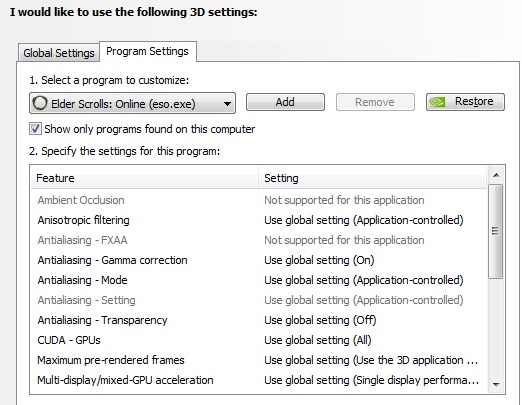
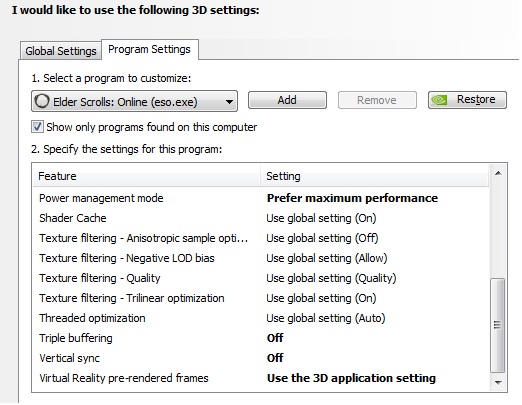
Usersetting file settings:
With this set-up i truly think that i and everyone else should be able to play ESO on maximum available setting without any performance issues, including stable 60 FPS even in situations like big fights/ pulls where higher pc performance is required and player can still feel how the game is still nicely smooth.
Let me give you some numbers and screnshots so you can see what bothers the most.
On the first two screenshot bellow you can see my game settings which i found most playable. As you can see the game settings is not even maximize.

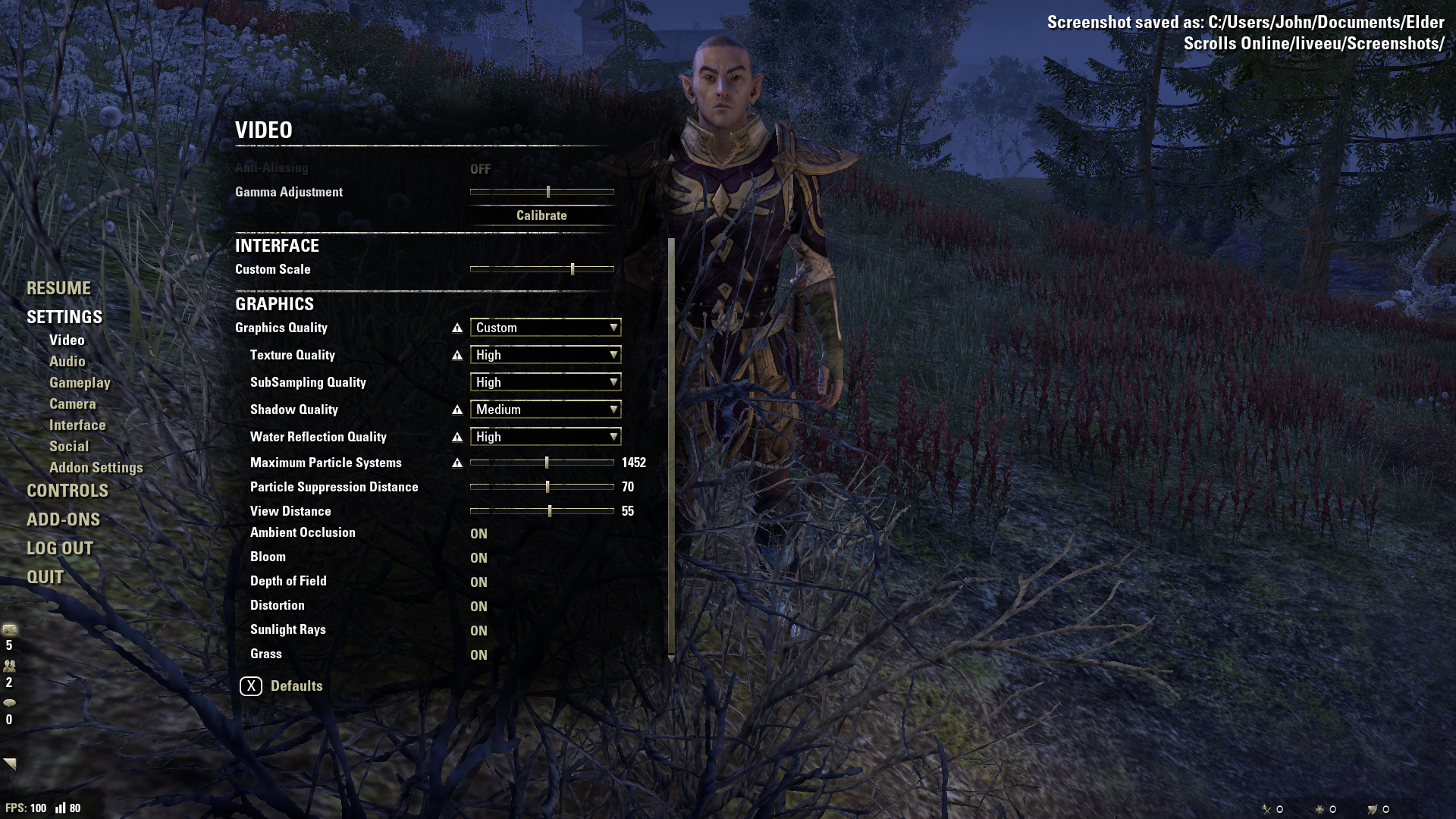
On the following screenshots you can see how fps from over 100 critically drops after entering any locations with some effects of the game. Especially locations with a lots of lighting effects / luminous glow. This also applies for some character abilities like Cleansing Ritual by Templar or Grand Healing ( Healing Springs ), Blessing of Protection from Restoration Staff.
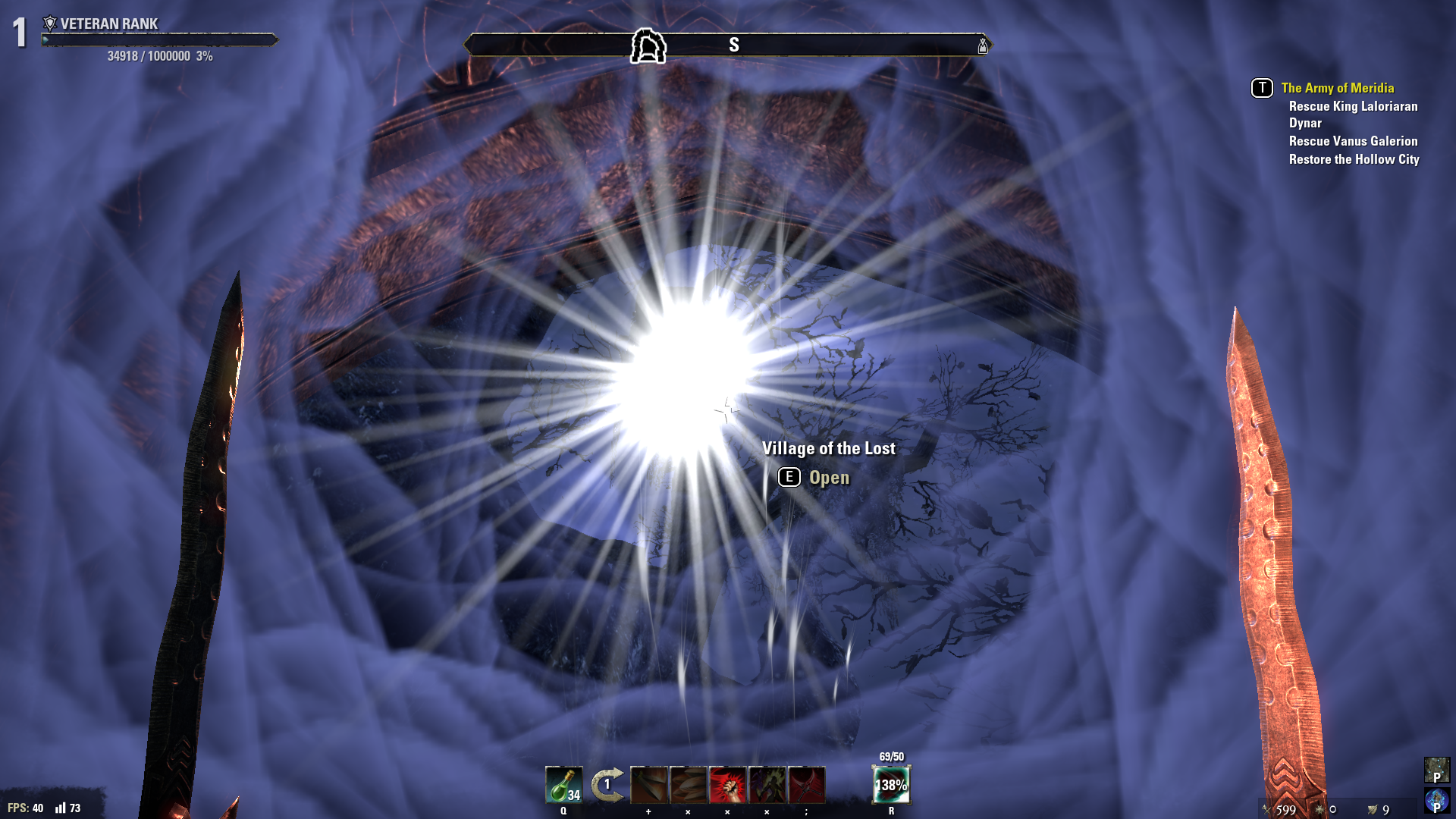
On the screenshot below the FPS was around "35".
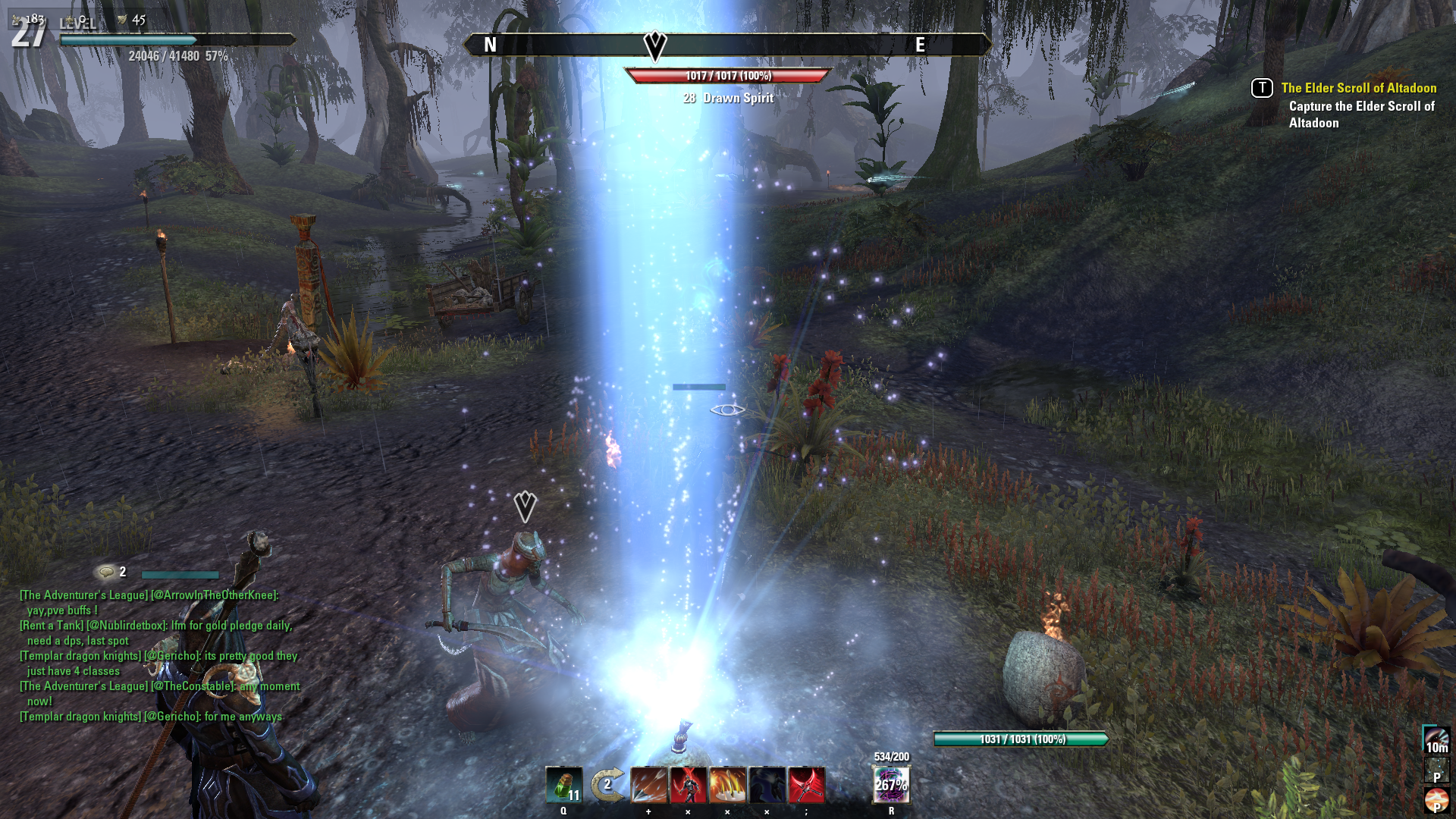
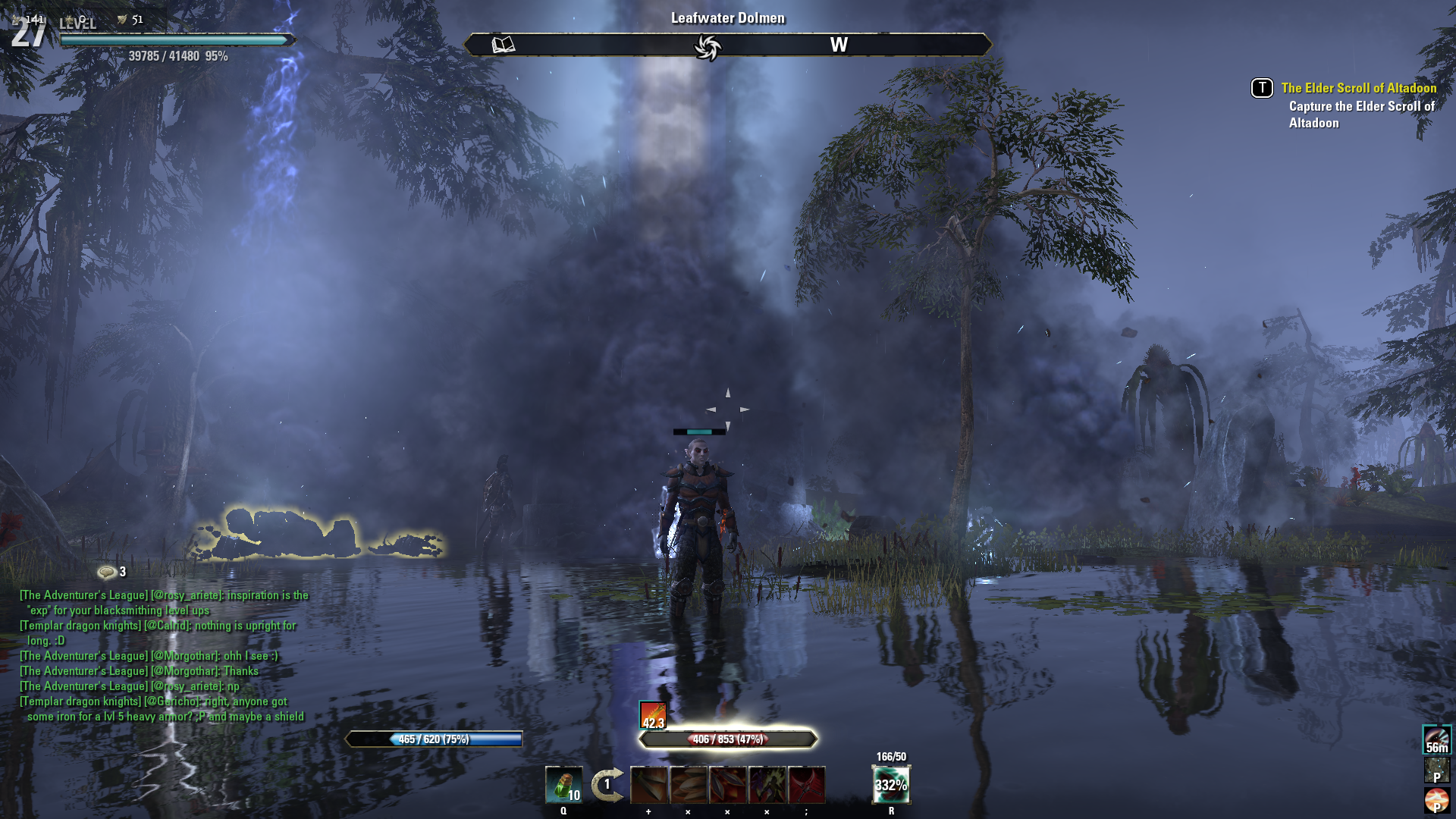
During dolman collapse (below) - "35-40" fps.
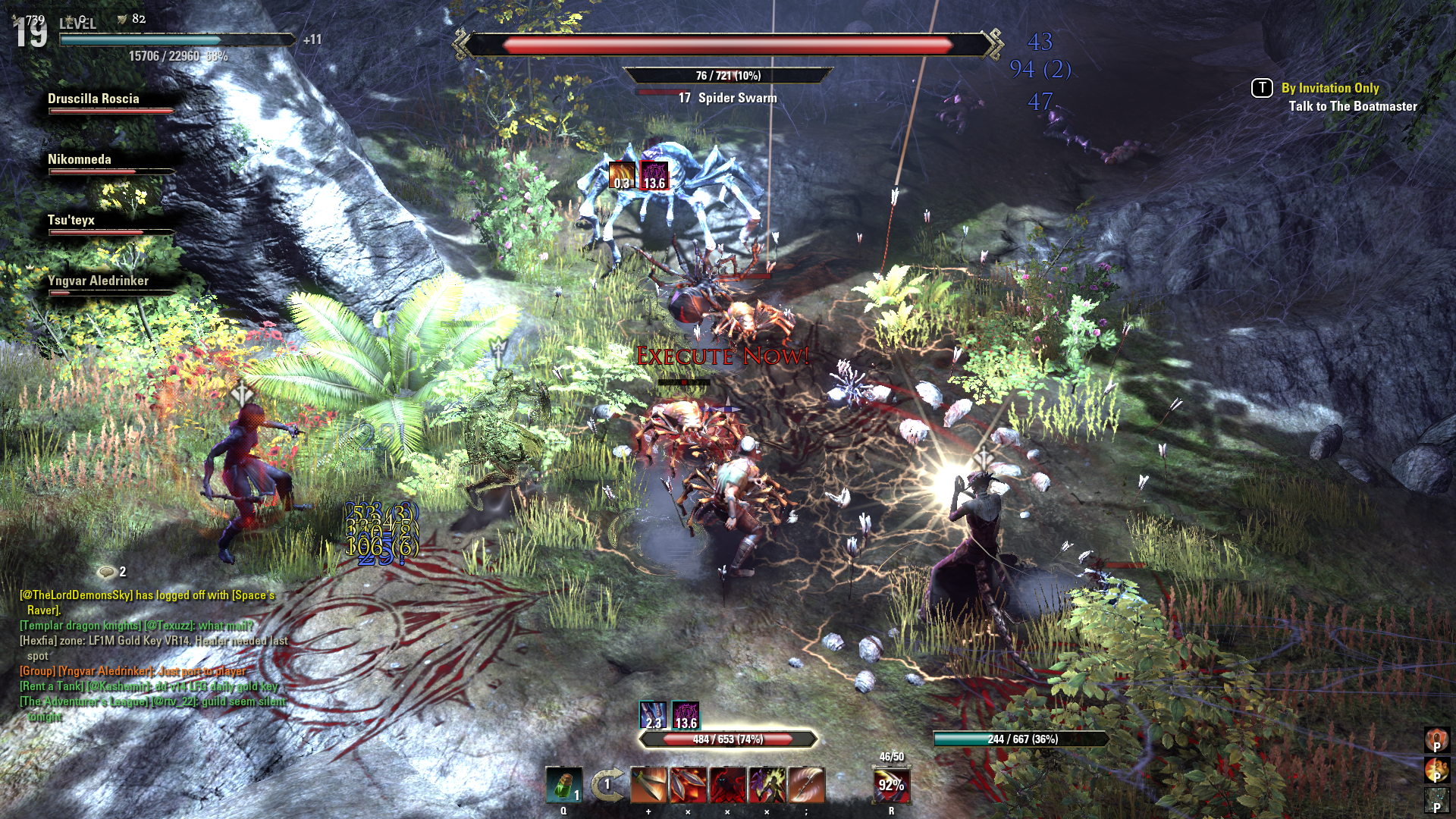
On the screenshots below you can see FPS drops during big pulls / fights.
Craglorn
[img][/img]
Crypt of Hearts
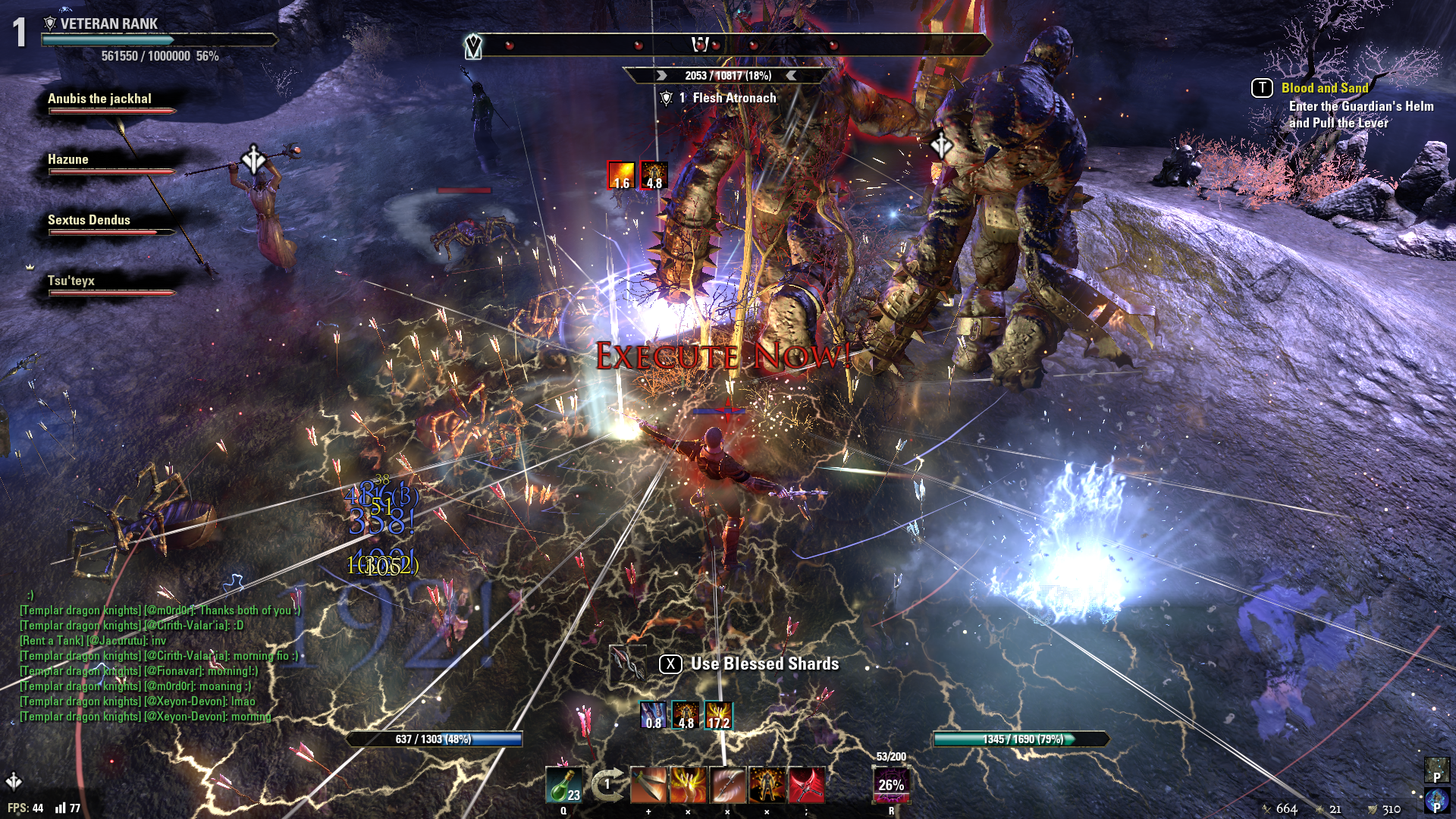
Spindleclutch
( Fight at the first boss - 30 FPS, the luminous glow in the room is FPS killer itself )
I didnt test TRIALS so far on my upgrated pc, but i guess it gonna be the same or even much worse due to 12 players on the screen and more effects going on.
I wanna ask everyone who is playing ESO on ULTRA settings to fill the following. Before you do so, please make sure you provide truthful information.
a) Your pc set up:
Operation system (64/32bit):
GPU: ( SLI ? )
CPU: ( OC ? )
RAM:
HDD:
PSU:
b) What's your game setting:
Resolution:
Vertican Syns: ( ON/OFF)
Anti-Aliasing: ( ON/OFF)
Texture Quality: (LOW /MEDIUM / HIGH)
SubSampling Quality: (LOW /MEDIUM / HIGH)
Shadow Quality: (LOW /MEDIUM / HIGH/ ULTRA)
Maximum Particle Systems:
Particle Suppressions Distance:
View Distance:
Bloom: ( ON/OFF)
Depth of Field: ( ON/OFF)
Distortion: ( ON/OFF)
Sunlight Rays: ( ON/OFF)
Grass: ( ON/OFF)
c) Are you having similar or the same performance issue as i do?
d) What's your lower and higher FPS in the following situations:
Opened World:
Big pulls / fights in DUNGEONS:
Big pulls / fights TRIALS:
Highly populated towns:
Thank you for your cooperation.
Edited by Emity on February 14, 2015 2:41PM I have upgraded my pc to be able play ESO on the maximum available setting and get absolute smoothness of the game in every situation. Another words get stable 60fps even in big PVE fight's/ pulls so i can get the best gameplay experience of the game. Unfortunately after testing i was very disappointed.
I'm running on:
Operation system: Windows 7 Home Premium, 64bit
GPU: GTX 760 2GB, "OC Version" (Single-screen BenQ 1920x1080)
CPU: I5 4690K OC 4.3 GHz
RAM: 8GB DDR3, 2133mhz
Mainboard: Gigabyte Z97-D3H
HDD: Samsung SSD 840 EVO - 250GB
PSU: EVGA SuperNOVA 750W G2
Nvidia 3D Setting:
Usersetting file settings:
SET MouseRawInput "1"
SET MouseSensitivityFirstPerson "0.50000000"
SET MouseSensitivityThirdPerson "1.28999996"
SET MouseSmoothing "0"
SET InvertMouseWheel "1"
SET InvertMouseY "1"
SET InvertMouseX "1"
SET PFX_SUPPRESS_DISTANCE_v2 "70.00000000"
SET PFX_GLOBAL_MAXIMUM "1452"
SET MULTI_GPU_CHECK "1"
SET CachedRLREnabled "1"
SET CachedReflectionResolution "6"
SET CachedShadowFiltering "4"
SET ScreenshotFormat.2 "PNG"
SET PregameGammaCheckEnabled "0"
SET HardwareCheckEnabled.2 "0"
SET SUB_SAMPLING "2"
SET REFLECTION_QUALITY_v3 "3"
SET PARTICLE_DENSITY "3"
SET HIGH_RESOLUTION_SHADOWS "0"
SET SHADOWS "2"
SET GAMMA_ADJUSTMENT "116"
SET VIEW_DISTANCE "1.28999996"
SET GPUSmoothingFrames "0"
SET MIP_LOAD_SKIP_LEVELS "0"
SET RAIN_WETNESS "1"
SET LENS_FLARE "1"
SET GOD_RAYS_v2 "1"
SET ANTI_ALIASING_v2 "0"
SET AMBIENT_OCCLUSION "1"
SET COLOR_GRADING_v1 "0"
SET BLOOM "1"
SET DEPTH_OF_FIELD "1"
SET TONE_MAPPING "1"
SET COLOR_CORRECTION "1"
SET SOFT_ALPHA "1"
SET DISTORTION "1"
SET CHARACTER_LIGHTING "1"
SET DIFFUSE_2_MAPS "1"
SET DETAIL_MAPS "1"
SET NORMAL_MAPS "1"
SET SPECULAR_MAPS "1"
SET CLUTTER_2D "1"
SET SIMPLE_SHADERS "0"
SET WATER_FOAM "1"
SET VSYNC_INTERVAL "1"
SET VSYNC "0"
SET MAX_ANISOTROPY "3"
SET PreferMaximizedWindow "0"
SET PreferExclusiveFullscreen "1"
SET FULLSCREEN_v5 "2"
SET FullscreenHeight "1080"
SET FullscreenWidth "1920"
SET WindowedHeight "1080"
SET WindowedWidth "1920"
SET LuaMemoryLimitMB "64"
SET GamepadSensitivityFirstPerson.2 "0.72000003"
SET GamepadSensitivityThirdPerson.2 "0.85000002"
SET GamepadInvertX "0"
SET GamepadInvertY "0"
SET GamepadVibrationEnabled "1"
SET SOUND_ENABLED "1"
SET FOOTSTEPS_VOLUME "50.00000000"
SET FOOTSTEPS_ENABLED "1"
SET SPEAKER_SETUP "0"
SET BACKGROUND_AUDIO "0"
SET VO_VOLUME "70.00000000"
SET VO_ENABLED "1"
SET UI_VOLUME "70.00000000"
SET UI_ENABLED "1"
SET AMBIENT_VOLUME "70.00000000"
SET AMBIENT_ENABLED "1"
SET SFX_VOLUME "70.00000000"
SET SFX_ENABLED "1"
SET MUSIC_VOLUME "70.00000000"
SET MUSIC_ENABLED "1"
SET AUDIO_VOLUME "55.00000000"
SET AUDIO_ENABLED "1"
SET TooltipFilter "-1"
SET TooltipNumOptions "2"
SET Language.2 "en"
SET GraphicsDriver.7 "D3D11"
SET PatchDataPath "game:/GameData/"
SET CacheDataPath "machine:/Cache/"
SET ViewedAddOnEULAVersion "5"
SET AcceptedAddOnEULAVersion "5"
SET AcceptedEULAVersion "3"
SET DirectionalDamageIndictorVisibleInThirdPerson "0"
SET CameraFramingTransitionEnabled "1"
SET SkipPregameVideos "1"
SET HasPlayedPregameVideo "1"
SET RangedKillCamera "0"
SET PlayerKillCamera "1"
SET LastMonsterKillCamera "1"
SET MinFrameTime.2 "0.01000000"
SET ParticlesEnabled "1"
SET RequestedNumJobThreads "0"
SET RequestedNumWorkerThreads "0"
SET FreeUnusedGrannyFileSections.2 "0"
SET IsTrustedMachine "1"
SET RememberAccountName "1"
SET AccountName "Emiti"
SET LastRealm "EU Megaserver"
SET CustomUIScale "0.97222197"
SET UseCustomUIScale.2 "1"
SET RollDodgeDoubleTapEnabled "1"
SET RollDodgeDoubleTapTimeWindow.2 "185"
SET MonsterTellsEnabled "1"
SET CameraZoomDistancesSynced "1"
SET SiegeCameraZoomDistance "6.00000000"
SET WeaponsOutCameraZoomDistance "10.00000000"
SET WeaponsSheathedCameraZoomDistance "10.00000000"
SET MaxNetworkWriteBuffer "10485760"
SET MaxNetworkReadBuffer "10485760"
With this set-up i truly think that i and everyone else should be able to play ESO on maximum available setting without any performance issues, including stable 60 FPS even in situations like big fights/ pulls where higher pc performance is required and player can still feel how the game is still nicely smooth.
Let me give you some numbers and screnshots so you can see what bothers the most.
On the first two screenshot bellow you can see my game settings which i found most playable. As you can see the game settings is not even maximize.
On the following screenshots you can see how fps from over 100 critically drops after entering any locations with some effects of the game. Especially locations with a lots of lighting effects / luminous glow. This also applies for some character abilities like Cleansing Ritual by Templar or Grand Healing ( Healing Springs ), Blessing of Protection from Restoration Staff.
On the screenshot below the FPS was around "35".
During dolman collapse (below) - "35-40" fps.
On the screenshots below you can see FPS drops during big pulls / fights.
Craglorn
[img][/img]
Crypt of Hearts
Spindleclutch
( Fight at the first boss - 30 FPS, the luminous glow in the room is FPS killer itself )
I didnt test TRIALS so far on my upgrated pc, but i guess it gonna be the same or even much worse due to 12 players on the screen and more effects going on.
I wanna ask everyone who is playing ESO on ULTRA settings to fill the following. Before you do so, please make sure you provide truthful information.
a) Your pc set up:
Operation system (64/32bit):
GPU: ( SLI ? )
CPU: ( OC ? )
RAM:
HDD:
PSU:
b) What's your game setting:
Resolution:
Vertican Syns: ( ON/OFF)
Anti-Aliasing: ( ON/OFF)
Texture Quality: (LOW /MEDIUM / HIGH)
SubSampling Quality: (LOW /MEDIUM / HIGH)
Shadow Quality: (LOW /MEDIUM / HIGH/ ULTRA)
Maximum Particle Systems:
Particle Suppressions Distance:
View Distance:
Bloom: ( ON/OFF)
Depth of Field: ( ON/OFF)
Distortion: ( ON/OFF)
Sunlight Rays: ( ON/OFF)
Grass: ( ON/OFF)
c) Are you having similar or the same performance issue as i do?
d) What's your lower and higher FPS in the following situations:
Opened World:
Big pulls / fights in DUNGEONS:
Big pulls / fights TRIALS:
Highly populated towns:
Thank you for your cooperation.
- Windows 7 Home Premium, 64bit
- GTX 760 2GB, "OC Version"
- Single-screen 1920x1080
- I5 4690K OC 4.3 GHz
- 8GB DDR3, 2133mhz
- Gigabyte Z97-D3H
- Samsung SSD 840 EVO - 250GB
- EVGA SuperNOVA 750W G2 PSU
3
-
 AshySamurai✭✭✭✭✭
✭Playing on Intel Xeon X3450, 4GB RAM and GeForce GTX 550Ti. On medium-hugh settings ~30 fps all the time.Make sweetrolls, not nerfs!0 -
 spoqster✭✭✭✭✭Interesting idea. In order to get as much info as possible, you'll need to make this as simple as possible. Is there an app that extracts the relevant info? Have you considered writing a script that extracts the relevant settings from the settings file? I can recommend using typeform.com for the qualitative part of the survey.0
 -
 TehMagnus✭✭✭✭✭
✭✭Playing on AMD FX 8350 4Ghz 8GB Ram with ATI 7970 3GB, got usually around 60-80 FPS except if I'm recording or Streaming.
From what I read, the game is poorly optimized when it comes to processor power.
IMO, it's likely either your GPU or your CPU that is slowing you down. I noticed a nice increase when I upgraded to 8 core from 4 core but even if your processor only has 4 core it's supposed to be better than mine. On the other hand my GPU is better than yours so that might the issue.
(I'm basing the "better than" statements on benchmark comparison found on google. Prefer saying this before starting a ATI vs Intel war).Edited by TehMagnus on February 14, 2015 3:58PM1 -
zward887_ESO✭✭✭a) Your pc set up:
Operation system (64/32bit): Windows 8.1 (64 bit)
GPU: Sapphire R9 290 x2 in Crossfire
CPU: Intel i5 2500K @ 4.4 GHz
RAM: Mushkin Enhanced DDR3 @ 1600 CL9
HDD: Crucial M550 256GB
PSU: Corsair AX850
b) What's your game setting:
Resolution: 1920x1080
Vertican Syns: ( OFF)
Anti-Aliasing: ( OFF)
Texture Quality: (HIGH)
SubSampling Quality: (HIGH)
Shadow Quality: (HIGH)
Maximum Particle Systems: 1500
Particle Suppressions Distance: 100
View Distance: 100
Bloom: ( ON)
Depth of Field: ( ON)
Distortion: ( ON)
Sunlight Rays: ( ON)
Grass: ( ON)
c) Are you having similar or the same performance issue as i do?
I've literally tried everything, if I'm in an instanced area like a Delve my rig will stay a rock solid 100 fps (game limited at that im assuming). If I am anywhere in the open world I am around 40 fps but its fairly jittery and doesn't feel great. I don't find the number of PCs or NPCs to affect the performance of the client. While its mostly playable and I still enjoy playing, one thing that does happen which I have not found a solution for, is the game will drop to 0 FPS for about 5 seconds, just a total lockup of the client. I'm assuming it has something to do with texture streaming but I've literally tried everything I could think of and nothing works. I no longer believe the problem is on my end, its just a poor client.Edited by zward887_ESO on February 14, 2015 4:07PM0 -
 s7732425ub17_ESO✭✭✭✭✭
✭There are certain particle FX that cause sudden hits to FPS. Fortunately they only last a second or so and rarely occur. Just have to learn to live with it.0 -
clocksstoppe✭✭✭✭✭
✭reduce number of particles and turn vsync on.
also why are you letting the nvidia software override the game settings? that's just asking for trouble.
If this happens in more than one game then your video card is definitely borked.2 -
Your expectations for the game are unfortunately unrealistic. The game is HIGHLY cpu bound, but your in a good spot with the i5 at 4.3.
Your video card is a tad on the weaker side, especially with only 2gbs of ram. But that's going to effect mostly quality settings like textures, etc.
0 -
 GrimMauKin✭✭✭✭I suspect that part of the problem is that (despite being written in 2014 and being highly CPU intensive) Zenimax haven't written a particularly multi-core aware game (utter madness in my view)!I am one of The Great Mediocracy, those whose role in life is to provide the baseline by which The Few deem themselves Great.1
 -
stefan.gustavsonb16_ESO✭✭✭✭✭
✭The problem is not just with the client. The server and client are both poorly programmed, from the look of it. The current number of players is only a small fraction of what they were planning to handle, and still the server shows spikes of high latency and stops responding altogether at times.
0 -
 LtCrunch✭✭✭✭✭
✭
I had this issue for a while during late beta and for the first month or two after launch and then it just stopped, not sure what might have done it though honestly.zward887_ESO wrote: »a) Your pc set up:
Operation system (64/32bit): Windows 8.1 (64 bit)
GPU: Sapphire R9 290 x2 in Crossfire
CPU: Intel i5 2500K @ 4.4 GHz
RAM: Mushkin Enhanced DDR3 @ 1600 CL9
HDD: Crucial M550 256GB
PSU: Corsair AX850
b) What's your game setting:
Resolution: 1920x1080
Vertican Syns: ( OFF)
Anti-Aliasing: ( OFF)
Texture Quality: (HIGH)
SubSampling Quality: (HIGH)
Shadow Quality: (HIGH)
Maximum Particle Systems: 1500
Particle Suppressions Distance: 100
View Distance: 100
Bloom: ( ON)
Depth of Field: ( ON)
Distortion: ( ON)
Sunlight Rays: ( ON)
Grass: ( ON)
c) Are you having similar or the same performance issue as i do?
I've literally tried everything, if I'm in an instanced area like a Delve my rig will stay a rock solid 100 fps (game limited at that im assuming). If I am anywhere in the open world I am around 40 fps but its fairly jittery and doesn't feel great. I don't find the number of PCs or NPCs to affect the performance of the client. While its mostly playable and I still enjoy playing, one thing that does happen which I have not found a solution for, is the game will drop to 0 FPS for about 5 seconds, just a total lockup of the client. I'm assuming it has something to do with texture streaming but I've literally tried everything I could think of and nothing works. I no longer believe the problem is on my end, its just a poor client.
NerdSauce GamingLaughs-At-Wounds - Sap tanking since 03/30/14ßrandalf - Light armor tanking since 03/03/15Brandalf Beer-Belly - Tanking drunk since 12/30/160 -
 Elder_III✭✭✭✭The game is CPU bound. I play on a a superlative machine and it's totally CPU Bound even on my setup.
AMD R9 295x2 8GB on H2O @ 5760x1080 resolution.
Intel i7 3770K OC @ 4.2 ghz on H2O
12 GB DDR3
128 GB SSD
Windows 8.1
100% MAX Settings, including the fix to prevent any "muddy" textures.
(read about that here:http://tamrielfoundry.com/topic/client-ini-tweaks-muddy-textures-fix-more/#post-342894 )
I regularly hit 100 FPS even with the above settings, and average 50-70 depending on the zone and foliage etc. However in towns or large battles it plummets to 27-35 fps because the game doesn't make very good use of the CPU at hand. Most games at such a high resolution are GPU Bound, not CPU Bound, however many MMOs are CPU Bound and ESO is exactly that.
To read an excellent overview of the game's graphics performance check out this article. Most of it is from Beta and Launch a year ago, but it's pretty spot on today as well.
http://tamrielfoundry.com/topic/eso-performance-discussion-details-from-beta/page/19/Semi retired from the trading aspects of the game.1 -
Elder III,
I have almost the exact same experience on my i5 @ 4.5 with two GTX 780's. I play at 4k downsampled to 1920x1080.
The game is totally CPU bound.0
