Maintenance for the week of August 17:
• PC/Mac: No maintenance – August 17
• PC/Mac: No maintenance – August 17
Dynamic Encounter Tracker

Roctan
✭✭✭
Dynamic Encounter Tracker
— see which step the event is on, whether you count, and when it comes back
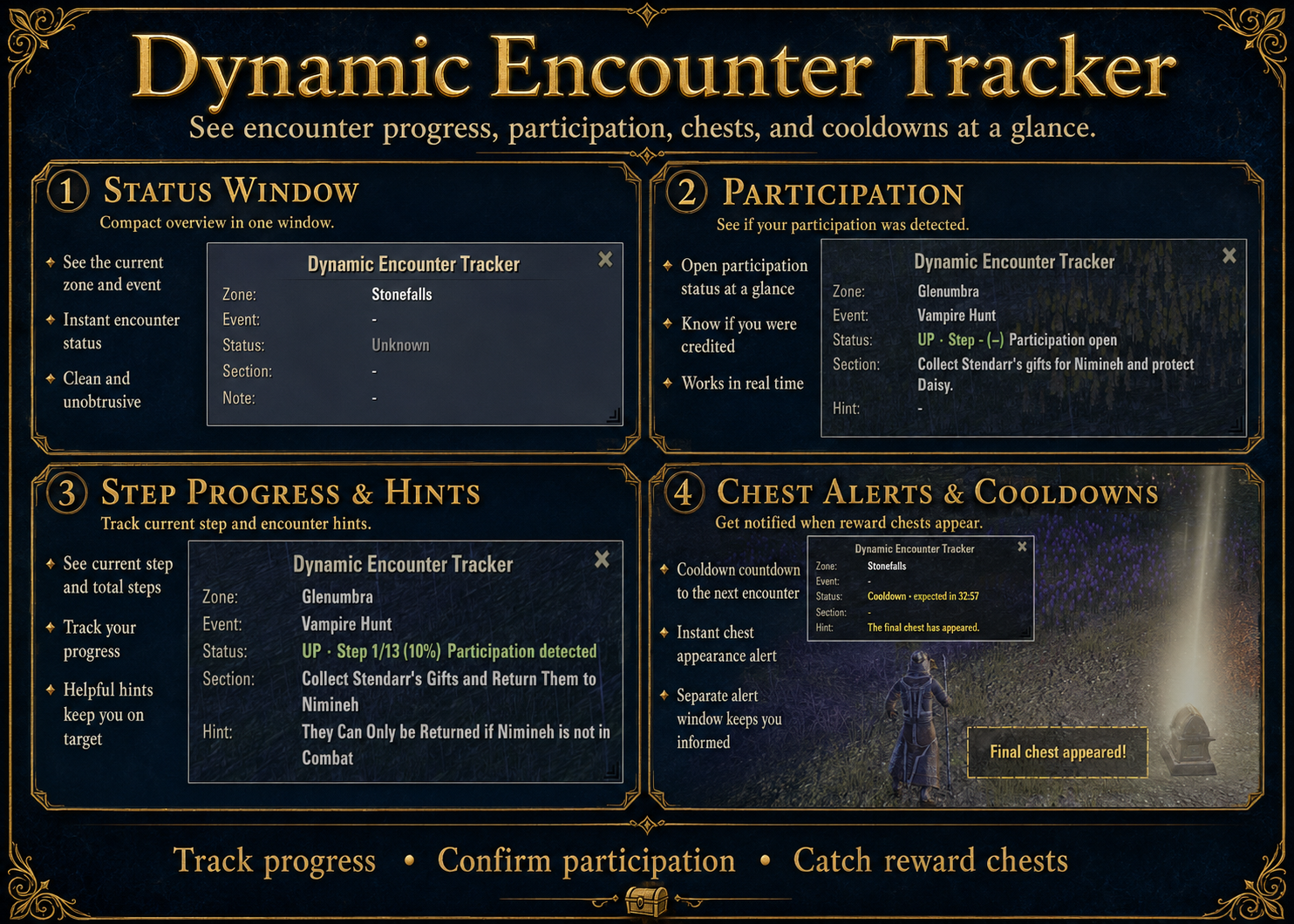
Dynamic Encounters run through several steps, but the game keeps much of it to itself: whether your participation has been registered, when a reward chest appears, and when the event is expected to run again. The tracker collects exactly that in one small window.
What this addon shows:
Currently supported encounters:
Stonefalls (Bilsa's Delivery) · Glenumbra (Vampire Hunt) · Auridon (Flower Vine Court)
Available in 6 languages:
German · English · French · Spanish · Russian · Chinese
What the timer can do — and what it can't:
The respawn timer applies to the instance you are currently in — what runs in other instances of the same zone is something ESO does not report. If you leave the zone or port away, the timer is deliberately set to "unknown" rather than counting down a time that may no longer be accurate; when you come back, a different instance with its own rhythm may be waiting. So it is meant for waiting on site — handy while you gather materials or run quests in the zone in the meantime.
Download & details: Dynamic Encounter Tracker on ESOUI or via Minion
— see which step the event is on, whether you count, and when it comes back
Dynamic Encounters run through several steps, but the game keeps much of it to itself: whether your participation has been registered, when a reward chest appears, and when the event is expected to run again. The tracker collects exactly that in one small window.
What this addon shows:
- Current step with position and progress, e.g. "Step 1/13 (10%)"
- Participation state — whether your contribution has been registered or not yet
- A notice the moment a chest appears, including which one (chest 1, chest 2, or the final one) — optionally as a separate alert window as well
- A countdown to the next expected event once the current run ends
Currently supported encounters:
Stonefalls (Bilsa's Delivery) · Glenumbra (Vampire Hunt) · Auridon (Flower Vine Court)
Available in 6 languages:
German · English · French · Spanish · Russian · Chinese
What the timer can do — and what it can't:
The respawn timer applies to the instance you are currently in — what runs in other instances of the same zone is something ESO does not report. If you leave the zone or port away, the timer is deliberately set to "unknown" rather than counting down a time that may no longer be accurate; when you come back, a different instance with its own rhythm may be waiting. So it is meant for waiting on site — handy while you gather materials or run quests in the zone in the meantime.
Download & details: Dynamic Encounter Tracker on ESOUI or via Minion
1
-
Roctan✭✭✭Update 1.2.0 – Share timers and find active encounters
Version 1.2.0 adds a major new feature to Dynamic Encounter Tracker: timers and currently active encounters can now be shared between players.
New in 1.2.0:- Share your respawn timer or an active encounter via /say, /zone, or guild chat
- Ask other players whether they have a timer for your current zone
- Other Dynamic Encounter Tracker users can answer those requests in the same channel or by whisper
- Encounters shared through monitored guild chats are collected in the new Shared Encounters window
- See the zone, the player who shared it, and either how long the encounter has already been active or how long remains until the expected start
- Use the travel icon to jump directly to that player and take over their timer
- New keybinds for the status window, minimal mode, Shared Encounters, and the share/request dialogs
- The status window frame can now be enabled or disabled separately
Respawn timings for all three supported zones have also been adjusted after an ESO update shortened the intervals. Your own saved timings are kept; on first use you are asked whether you want to switch to the new defaults.
Sharing is designed as an addition to the local timer: ESO still does not expose what is happening in other instances of the same zone. Shared timers from other players can now help you find a suitable instance, travel directly to that player, and take over the timer there.
Download & details: Dynamic Encounter Tracker on ESOUI or via Minion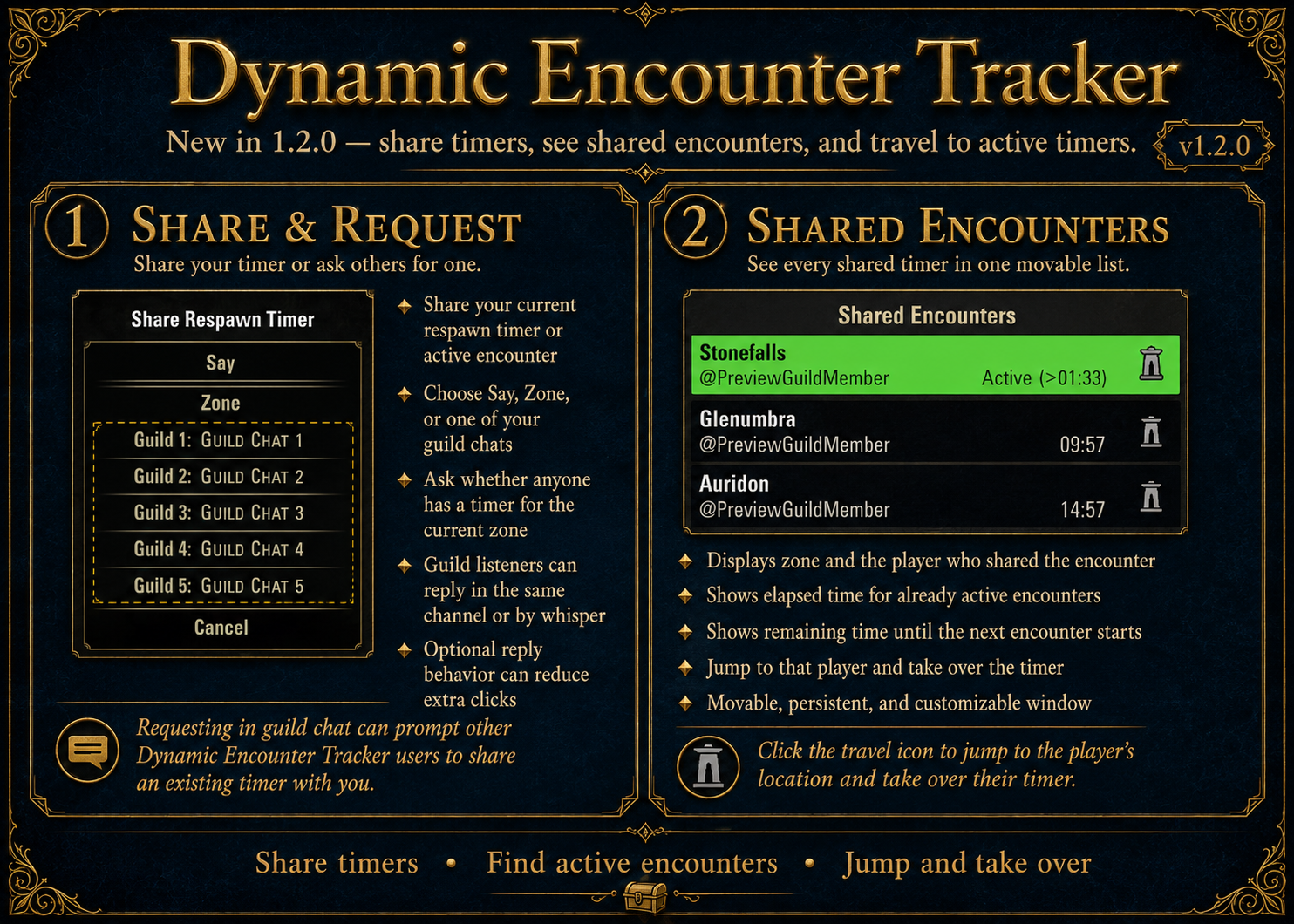
0