Maintenance for the week of July 27:
• [COMPLETE] NA megaservers for maintenance – July 27, 6:00AM EDT (10:00 UTC) - 11:00AM EDT (15:00 UTC)
• [COMPLETE] EU megaservers for maintenance – July 27, 10:00 UTC (6:00AM EDT) - 15:00 UTC (11:00AM EDT)
• [COMPLETE] NA megaservers for maintenance – July 27, 6:00AM EDT (10:00 UTC) - 11:00AM EDT (15:00 UTC)
• [COMPLETE] EU megaservers for maintenance – July 27, 10:00 UTC (6:00AM EDT) - 15:00 UTC (11:00AM EDT)
ESO Console Add On. NEED HELP

XxCaLxX
✭✭✭✭✭
I have a black transparent square in middle of my screen and I’m pretty sure it’s from the Global Cooldown monitor addon that I never installed but it’s in my list. I cannot delete the addon because it’s not the same one Thats available now. I’ve deleted saved data and removed all addons but when I install any other addon it adds all my previous one back with that global cooldown one also. If I disable the addon it just comes back on when I relog. How the heck do I get rid of this add on?
0
-
 DenverRalphy✭✭✭✭✭
✭✭✭✭✭Try logging in to the Bethesda Mods page, navigate to the Library tab, and removing it there first. Select the addon/mod in question, then choose Remove From Library. Then uninstall from your console if it hasn't done so automagically.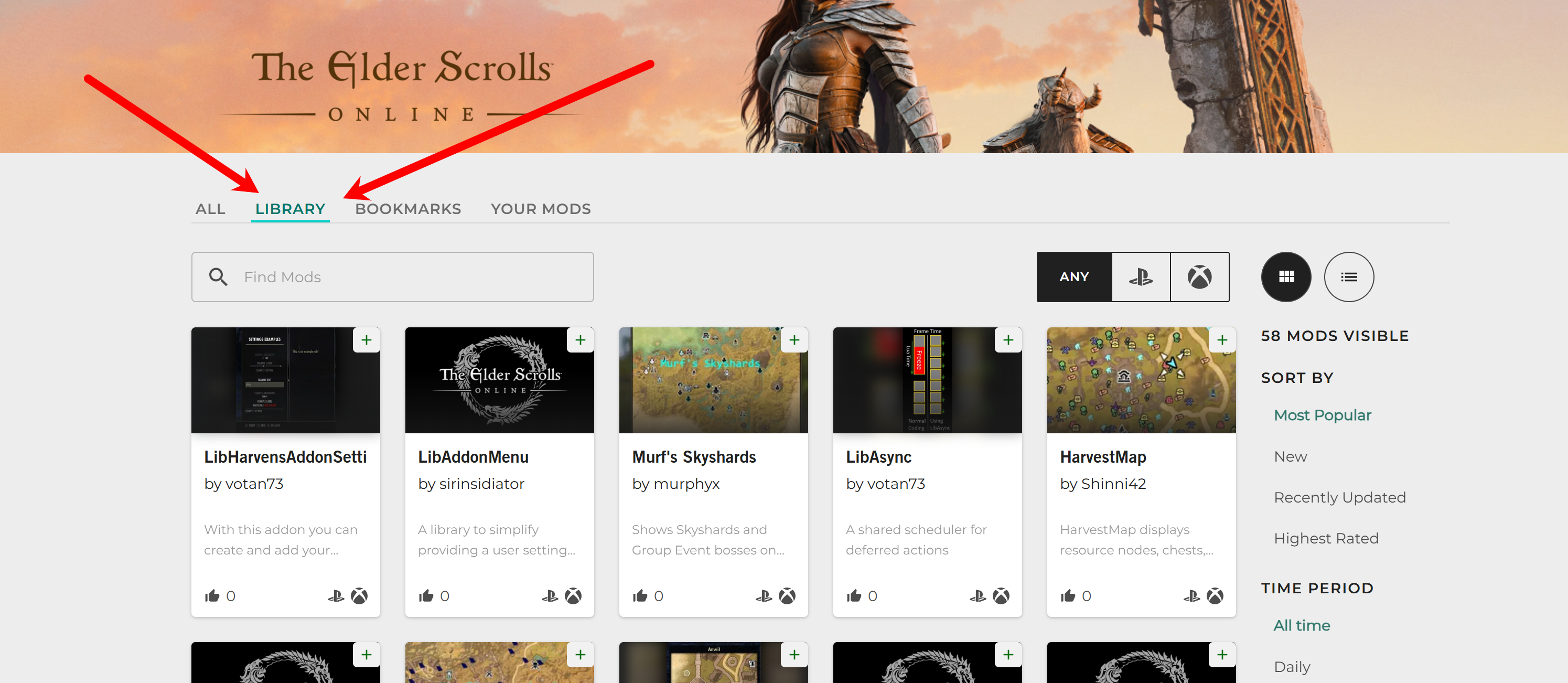
Edited by DenverRalphy on November 28, 2025 10:07PM0 -
 SwordOfSagas✭✭✭✭I have a black transparent square in middle of my screen and I’m pretty sure it’s from the Global Cooldown monitor addon that I never installed but it’s in my list. I cannot delete the addon because it’s not the same one Thats available now. I’ve deleted saved data and removed all addons but when I install any other addon it adds all my previous one back with that global cooldown one also. If I disable the addon it just comes back on when I relog. How the heck do I get rid of this add on?
I had the same issue it's from downloading the addon that lets you send custom messages to guild members through the mail system. For some reason when you have this addon it automatically downloads another addon made by the same person. Just checked the addon is called (Auto Guild Welcome Revised) if you uninstall that it will go away.Edited by SwordOfSagas on November 28, 2025 10:52PM0