Maintenance for the week of May 4:
• PC/Mac: No maintenance – May 4
• PC/Mac: No maintenance – May 4
Why DLSS announcement was somewhat disappointing
-
 omegatay_ESO✭✭✭✭Kiralyn2000 wrote: »Parasaurolophus wrote: »A lot of us who still use 1060 6gb? Buy today 3060+ is crazy!
Yep. Sure, I'm an AMD user, but even if I weren't, I wouldn't have an RTX card. The idea of spending that much on a GPU (even the retail price) is absurd to me. I don't know how people justify 300-500+ for one, let alone 1k+.
I justify it this way. If you go out every weekend, eat, movie, desert, golf, ski, whatever. How much are you spending? Times that by 3 years, the average people have there new shiny. I do very little of other hobbies, I like to game.
That is how I justify it..1 -
 Slyclone✭✭✭✭I look forward to this tech. Game is already quite beaitiful.That's it, that's all.0
 -
 Kiralyn2000✭✭✭✭✭
✭✭✭✭✭omegatay_ESO wrote: »[ If you go out every weekend, eat, movie, desert, golf, ski, whatever. How much are you spending?
Yeah, I don't do most of those things, either. For me, a movie is $4 - early matinee, no food. And I maybe go to 4-5 a year.
Eh, whatever. Maybe I'm cheap, maybe I just don't see the point in extraneous bells & whistles. Either way, the idea of spending more then $200 for a new GPU just seems like burning money. (but, then, I've never cares about fps or size, either. My gaming monitor is a 23" 1080p. 10 years old at this point. It's got a massive bezel, it's not IPS or any of that other stuff. It works, that's all it needs to do. Played Cyberpunk on Medium at around 34fps. Looked great, played fine. /shrug)
0 -
 shaarkyySoul ShrivenHey, let me preface this by saying that it is a good step, do not get me wrong. I understand that the decision to implement DLSS might have been made before AMD announced their Fidelity FX Super Resolution (FSR) solution and implementing DLSS does not mean FSR will not come to ESO eventually as well. Unless being the first to implement DLAA came with some exclusivity non-sense, which I highly doubt.
So why is the announcement to implement DLSS disappointing?
DLSS requires proprietary AI acceleration which is available on Nvidia RTX cards only. That significantly limits the amount of users who actually can use it.
Theres a GPU shortage and price scalping is through the roof already. Just casually upgrading your graphics cards is out of the question for a lot of people.
The game is 7 years old, you probably do not even need a quality upscaling solution if you already run on an RTX card.
Personally I can not help but scratch my head when a developer decides to implement a feature that is only beneficial to a very small subset of its userbase when there is a comparable solution available that benefits a significantly larger part of their audience.
To put some numbers to this claim I looked at the steam hardware survey and simply summed up every card that supports DLSS, and every card that was officially mentioned to support FSR.
DLSS: ~21%
FSR: ~74% (that is including the ~21% that supports DLSS)
Both new consoles run on AMD hardware which can not make use of DLSS (or DLAA for that matter).
While FSR has a list of officially supported GPUs, it does however, in theory, work on every GPU that is meeting minimum requirements of a game that has FSR available. Including last generation consoles. So the actual number of GPUs, and players, that could benefit from FSR is even higher than the ~74% listed above.
That by no means means that older GPUs that already struggle to run the game will suddenly give you an amazing experience, but it could make it ever so slightly better.
Making the experience for the vast majority of people that do not already play at 60+ FPS in 4K ever so slightly better is in my opinion worth more than the other way around.
There is no GPU which not support FSR, even models they didn't officially mentioned to support FSR, any other model can use it as well. Nvidia 7 and 9 Series and others, same as AMD 300, 200 and even HD models, Intel GPUs as well are able to use it, and even the Integrated GPUs can use the FSR. So 100% of all the players can use FSR in a certain game which is supporting FSR, if they want to use it ofc. All with RTX models, all official mentioned from AMD + all others, even with 10 yo pc's...
the number is 21% vs 100% in that case, ofc who have good system don' need any of them, but all others can get improvement if they want to use the option, or if they need to use it!0 -
 macsmooth✭✭✭✭Seen as this thread has been reawakened
If you have a Nvidia gpu, you may want to update your drivers and turn NIS on (Nvidia Image Scaler)
It is Nvidia’s answer to FSR but with a catch, it is driver based so it works for every game and it is open source so expect AMD gpu users to get access to this soon
Oh and it works great in eso guess that’s a bonus too
It works for GTX and RTX if the game doesn’t have dlss yetEdited by macsmooth on November 17, 2021 7:29AM0 -
jedtb16_ESO✭✭✭✭✭
✭✭"To put some numbers to this claim I looked at the steam hardware survey and simply summed up every card that supports DLSS, and every card that was officially mentioned to support FSR.
DLSS: ~21%"
the idea that that figure has any real relevance needs to be taken with a hefty pinch of salt.
it is the number of people who responded to a steam survey. that is a long way from the number of people who play this game on pc.Edited by jedtb16_ESO on November 17, 2021 10:02AM1 -
p6kocka✭✭✭For the new Nvidia Image Scaler...
I am playing with 4k resolution enabled in the Nvidia Control Panel as DSR. Do I have to enable NIS and adjust the sharpnes to my likening and that´s all? Should I expect more FPS through it?0 -
macsmooth✭✭✭✭For the new Nvidia Image Scaler...
I am playing with 4k resolution enabled in the Nvidia Control Panel as DSR. Do I have to enable NIS and adjust the sharpnes to my likening and that´s all? Should I expect more FPS through it?
You will need to put the game into full screen mode and change the resolution in game to the resolution you want to render from, ie 1080 or 1440, your resolution in Nvidia control panel will be set to 4k, fps increase will start from this point
Sharpness is your choice but I didn’t like going higher that 50%
Edited by macsmooth on November 17, 2021 9:48PM0 -
 scorpius2k1✭✭✭✭✭
✭It looks like Zos have listened but be that after everyone has complained, fsr is coming to eso
https://www.amd.com/en/technologies/radeon-software-fidelityfx-super-resolution
Eso is one of the last images on the upcoming games image to feature fsr, so it has only been recently added to the list by the looks of things, one question Zos, When?
It's not just users on PC, it affects all consoles as well as they use AMD hardware too. Since consoles are going to be basically the same performance level as each other and ZOS just added 60 fps / 4k support recently, it seems like a missed opportunity at first glance to improve on that area since afaik console users cannot currently have 60fps / 4k at the same time. Maybe that would help bridge that gap, at least partially. Speculation here of course. However, the link that @macsmooth shared, it does look like ZOS will be implementing the feature for AMD platforms as well. Looking at the AMD page there is also a direct comment from @ZOS_RichLambert as well regarding upcoming support (snip below).I'm guessing you're an AMD user so of course this will be disappointing for you
On a side note, the graphical improvements over the last year and recent multicore render processing has seemed to improve FPS on every platform for most which might negate some users even using a "DLSS" type of feature. For me personally, the gain with multicore rendering was roughly 20-30% increase in FPS which is really nice to see things improving more and more for ESO. It's great that everyone will have the same options available to them in the end, and of course, supporting all hardware is always healthy for the gaming ecosystem as a whole. Huge kudos to the devs for all their hard work.
Source: amd.com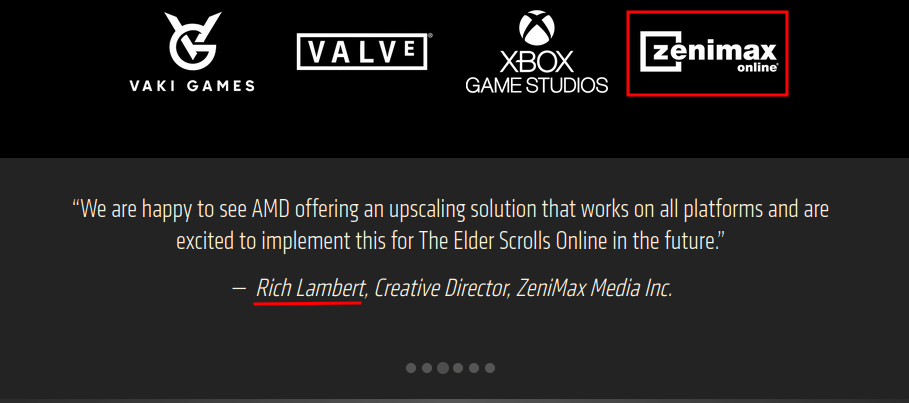
Edited by scorpius2k1 on November 17, 2021 10:22PM🌎 PC/NA
🐧 Linux (Arch)
🧑💻 ESO Addon Dev
⚔️ Stamplar | Magplar | Stamcro | Magsorc | Magcro Healer1 -
p6kocka✭✭✭For the new Nvidia Image Scaler...
I am playing with 4k resolution enabled in the Nvidia Control Panel as DSR. Do I have to enable NIS and adjust the sharpnes to my likening and that´s all? Should I expect more FPS through it?
You will need to put the game into full screen mode and change the resolution in game to the resolution you want to render from, ie 1080 or 1440, your resolution in Nvidia control panel will be set to 4k, fps increase will start from this point
Sharpness is your choice but I didn’t like going higher that 50%
Hmmm. I have enabled NIS in Control Panel....I have also enabled the Overlay indicator...which shows up top left on the screen. In the options I have set the resolution to 1080. The game is in fullscreen. But the game looks like in regular 1080 resolution. I see no improvements at all.0 -
macsmooth✭✭✭✭For the new Nvidia Image Scaler...
I am playing with 4k resolution enabled in the Nvidia Control Panel as DSR. Do I have to enable NIS and adjust the sharpnes to my likening and that´s all? Should I expect more FPS through it?
You will need to put the game into full screen mode and change the resolution in game to the resolution you want to render from, ie 1080 or 1440, your resolution in Nvidia control panel will be set to 4k, fps increase will start from this point
Sharpness is your choice but I didn’t like going higher that 50%
Hmmm. I have enabled NIS in Control Panel....I have also enabled the Overlay indicator...which shows up top left on the screen. In the options I have set the resolution to 1080. The game is in fullscreen. But the game looks like in regular 1080 resolution. I see no improvements at all.
What colour is the overlay in the top corner?
I tried dsr myself this morning (because my Nvidia drivers just love’s to turn that on all the time when I don’t even have it on) it was horrible to say the least it was causing massive tears across the screen, I went straight back to custom resolution which doesn’t tear
The other settings in 3D will help with image quality try some to see what you like
After a day of use!
NIS isn’t perfect it has a lot of issues it needs to get fixes for, it was only born yesterday after all (ok maybe not yesterday) but it has time to develop now it’s out and a thing
Honestly I think they rushed NIS to release before a proper UAT was done because Nvidia was scared of something either fsr or the negativity they’ve had or something yet to be released like Intel’s techEdited by macsmooth on November 19, 2021 12:01AM0 -
Kwoung✭✭✭✭✭
✭✭What is the big deal about either of these technologies, just curious? My understanding is they either upscale or downscale the game depending on your video card, monitor and supported resolutions of each. My experience with doing either is, they make games look worst. Other games I have played with FSR, definitely look worst, but can perform better, so if performance is the only reason, then sure, set your game res to 2k, upscale it to 4k and it plays smoother... just considerably more blurry. Or do the opposite and hammer your FPS for a slightly crisper look. Am I missing something here, because I am reading posts like "this will make the game look so much better", which is the exact opposite of my experience, so I am confused.Edited by Kwoung on November 19, 2021 12:23AM1