Maintenance for the week of April 27:
· [COMPLETE] EU megaservers for maintenance – April 27, 2:00 UTC (April 26, 10:00PM EDT) - April 27, 16:00 UTC (12:00PM EDT)
· [COMPLETE] NA megaservers for maintenance – April 27, 3:00AM EDT (7:00 UTC) - 5:00PM EDT (21:00 UTC)
· [COMPLETE] EU megaservers for maintenance – April 27, 2:00 UTC (April 26, 10:00PM EDT) - April 27, 16:00 UTC (12:00PM EDT)
· [COMPLETE] NA megaservers for maintenance – April 27, 3:00AM EDT (7:00 UTC) - 5:00PM EDT (21:00 UTC)
switching from console to pc

dinklehorn
✭✭✭
I will be leaving xbox one to play on pc. I have zero experience or exposure to the pc version. Will be starting from scratch with a new account. Was hoping you all might have some suggestions for must-have addons, settings, etc. While I don't look forward to starting at square one with a new character, I am hoping the extras available on pc will make the transition worth it. Any suggestions will be greatly appreciated.
1
-
JanTanhide✭✭✭✭✭
✭Welcome to the PC world of ESO. Well, there are way too many to list that I think are excellent so I will list what I consider the most useful.
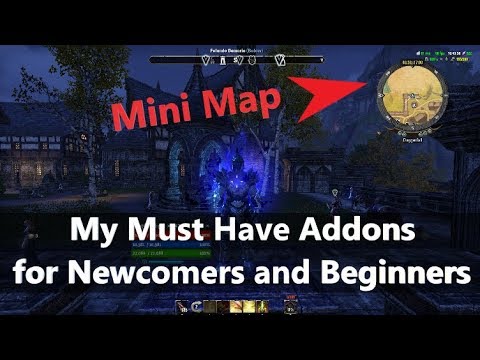
Votan's Minimap, Votan's Settings Menu, Votan's Keybinder, Votan's Advanced Settings, Votan's Adaptive (video) Settings, Votan's Improved Locations, Votan's Search Box. Check out www.esoui.com for all of his Addons. Quite a few!
More: Action Duration Reminder, AI Research Grid, Bandit's User Interface or LUI Extended, Combat Metrics, Destinations, Craftstore (Craftstorefixedandimproved), Crafting Stations, Map Pins, Fast Ride, Greyskull, Greymind, Harvest Map, Hotep Dinner Bell, Inventory Insight, Tamriel Trade Centre (known as TTC), PenTest, Potion Maker, Undaunted Pledges Utilities.
There are many excellent Addons. Use Minion (if you wish) to install and manage your ESO Addons.
Have fun!2 -
 woe✭✭✭✭I personally hate all votans add-ons and feel they are for potato pc's.
I recommend doing this right away: https://alcasthq.com/eso-unlock-fps-cap-guide/
Add-ons i recommend: Action duration reminder, AUI, Combat metics, Destinations, Lorebooks, Lui extended, Raidnotifier Updated, Skyshards.
Most are self explanatory by name. ADR is for skills and cooldowns, combat metrics helps with parsing and uptimes with builds to see what you need to work on, LUI and AUI i use for minimap/healthbars/ping, Raid notifier is used for end-game trials with prompts that help learn mechanics.uwu2 -
WiseSky✭✭✭✭✭
✭✭Here is the post I made about immersion addons if that is your fancy
Immersion Addons
All of these addons are on PC only
These addons can be downloaded and installed with the Minion Program at minion.mmoui.com
To find other addons go to esoui.com
Bandits User Interface
Has A Khajiit Mode which makes other players invisible to you! But notably almost does everything else you need an addon to do like: different UI styles, themes, Group and Raid frames, frames movement mode and MANY more settings. I highly recommend playing with all the settings to see to what extent you can customize with this addon.
Clock - Tamriel Standard Time
This Clock adds a completely customizable and movable label to the game which shows you the current date and time of Tamriel and of Earth (linked to your system time, thus it is accurate where ever you are). Additionally, it also shows the current state of the moon and the remaining time to the next phase.
Collection bars
With this addon you can display any selected collections as bars Or Key-bind them.
Combat Reticle
Customize the Reticle modes with lots of features for each type of intractable. This addon helps customize when you will see your reticle, fully customizable for Interactables, Neutral Targets, Combat, Stealing and more.
Cowl - helm/hat toggle
This adds a keybind (Settings > Controls > Cowl) to toggle helms visible/invisible, meaning you no longer have to navigate to collection menus
Dressing Room for Scalebreaker + OR AlphaGear 2
These Addons lets you create Profiles and Builds that may be activated with a single button keybind. Each build consists of auto equipping pieces of armor, jewelry, weapon bars including poison, skill bars and more. This Addon is great if you want to have different looks for Towns, Battles and different Zones Climates or weather.
Harven's Quest Journal
Like the Elder Scrolls Morrowind Journal but for ESO. It automatically records all your quest steps and objectives including some NPC conversations. Fully configurable even the color of the Journal.
Idle Animations AND/OR Custom Idle Animations
Is an addon that gives personality to your character. When sitting idle for several seconds, your character will perform an emote (animation). There are many different styles to choose from, even a Random option that cycles through all animations and a Custom option that let's you pick your own!
Immersive Interactions
Customizable Interaction with NPC that make it possible to only hear the voice and hides all NPC dialog text in the interaction window. This absorbs you into the game more as you really have to listen to the NPC. Fully configurable with keybinding to make it show or disappear.
ImmersiveHorseRiding
Ride a mount in 1st person-view. Very Immersive to ride 1st person View.
Librarian Book Manager
Librarian records every book your character reads in-game and keeps a list of when it was found and whether you have marked it as read, allowing you to continue questing (and not hold up other players) while being confident you won't forget to read anything later.
FCO Chat Tab Brain
Annoying chat notifications can be deleted or directed to chat window, chat window would stay minimized when changing zones or reloading the UI and many more settings. Makes the Chat Background fade instantly.
LovelyEmotes
This addon provides a quick and easy access to emotes and to personalities.
Khajiit Speaks
It modifies the player dialog option text into the wonderfully garbled Khajiit Speak. Applicable mostly for true Khajiits
Pin Killer
Fully configurable, this add-on will hide any and all manner of floating quest pins in the world, on your map and on your compass. Makes you really pay attention and explore the world fully if you wish.
NTak Camera
This addon includes many camera features to enhance the game experience. Gain total control and enjoy all the world using the camera settings you want depending on what you do. Includes over the shoulder camera and Control of the camera in Werewolf mode.
No, thank you
This addon allows you to block or redirect unwanted messages, notifications to the chat and alter behavior or some systems of the UI.
pChat
pChat is an addon to overhaul the way text is displayed in the chatbox, make your chat customizable as it should be. But most Importantly lets you Bind Multi-keys with CTRL,SHIFT and Alt.
Sit On Benches (Continued)
You can now sit on those comfy benches in the tavern. Or temple pews. Or thin air, I don't care.
True Exploration
This is known as the "Fog of War" in some games. This hides all portions of your map until you actually explore that area. Fully configurable with chat commands to reveal portions or whole maps individually if you ever need to.
Voltan's Darker Nights
It makes in-game nights Much darker. The effect is adjustable for the new moon and full moon nights. This addon make nights feel like real nights. Great to use with Treasure Hunter Personality with with Almalexia's Enchanted Lantern (Memento) as the light source.
Votan's Lore Library Search
Adds a full-text-search button to Lore Library, to search in title and content of known books. Optional highlights the text found in the book.
Wykkyd's Full Immersion
Full Configurable settings with Full Immersion Hideables: Hide Compass, Hide Quest Tracker, Hide Hold to Interact Window and auto-sheathing your weapon and many more settings.
Zone Name Alert
This addon displays the name of the zone or subzone you're currently entering in the center screen announcement area. The goal is to improve player's immersion in the world and, in the case of Cyrodiil, to improve player's awareness about flagged/unflagged status of the keeps, resources and Imperial City districts in his vicinity. Look in comments of the addon on ESOUI.com how to remove the Zone Name Alert Notification in top right corner completely if you wish.
Skyrim Style UI - Oblivion Style UI - Morrowind Style UI
Texture overhaul mods that gives the UI an aesthetic look from one of the 3 older games.
Immersion Configuration of Settings
These Settings are For PC and Console .Playing with and Adjusting these settings will help either to have a clean UI or the level of immersion you wish to achieve. Note that some Addons may overlap these settings.
Settings - Gameplay – General - Foot Inverse Kinematics
Enabling this setting will make your feet rest more naturally on the terrain.
Settings - Gameplay – Combat – Cues and Colors
Displays Visual Cues to combat behavior, limiting this helps immersion
Settings - Gameplay – Items - Hide Mount; Stamina; Speed; Capacity
Displays Visual Changes to your mount depending on the option, With all the loot one has... it only makes sense to turn on the Capacity one, if wanting realism, unless you have a bag of holding
Settings - Camera
Adjust to your preferences the settings as you wish, Notable ones are:
“Field of View Changes”- “Screen Shake” - “Head Bob”- “Field of View”
Settings – Interface – Quest Tracker
Displays the quest tracker on the top right corner, disabling this makes the UI Clean.
Settings – Interface – Quest Giver Icons & Compass Quest Giver
Adjust to see only the desired Icons in the 3D world.
Settings – Nameplate – Nameplates & Healthbars
Adjust to see only the desired Nameplates and Healthbars
Settings – Nameplate – Indicators
Controls the glow of interactables and targets
Settings – Social – Chat Settings – Minimum Transparency
Controls when the Background of the Chat will disappear. If you want to have a Empty screen without minimizing the chat and seeing that Triangle, Create a new chat tab with the + Icon, Un check all options and name it. Then you can play with that chat window open and the background will fade in the time you set depending on your transparency setting.
Settings – Combat - Heads-up Display
Controls the visibility of your Attribute bars and skills1 -
 Iskiab✭✭✭✭✭
✭✭✭I’d say the only really ‘required ones’ are lazy crit doer (or whatever it’s called), Tamriel trade center, a compass mod so you know where your team mates are, and map pins to make the mage guild and psijiic easier (last one will blow your mind on how much easier it is).Edited by Iskiab on March 2, 2020 8:40PMLooking for any guildies I used to play with:
Havoc Warhammer - Alair
LoC EQ2 - Mayi and Iskiab
PRX and Tabula Rasa - Rift - Iskiab
Or anyone else I used to play games with in guilds I’ve forgotten1 -
kylewwefan✭✭✭✭✭
✭✭The first ad on I would get, would be minion.
I don’t know a lot about ad-ons as I just recently came back to PC since ps4 transfer many moons ago.
The minion app installs the ad ons in the right place I think. It looked like a daunting task before I installed it.
Then, you’ll probably get combat metrics. it’s the only reason I wanted to come back to pc. In the minion app there’s these libraries you can download. There’s a few you have to locate and get for combat metrics to work.
Then there’s raid notifier. From code65536. This is the one that tells you to “block now” “one shot imminent” “potion ready“ etc... it’s interesting.
It took me a few to learn these. For combat metrics, after a fight you type /cmx into the chat box. It shows some really neat info.
There’s some farming one that puts up a colored golf tee looking thing over every resource node you ever pick up. It got very annoying quickly. Because I couldn’t figure out how to turn it back off for awhile.
There’s a ton more I’ve no idea how to use. I’d really like to get the inventory one, and the quick change gear load out, but I’m not quite there yet.1 -
Sarousse✭✭✭✭✭
✭Bandits UI will cover nearly all what you need.
Add to this :
- Arkadium trade tools (I like it more than master merchant which causes lag),
- inventory grid view,
- pchat,
- advanced filters,
- awesome guildstore,
- Harven Trait and style,
- inventory insight,
- Recount,
- Combat reticle,
- Rainbow reticle,
- Improved experience bar,
- unlimited camera zoom,
- show weapons while mounted,
- kill counter (if you pvp),
- Alliance point counter (if you pvp),
- Alliance buddy (if you pvp).
Edited by Sarousse on March 3, 2020 1:05PM1 -
Na0cho✭✭✭Map pins. Shows where everything is and can be set to toggle anything right from your map.
Anything with lui in it.
Combat metrics.
Dark ui.
If you are a trader, mm and ttc and anything related to either.1 -
 huntgod_ESO✭✭✭✭✭
✭Install minion to manage your addons...
I will also say Bandit is just fantastic and has soooo many QoL improvements built in...so start with it and then get a feel for what you need.
ALL the map pins...get em all :-P
I use both TTC and MM for selling...both have their place. TTC is good for getting an idea of what things are being listed at and how many, but does not tell you what items actually sold for. MM is great because you can see what people are actually paying for things, but it is limited to items being sold by guilds you belong to. TTC builds it's database from thousands of players using the program, MM will be limited to the 1500 or so players in your 2-3 trade guilds. Both are handy. I run both on my main, but just TTC on my alts, as MM also imparts a bigger performance hit because of the database size.
Edited by huntgod_ESO on March 3, 2020 3:30PM--- HuntGod ---
Officer of the Unrepentant
www.unrepentantgaming.com1 -
Mesite✭✭✭✭I played on PC. The interface feels more serious, although.you can make it look like an Xbox interface. I only used a couple of add-ons. Combat metrics for a while, and the lazy crafter. Mostly I played it as it was meant to be played.
But I was casual, not chasing achievements or stressful trifectas (?)Edited by Mesite on August 16, 2023 6:47PM0 -
 Ragnarok0130✭✭✭✭✭
✭✭OP I've played both console and PC and prefer PC myself. You can use an Xbox controller so your muscle memory is unaffected. That being said the majority of addons will be dictated by the content you wish to pursue but I highly recommend the mini map and crafting addons as they are huge QOL improvements even if you are not running dungeons and trials.0 -
 Necrotech_Master✭✭✭✭✭
✭✭✭✭✭map pins, 100% lol
other ones that make certain things easier:- bindall (auto bind set gear you havent collected set, makes finishing collections a lot easier and allows the curation to do its job)
- auto daily reward (auto claim the daily login reward)
i also recommend some kind of currency manager to be able to quickly auto deposit stuff in the bank such as tel var
im not at home right now so i cant remember a lot of what im using, but its mostly small quality of life addons, i dont personally like the big UI changing onesplays PC/NA
handle @Necrotech_Master
active player since april 2014
i have my main house (grand topal hideaway) listed in the housing tours, it has multiple target dummies, scribing altar, and grandmaster stations (fully filled out with current game), as well as almost every antiquity furnishing on display to preview them
in progress: acquiring mundus stones (currently only have the thief)
feel free to stop by and use the facilities0 -
rpa✭✭✭✭✭
✭✭Start with Votan's Minimap and add Inventory Insight when you make another char. Start piling up map enchanting, crafting and combat related and whatever addons when you feel the need for em.0

 https://www.youtube.com/watch?v=_9zh7NU5vlQ