Maintenance for the week of May 4:
• PC/Mac: No maintenance – May 4
• PC/Mac: No maintenance – May 4
Has the game ever uninstalled itself for you before?

oMrRust
✭✭✭✭
Like seriously. The game actually uninstalled itself for me and I haven't the slightest of ideas of what could the cause of it be. I even try signing into the forums but some admin thing appears saying I may need to reset my password
-EDIT-
I may add that I just did scanning for viruses just incase that may be a cause.. Nothing bad apparently.
Edited by oMrRust on November 27, 2019 3:26PM -EDIT-
I may add that I just did scanning for viruses just incase that may be a cause.. Nothing bad apparently.
0
-
 Neoealth✭✭✭✭✭
✭✭Did you check to see if all the game files were still there? Could be the launcher exe broke. I've had other games do that to me.
The forums pw thing is un related. I think everyone had to change their password recently.
Edited by Neoealth on November 27, 2019 2:39PM0 -
 Nerftheforums✭✭✭✭✭
✭Yes, twice. Once after crashing during the first week of dragonhold, another one a month before (more or less) after crashing in cyrodiil. I'm glad this wasn't only me being this unlucky, I thought I was a special person until now.0 -
oMrRust✭✭✭✭Did you check to see if all the game files were still there? Could be the launcher exe broke. I've had other games do that to me.
The forums pw thing is un related. I think everyone had to change their password recently.
The files are gone. They vanished , not even in the recycling bin.0 -
 daim✭✭✭✭✭Did you still have the launcher ?
I mean sometimes I've seen the install button on the launcher but that has been my own fault if I was running on a laptop and made a symlink to external hdd (and just forgot to plug it in ).
).
But basically when the launcher doesn't find your game files the buttons says Install. And if you still have your launcher then it's likely that your files are A. missplaced B. gone
There can also be several reason why your files have been deleted if that's the case, it's not necessarily game client related.""I am that which grips the heart in fright, hearkens night and silences the light." It was written on my sword, long…long ago." ―Ajunta Pall
PC|EU0 -
Neoealth✭✭✭✭✭
✭✭Did you check to see if all the game files were still there? Could be the launcher exe broke. I've had other games do that to me.
The forums pw thing is un related. I think everyone had to change their password recently.
The files are gone. They vanished , not even in the recycling bin.
That is very strange. No idea how that could of happened.0 -
oMrRust✭✭✭✭Did you check to see if all the game files were still there? Could be the launcher exe broke. I've had other games do that to me.
The forums pw thing is un related. I think everyone had to change their password recently.
The files are gone. They vanished , not even in the recycling bin.
That is very strange. No idea how that could of happened.
I wasn't even messing with the game. I mainly was reinstalling IMVU but that I uninstall differently and that was before i found out the game uninstalled. Most of the night I was playing Mafia II and then thought maybe there are retextures to which I found some for it. I don't even crash in ESO anymore, This is the only serious issue I had with the game in my 4 years of playing it.0 -
 Tandor✭✭✭✭✭
✭✭✭✭✭I can't think of a way in which the game would uninstall itself, but it's certainly possible that a virus or other malware could do so, as could Windows. Make sure you've checked with more than just a basic anti-virus - for example with Malwarebytes Anti-Malware - and also check your anti-virus quarantined section. If you know roughly how much free space you had on the hard drive then check it now and see if it's truly gone down substantially. I'm assuming you haven't been messing around with the "hide files" option, or moved any folders around. Do a file search for eso64 and see if it shows up somewhere.
Lastly, if you're playing through Steam then this has been a known problem in the past and appears to be related to shutting down Steam unsuccessfully. I suggest you look there for solutions if that's how you play.1 -
 nafensoriel✭✭✭✭✭Like seriously. The game actually uninstalled itself for me and I haven't the slightest of ideas of what could the cause of it be. I even try signing into the forums but some admin thing appears saying I may need to reset my password
-EDIT-
I may add that I just did scanning for viruses just incase that may be a cause.. Nothing bad apparently.
Have you updated windows?
An older version of windows 10 was well known for deciding programs were incompatible and would simply remove them.
Beyond that have you engaged in any "tweaking" of the registry or windows files or do you simply turn it on and let it go?
Just trying to get a feel for what the state of your OS is in... There is no standard reason beyond the update that I can think of off the top of my head to cause this but there are a half dozen user and hardware grade errors that could cause this.0 -
oMrRust✭✭✭✭I can't think of a way in which the game would uninstall itself, but it's certainly possible that a virus or other malware could do so, as could Windows. Make sure you've checked with more than just a basic anti-virus - for example with Malwarebytes Anti-Malware - and also check your anti-virus quarantined section. If you know roughly how much free space you had on the hard drive then check it now and see if it's truly gone down substantially. I'm assuming you haven't been messing around with the "hide files" option, or moved any folders around. Do a file search for eso64 and see if it shows up somewhere.
Lastly, if you're playing through Steam then this has been a known problem in the past and appears to be related to shutting down Steam unsuccessfully. I suggest you look there for solutions if that's how you play.
I play through steam yes, I've ran malwarebytes and Kapersky antivirus. They both came up with nothing. and I also never hide any sort of files.0 -
oMrRust✭✭✭✭nafensoriel wrote: »Like seriously. The game actually uninstalled itself for me and I haven't the slightest of ideas of what could the cause of it be. I even try signing into the forums but some admin thing appears saying I may need to reset my password
-EDIT-
I may add that I just did scanning for viruses just incase that may be a cause.. Nothing bad apparently.
Have you updated windows?
An older version of windows 10 was well known for deciding programs were incompatible and would simply remove them.
Beyond that have you engaged in any "tweaking" of the registry or windows files or do you simply turn it on and let it go?
Just trying to get a feel for what the state of your OS is in... There is no standard reason beyond the update that I can think of off the top of my head to cause this but there are a half dozen user and hardware grade errors that could cause this.
I haven't been messing with any registries or windows update. I did update windows also.0 -
Tandor✭✭✭✭✭
✭✭✭✭✭I can't think of a way in which the game would uninstall itself, but it's certainly possible that a virus or other malware could do so, as could Windows. Make sure you've checked with more than just a basic anti-virus - for example with Malwarebytes Anti-Malware - and also check your anti-virus quarantined section. If you know roughly how much free space you had on the hard drive then check it now and see if it's truly gone down substantially. I'm assuming you haven't been messing around with the "hide files" option, or moved any folders around. Do a file search for eso64 and see if it shows up somewhere.
Lastly, if you're playing through Steam then this has been a known problem in the past and appears to be related to shutting down Steam unsuccessfully. I suggest you look there for solutions if that's how you play.
I play through steam yes, I've ran malwarebytes and Kapersky antivirus. They both came up with nothing. and I also never hide any sort of files.
I suggest then that you Google "Steam uninstalled my game" and run through the results. I'd bet a pound to a penny that Steam is the culprit.1 -
nafensoriel✭✭✭✭✭nafensoriel wrote: »Like seriously. The game actually uninstalled itself for me and I haven't the slightest of ideas of what could the cause of it be. I even try signing into the forums but some admin thing appears saying I may need to reset my password
-EDIT-
I may add that I just did scanning for viruses just incase that may be a cause.. Nothing bad apparently.
Have you updated windows?
An older version of windows 10 was well known for deciding programs were incompatible and would simply remove them.
Beyond that have you engaged in any "tweaking" of the registry or windows files or do you simply turn it on and let it go?
Just trying to get a feel for what the state of your OS is in... There is no standard reason beyond the update that I can think of off the top of my head to cause this but there are a half dozen user and hardware grade errors that could cause this.
I haven't been messing with any registries or windows update. I did update windows also.
Just noticed steam.
First, reinstall steam.
Second, it's a glitch with steam. The files are not removed steam just "lost" the information that the game was installed.
It's entirely possible during install something like your AV software is screwing with something and on restart steam "forgets" the install. It's also possible its just steam being steam. When you reinstall steam and reverify the games turn off all AV software and then reboot afterward.
You can "reinstall" the game and it will, in most cases, just do a quick scan of the local files. In many cases, the program will work even with this error by simply creating a direct shortcut to the programs exe or launcher exe.0 -
 xxthir13enxx✭✭✭✭✭
✭This game will self destruct in...
5...4...3...2...Dun dun dun dunna nuh dunna nuh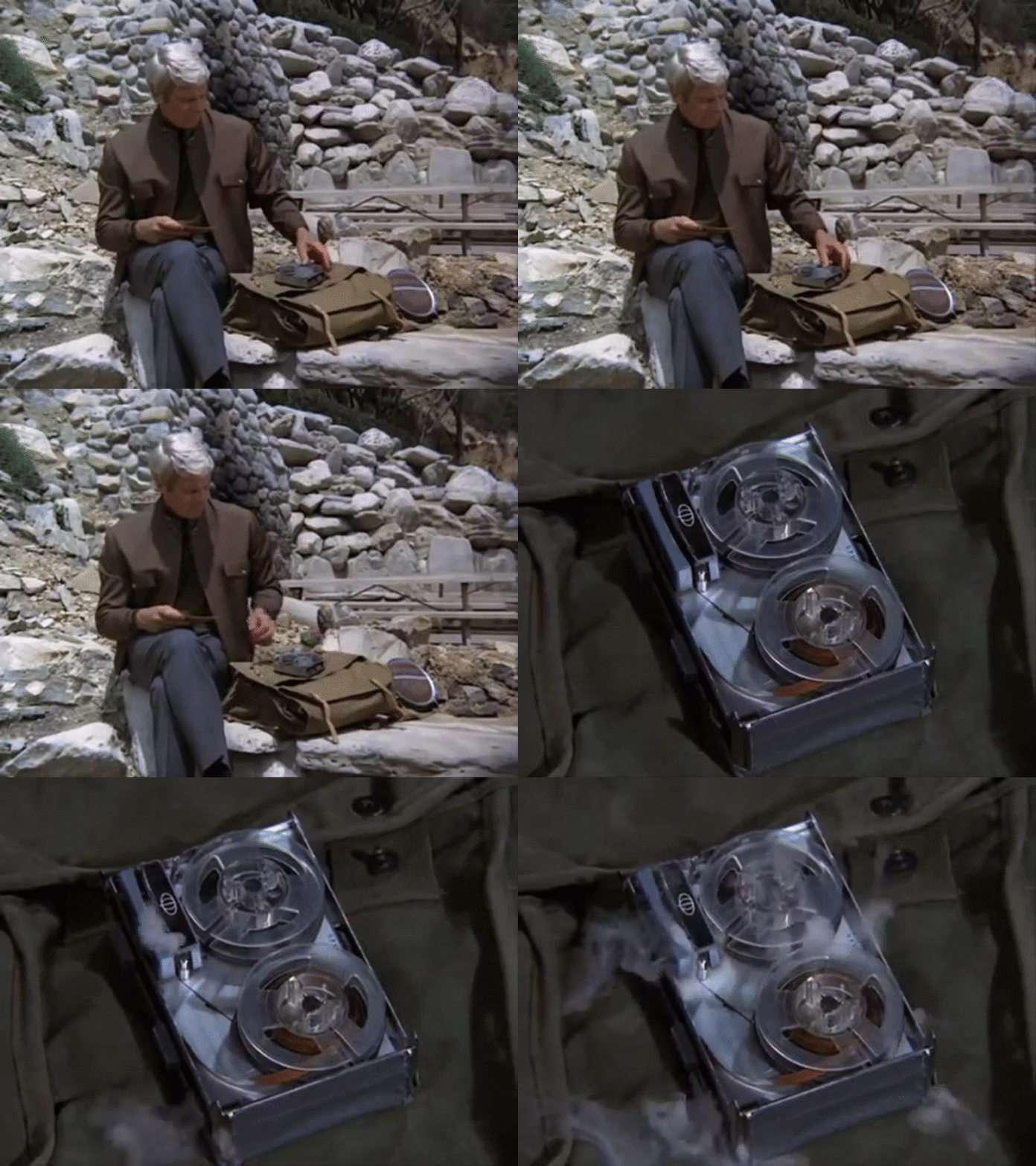 Edited by xxthir13enxx on November 27, 2019 5:45PM0
