Maintenance for the week of April 27:
· [COMPLETE] EU megaservers for maintenance – April 27, 2:00 UTC (April 26, 10:00PM EDT) - April 27, 16:00 UTC (12:00PM EDT)
· [COMPLETE] NA megaservers for maintenance – April 27, 3:00AM EDT (7:00 UTC) - 5:00PM EDT (21:00 UTC)
· [COMPLETE] EU megaservers for maintenance – April 27, 2:00 UTC (April 26, 10:00PM EDT) - April 27, 16:00 UTC (12:00PM EDT)
· [COMPLETE] NA megaservers for maintenance – April 27, 3:00AM EDT (7:00 UTC) - 5:00PM EDT (21:00 UTC)
Graphic glitches

Having wierd graphic glitches and this is the only game i have ever had problems with.
Mainly happens when swapping gear or talking to npc's. It is quit an annoyance that makes me want to go back to crappy FF14 if i cant figure out how to fix it.
System specs:
Intel i7-4790K @4.00GHz
32.0GB HyperX DDR3
Windows 8.1 x64bit
Dual Asus gtx strix 980/sli
Nvidia driver 353.30.
Posting pics of these glitches. Any advice will be greatly appreciated as i would love to fix this to be able to play this game regularly.
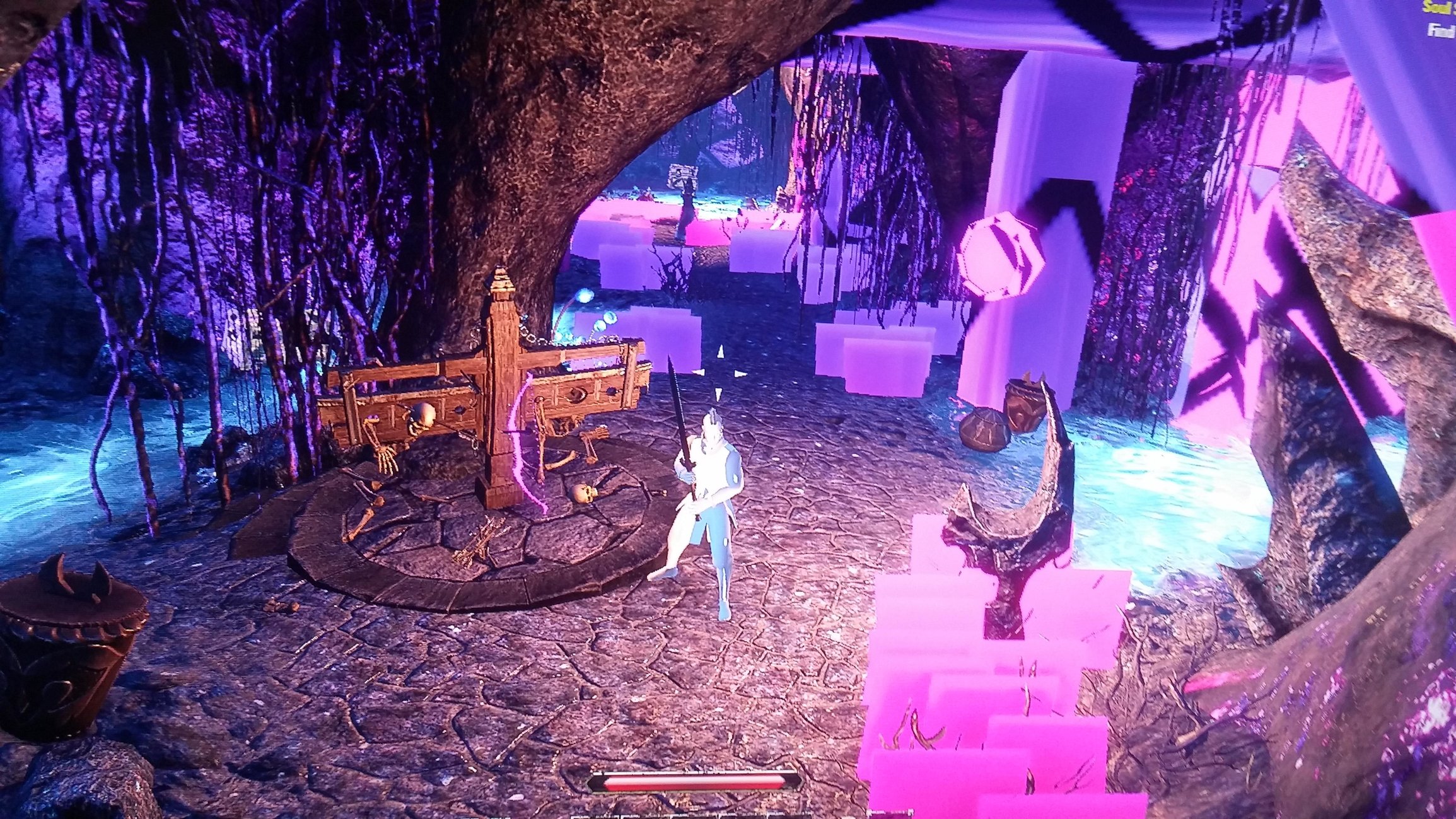
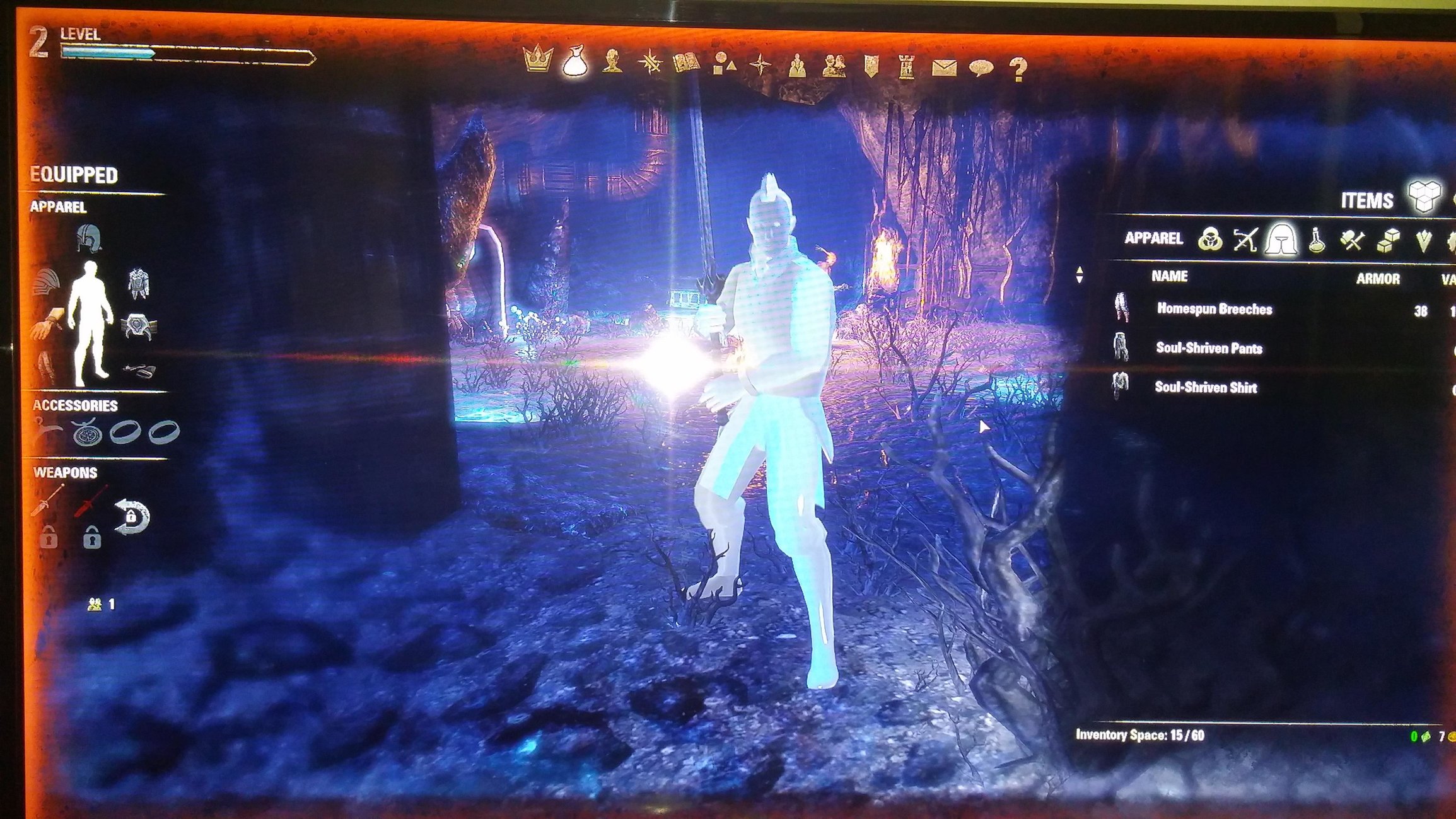
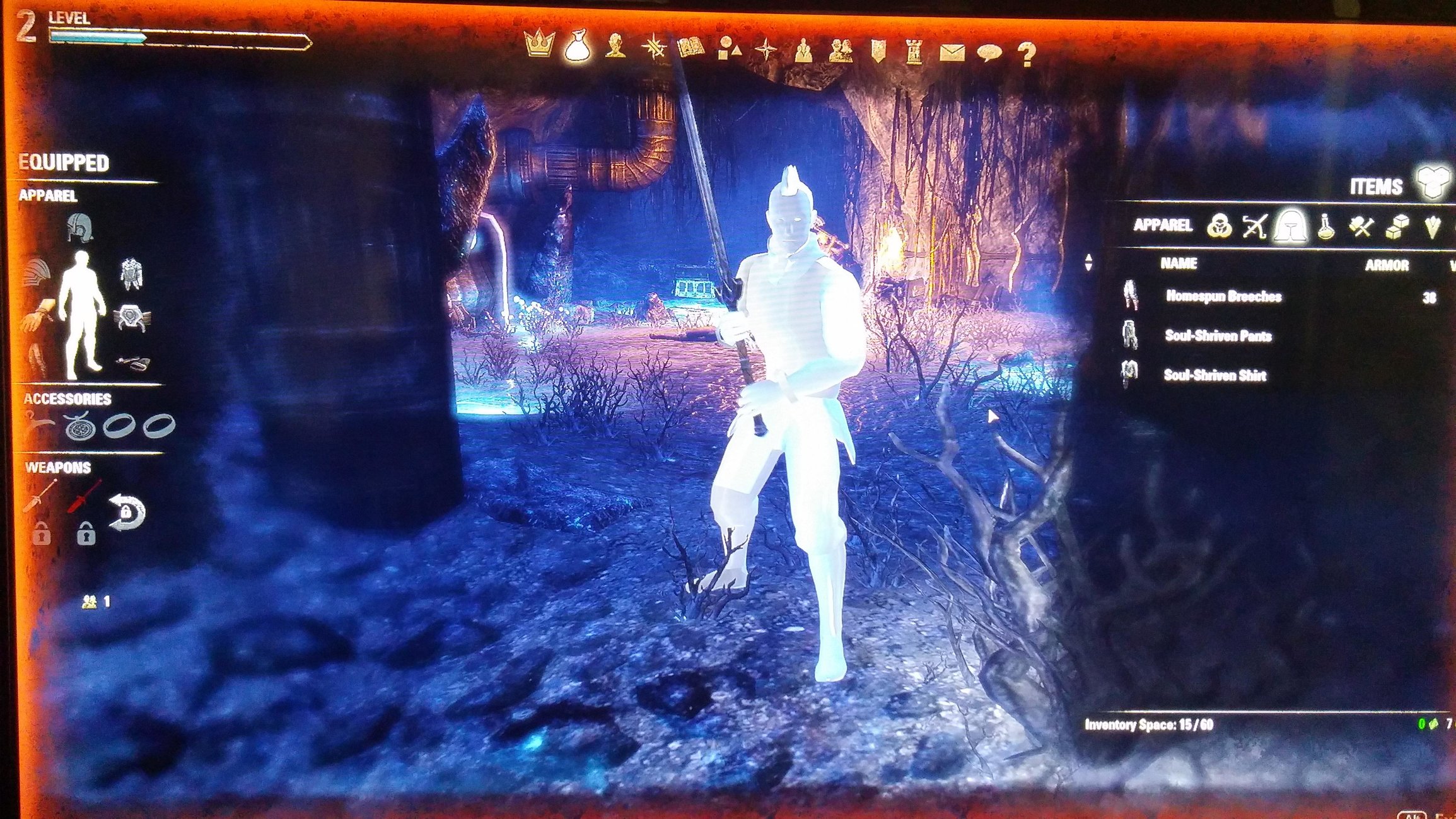
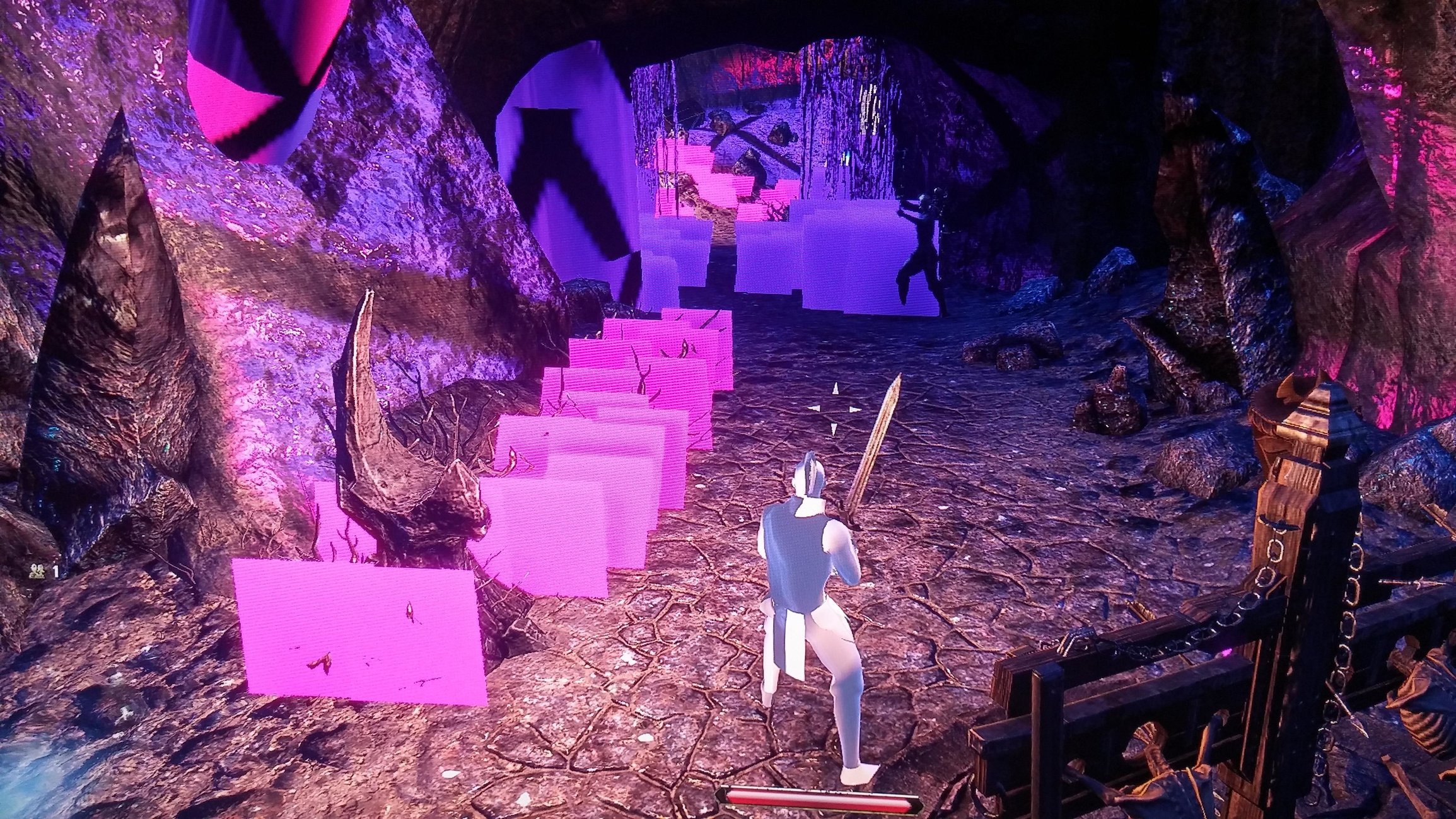
Mainly happens when swapping gear or talking to npc's. It is quit an annoyance that makes me want to go back to crappy FF14 if i cant figure out how to fix it.
System specs:
Intel i7-4790K @4.00GHz
32.0GB HyperX DDR3
Windows 8.1 x64bit
Dual Asus gtx strix 980/sli
Nvidia driver 353.30.
Posting pics of these glitches. Any advice will be greatly appreciated as i would love to fix this to be able to play this game regularly.
0
-
And also very recently having random freezing/crashes... /sigh this game is becoming very unplayable.0
-
 Ranique✭✭✭✭These kind of graphics are caused by:
1: underspecced hardware (seems not the case in your situation at all).
2: faulty drivers
3: faulty hardware
The first thing you can and should try is disabling sli and running only on a single gpu.
If this solves the issue, switch to the other GPU (without sli)
If the issue is still solved it is either the sli-setup or other driver related trouble and you should look at reverting to old drivers, reinstalling drivers or reinstalling the entire pc.
If without sli only one gpu is performing without this issue, then it is an hardware issue with the other one.
If both have issues without sli on, it can still be a hardware issue, so follow the advice bout drivers and reinstalling above. It can also be a generic cooling issue or a psu issue then.
hope this helps in troubleshooting!Through me you pass into the city of woe:
Through me you pass into eternal pain:
Through me among the people lost for aye.
PC player - EU0 -
Thanks for the reply. Yeah i was starting to think that it could be driver issues. I tried disabling the sli and just try running it off 1 card (tried on both of them). and i still have the issue so now i just uninstalled drivers and reinstalled. Also sent a support ticket and ran repair in launcher and game consultant and sent them the info. Hopefully it can get fixed because i do like this game better than FF14 and really dont want to go back to it lol.
Thanks for the reply Ranique!0 -
Well i just tried the game after all that and it still freaks out. I just dont understand it. This is the ONLY game that does this out of the 6 MMORPG's and the 200+ games on my steam. I can run everything even GTAV ultra max out settings and have no issues so i hardly think it's a hardware issue. Well i guess back to FF14 i go until i can figure this out.
0 -
 TheDarkLordDreadSoul Shriven@skeeterbomb Hey I just fixed my issue. Maybe it will fix yours. I repaired the files. I didnt know there was an option. it under News-Game Options-Repair. hope it fixes your problems!"I fight for whomever pays the most coin."
-Lord Dreadstone [Imperial/DragonKnight/Tank/DC/NA]0 -
@TheDarkLordDread Thanks for the Reply. I have tried that many of times and it did not work. I might have actually just fixed it though. I tried the last resort lol. Uninstalled the game and reinstalled after i tried all the above that i mentioned. Been playing for an hour now and so far so good! Hopefully it is fixed so i can dive some time into this game. I love Elderscrolls game! They feel like less of a themepark game and more freedom to do as you please.0