Maintenance for the week of September 7:
• PC/Mac: No maintenance – September 7
• PC/Mac: No maintenance – September 7
[PS5/NA] Add-ons Browser Unable to Install or Update Add-ons

NullPoyo
Soul Shriven
**Platform:** PlayStation 5
**Megaserver:** North America (NA)
### Issue
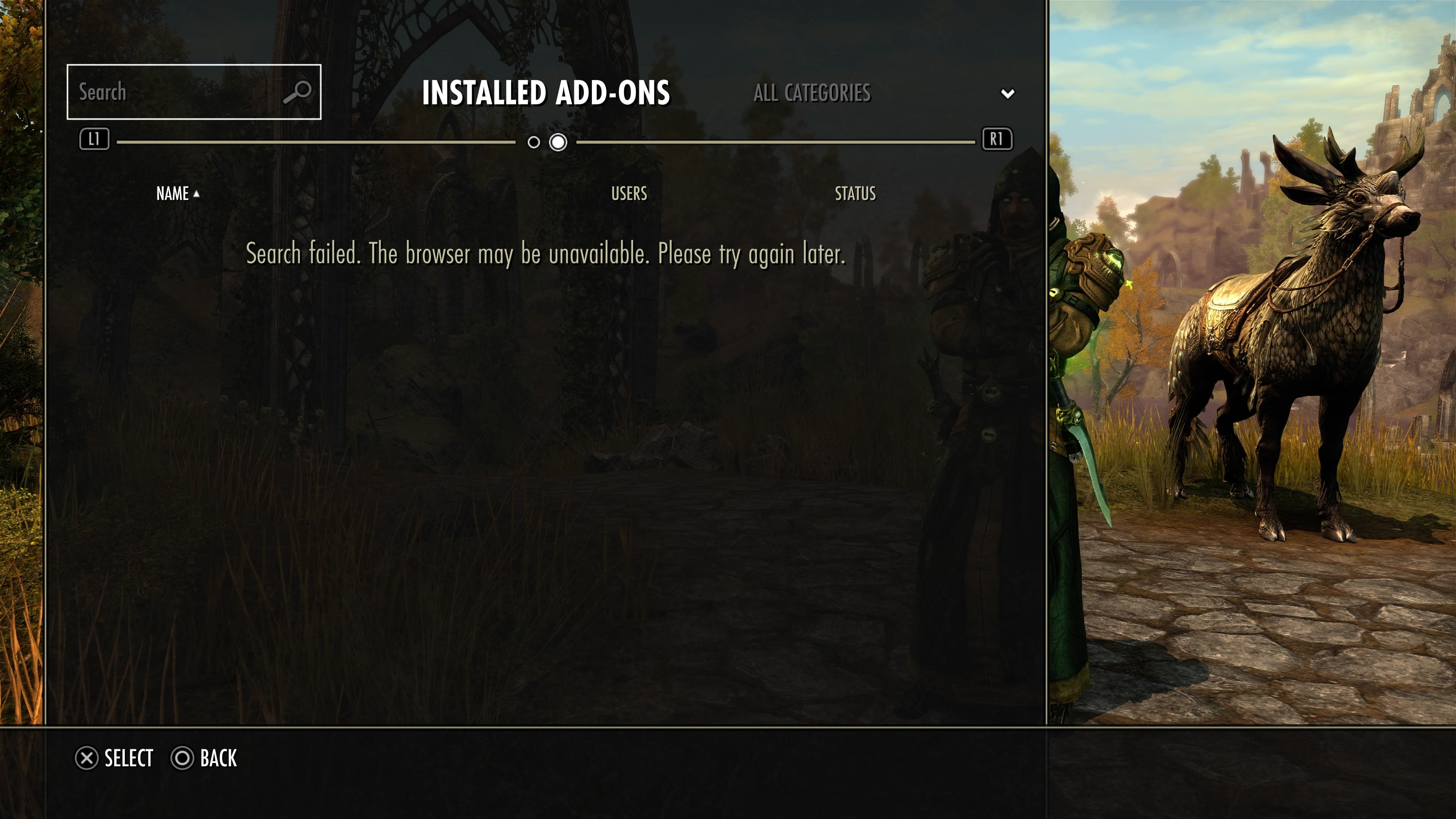
The Add-on Browser on PS5 is not functioning correctly. I am unable to install, update, or otherwise manage add-ons through the Add-on Browser.
When accessing the **INSTALLED ADD-ONS** tab, the following error message is displayed:
> **“Search failed. The browser may be unavailable. Please try again later.”**
I believe this issue started around **August 20, 2026**, although I cannot confirm the exact date.
The issue persists even after reinstalling the game.
Deleting the game's save data temporarily resolves the issue, but the problem returns after restarting the game.
I also tried uninstalling all add-ons and then deleting the save data. This also resolves the issue only temporarily, and the problem occurs again after restarting.
### Steps to Reproduce
1. Open **OPTIONS**.
2. Select **ADD-ONS**.
3. Select **BROWSER ADD-ONS**.
4. Open the **INSTALLED ADD-ONS** tab.
### Expected Result
The **INSTALLED ADD-ONS** tab should load normally, allowing installed add-ons to be viewed and managed. The Add-on Browser should also allow add-ons to be installed and updated normally.
### Actual Result
The following error message is displayed:
> **“Search failed. The browser may be unavailable. Please try again later.”**
As a result, add-ons cannot be properly installed, updated, or managed through the Add-on Browser.
### Troubleshooting Performed
* Reinstalled the game.
* Deleted the game's save data.
* Uninstalled all add-ons before deleting the save data.
* Restarted the game/console after performing the above steps.
Deleting the save data temporarily fixes the issue, but the problem returns after restarting.
The issue also occurs with all add-ons uninstalled, so it does not appear to be caused by a specific installed add-on.
### Additional Information
This issue occurs on **PS5 / North America (NA)**.
I cannot confirm the exact start date, but I believe the issue began around **August 20, 2026**.
I used **ChatGPT to help organize and translate this bug report into English**. The description of the issue, troubleshooting steps, and observations are based on my own experience.
1
-
NullPoyoSoul ShrivenAs a follow-up, add-ons can still be added to or removed from the library on Bethesda Mods, but the changes are not synchronized with the game.0
-
NullPoyoSoul ShrivenYes, I did sign up for the ESO+ free trial around the time this issue started.0
-
NullPoyoSoul ShrivenI’ve heard that the free trial is also related to the login screen issue. Could this issue be related to it as well? The free trial is ending soon, so perhaps the issue will be resolved when it ends.0
-
Twohothardware✭✭✭✭✭
✭✭I can confirm that I'm unable to install any add-ons as well on PS5. I had uninstalled all my addons and deleted the ESO save game file trying to fix the login UI error I was getting and now I can't re-install back any of my addons.0 -
 Ingenon✭✭✭✭✭
✭I also confirm that I'm unable to install add-ons on PS5/NA. I see the same errors as shown above. These problems seem to have started at the same time as the current free ESO+ trial.0 -
Ingenon✭✭✭✭✭
✭Now that the ESO+ free trial has ended, all of my missing add-ons are back, without my doing anything other that restarting my PS5 console.
https://forums.elderscrollsonline.com/en/discussion/comment/8527347/#Comment_8527347Edited by Ingenon on 27 August 2026 14:270 -
NullPoyoSoul ShrivenThe same thing happened to me. The bug was resolved as soon as the ESO+ free trial ended, after restarting my PS5.1
-
 LootAllTheStuff✭✭✭✭✭I had to launch and then quit the game on my XBox once before the login error cleared, but it also has gone back to normal after the ESO+ trial ended.0