Maintenance for the week of August 31:
• ESO Store and Account System for maintenance – September 3, 10:00AM EDT (14:00 UTC) - 12:00PM EDT (16:00 UTC)
• ESO Store and Account System for maintenance – September 3, 10:00AM EDT (14:00 UTC) - 12:00PM EDT (16:00 UTC)
The Least Important Forum Functionality Problem ...

Gabriel_H
✭✭✭✭✭
✭✭✭✭
✭✭✭✭
... but still.
All the other major forum issues aside. i.e. Drafts, Missing Icons, etc. why is it the forum dictionary doesn't include in-game names?! For example:
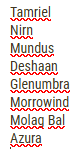
All the other major forum issues aside. i.e. Drafts, Missing Icons, etc. why is it the forum dictionary doesn't include in-game names?! For example:
3
-
 Kickimanjaro✭✭✭✭Forum dictionary? I am fairly sure that's from your browser or operating system.Edited by Kickimanjaro on 24 June 2026 07:15good thoughts, good words, good actions3
 -
Gabriel_H✭✭✭✭✭
✭✭✭✭Kickimanjaro wrote: »Forum dictionary?
The input box has a spellcheck. It uses a dictionary. Most electronic dictionaries are customisable.0 -
Kickimanjaro✭✭✭✭Kickimanjaro wrote: »Forum dictionary?
The input box has a spellcheck. It uses a dictionary. Most electronic dictionaries are customisable.
It's not from the forum, it is from your own system/settings, customize it yourself...
Here's how I see it: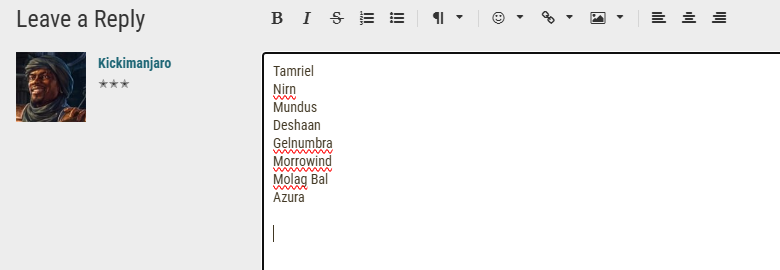
And here's it on a completely different site: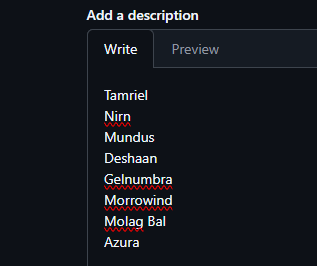
Here's how I edit it: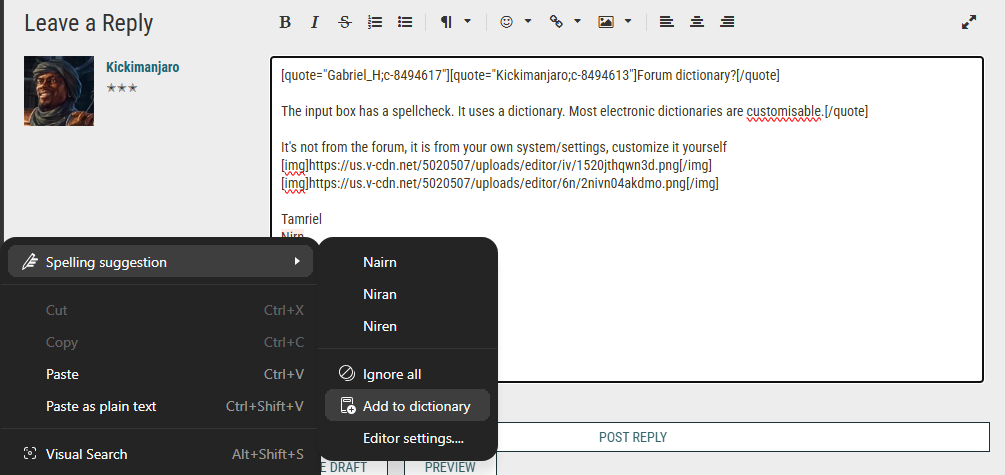
Note: It seems like Microsoft is throwing some AI spellcheck stuff everywhere, so it's possible that's what we're seeing and why it's different. Or different language settings as default, not sure. But pretty sure you're describing a feature not related to this website.Edited by Kickimanjaro on 24 June 2026 07:22good thoughts, good words, good actions3 -
 LootAllTheStuff✭✭✭✭✭... but still.
All the other major forum issues aside. i.e. Drafts, Missing Icons, etc. why is it the forum dictionary doesn't include in-game names?! For example:
That's a function of your chosen browser, not a forum feature. For example, I have my browser set to use GB English spellings: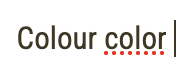
ETA: FireFox on MacOS
Edited by LootAllTheStuff on 24 June 2026 12:180 -
 FlameDark✭✭✭✭✭LootAllTheStuff wrote: »... but still.
All the other major forum issues aside. i.e. Drafts, Missing Icons, etc. why is it the forum dictionary doesn't include in-game names?! For example:
That's a function of your chosen browser, not a forum feature. For example, I have my browser set to use GB English spellings:
ETA: FireFox on MacOS
This is correct. Most forums that use HTML text code for their forums do not have spell check. That is pulled directly from your web browser. You should be able to change/ edit your browser's spell check in your browser settings. Since I don't know what browser the OP is using, I can't say exactly where to go for that.PC/NA CP 1150 - PvE
◆Arondael - Level 50 Magicka Necromancer ◆ Valyndrae (MAIN) - Level 50 Magicka Sorcerer ◆ Mithaedrun - Level 50 Stamina Arcanist
0