Maintenance for the week of May 4:
• PC/Mac: No maintenance – May 4
• PC/Mac: No maintenance – May 4
ESO on Xbox Game Pass and Xbox Play Anywhere
-
 SkaiFaith✭✭✭✭✭
✭Loves_guars wrote: »Hello, question
I have a PC account linked to Steam.
Can I use it to play from GAMEPASS PC?
(I would be interested in paying gamepass because it includes ESO+ now)
Thank you!
I don't know where you read it but I can't find any info of ESO+ being included as a perk with the GamePass subscription. I think it's false info (?)"..........Anyway, here's how
to tell if your RPG
sign is cheap" - Tony(?)0 -
 Loves_guars✭✭✭✭✭
✭Loves_guars wrote: »Hello, question
I have a PC account linked to Steam.
Can I use it to play from GAMEPASS PC?
(I would be interested in paying gamepass because it includes ESO+ now)
Thank you!
I don't know where you read it but I can't find any info of ESO+ being included as a perk with the GamePass subscription. I think it's false info (?)
When I go to the XBOX APP (PC), I can see this
Note: I am in Argentina, maybe different store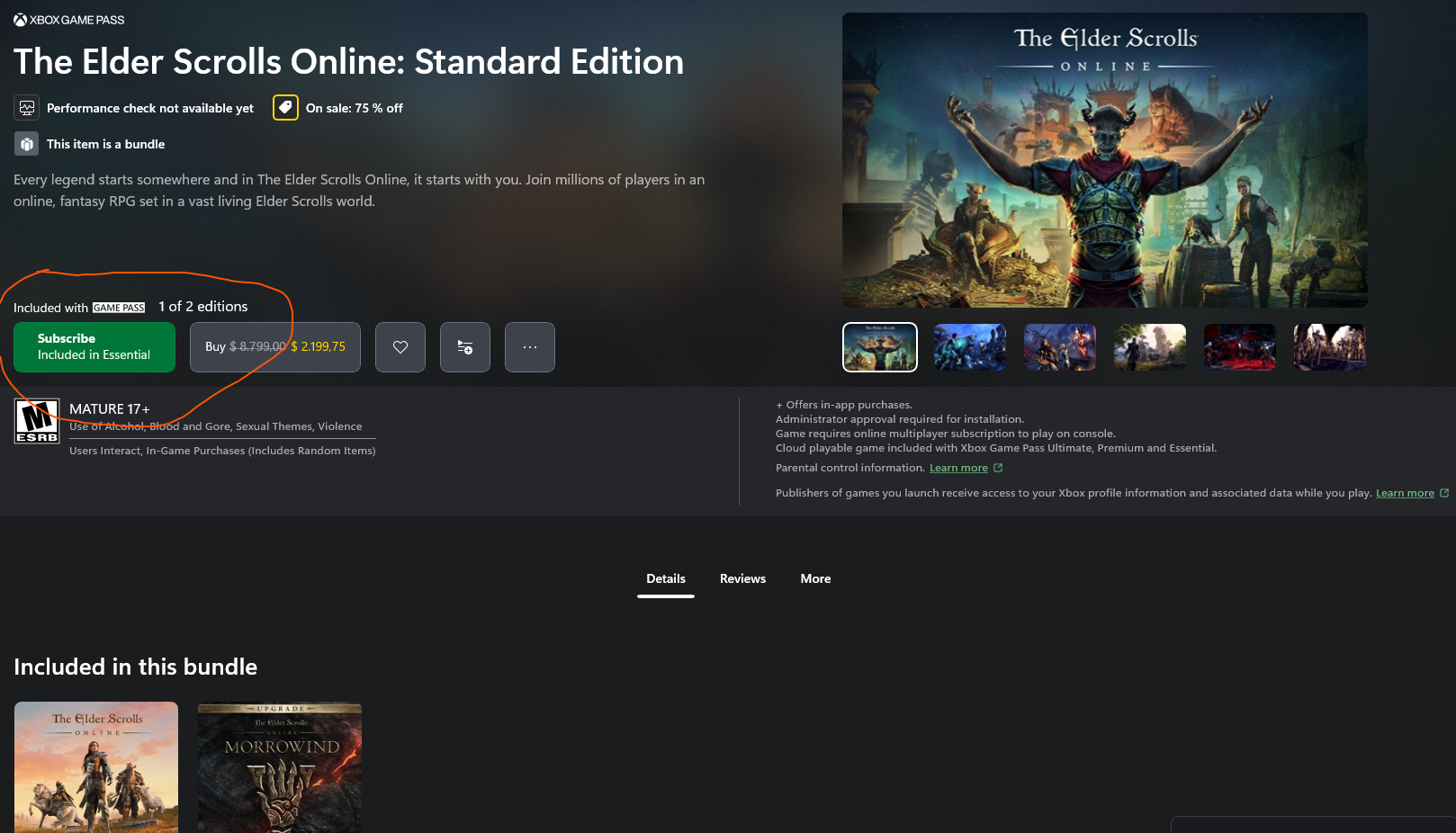
I didn't check it yet, cause I didn't subscribe to gamepass
0 -
SkaiFaith✭✭✭✭✭
✭Loves_guars wrote: »Loves_guars wrote: »Hello, question
I have a PC account linked to Steam.
Can I use it to play from GAMEPASS PC?
(I would be interested in paying gamepass because it includes ESO+ now)
Thank you!
I don't know where you read it but I can't find any info of ESO+ being included as a perk with the GamePass subscription. I think it's false info (?)
When I go to the XBOX APP (PC), I can see this
Note: I am in Argentina, maybe different store
I didn't check it yet, cause I didn't subscribe to gamepass
Yes, GamePass Essential and GamePass PC include ESO, the game. I was confused because you talked about ESO+ which is the optional, monthly ESO subscription, which remains on its own and is not included with the payment of GamePass.
(There was a misunderstanding XD)
Anyway, I don't know if you'll be able to use your Steam account. I doubt it, before Crossplay comes.Edited by SkaiFaith on 7 April 2026 21:54"..........Anyway, here's how
to tell if your RPG
sign is cheap" - Tony(?)2 -
 AMagicPuffin✭✭Noticed the Xbox app install went from 10 MB to 163 GB, got excited for nothing. Looking forward to June 2nd.0
 -
 NeffyEnn✭✭@ZOS_JessicaFolsom do you happen to know if the addon memory limit of 100MB will still be in effect for the Xbox PC version? It would be really nice to have more addons running on my much beefier PC!0
 -
xR3ACTORx✭✭✭✭I really doubt this has anything to do with crossplay.
Also there was an known issue about pc players using hacks while playing on Xbox lobbies via play anywhere in arc raiders a few weeks ago.0 -
SkaiFaith✭✭✭✭✭
✭@ZOS_JessicaFolsom do you happen to know if the addon memory limit of 100MB will still be in effect for the Xbox PC version? It would be really nice to have more addons running on my much beefier PC!
I read somewhere that the addon capacity cap for consoles was raised to 200MB but I can't find the source of this and I am not sure about it."..........Anyway, here's how
to tell if your RPG
sign is cheap" - Tony(?)1 -
AMagicPuffin✭✭@ZOS_JessicaFolsom do you happen to know if the addon memory limit of 100MB will still be in effect for the Xbox PC version? It would be really nice to have more addons running on my much beefier PC!
Hoping we get to use PC addons.
0 -
NeffyEnn✭✭AMagicPuffin wrote: »@ZOS_JessicaFolsom do you happen to know if the addon memory limit of 100MB will still be in effect for the Xbox PC version? It would be really nice to have more addons running on my much beefier PC!
Hoping we get to use PC addons.
It will be limited to the console addon library, but I am hoping that the memory and execution time limits are loosened on the Play Anywhere version. If I have quite a few addons running simultaneously, I tend to get runtime errors saying processing time exceeded 1000ms so addons stop loading.1 -
 ZOS_JessicaFolsomCommunity ManagerDo you happen to know if the addon memory limit of 100MB will still be in effect for the Xbox PC version? It would be really nice to have more addons running on my much beefier PC!
Hello! The total addon download limit of 200 MB does apply to the ESO with Xbox Play Anywhere. Also, as a few others have mentioned, this version of ESO can only use console addons, not PC ones.1 -
ZOS_JessicaFolsomCommunity ManagerHello! The Elder Scrolls Online for Xbox is now available in the Xbox app for Windows as an Xbox Play Anywhere title. This early availability allows players to begin accessing ESO ahead of its official rollout on June 2, 2026.
If you previously downloaded the placeholder version of ESO when it was listed as “Coming Soon,” please uninstall that version and start a fresh download to ensure you have the correct game files.
As an Xbox Play Anywhere experience, ESO uses Xbox servers even when playing on PC or on the ROG Ally. If you already own the game or have access via Xbox, you’ll be able to play using your ESO Xbox account on PC as well as the ROG Ally.
If you choose to jump in now, thank you—and please don’t hesitate to reach out if you have any questions or encounter any issues.
(You can view a list of any known issues here.)3 -
 YoshinJaa✭✭✭ZOS_JessicaFolsom wrote: »Hello! The Elder Scrolls Online for Xbox is now available in the Xbox app for Windows as an Xbox Play Anywhere title. This early availability allows players to begin accessing ESO ahead of its official rollout on June 2, 2026.
If you previously downloaded the placeholder version of ESO when it was listed as “Coming Soon,” please uninstall that version and start a fresh download to ensure you have the correct game files.
As an Xbox Play Anywhere experience, ESO uses Xbox servers even when playing on PC or on the ROG Ally. If you already own the game or have access via Xbox, you’ll be able to play using your ESO Xbox account on PC as well as the ROG Ally.
If you choose to jump in now, thank you—and please don’t hesitate to reach out if you have any questions or encounter any issues.
(You can view a list of any known issues here.)
Awesome, will be checking it out!0 -
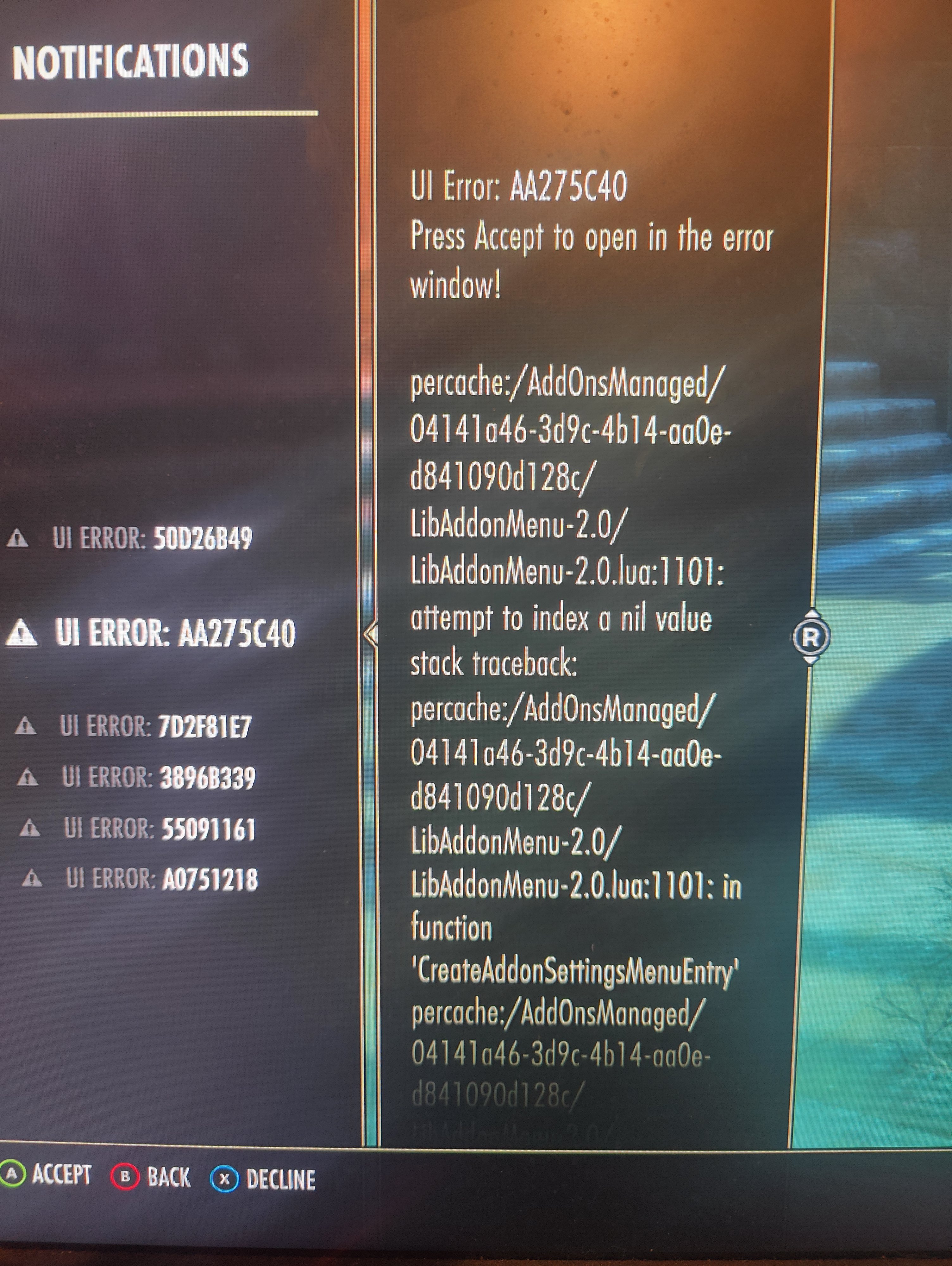
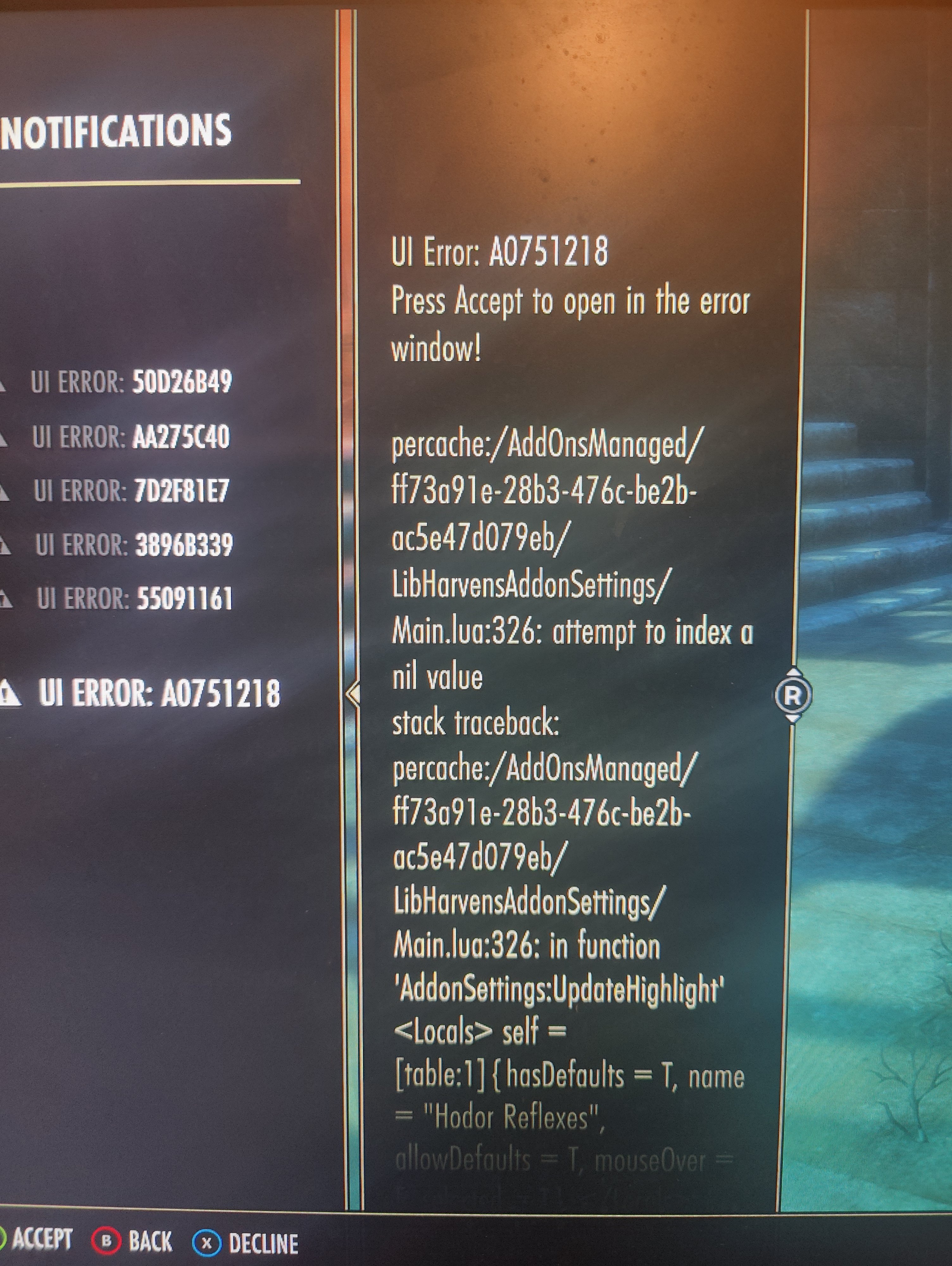
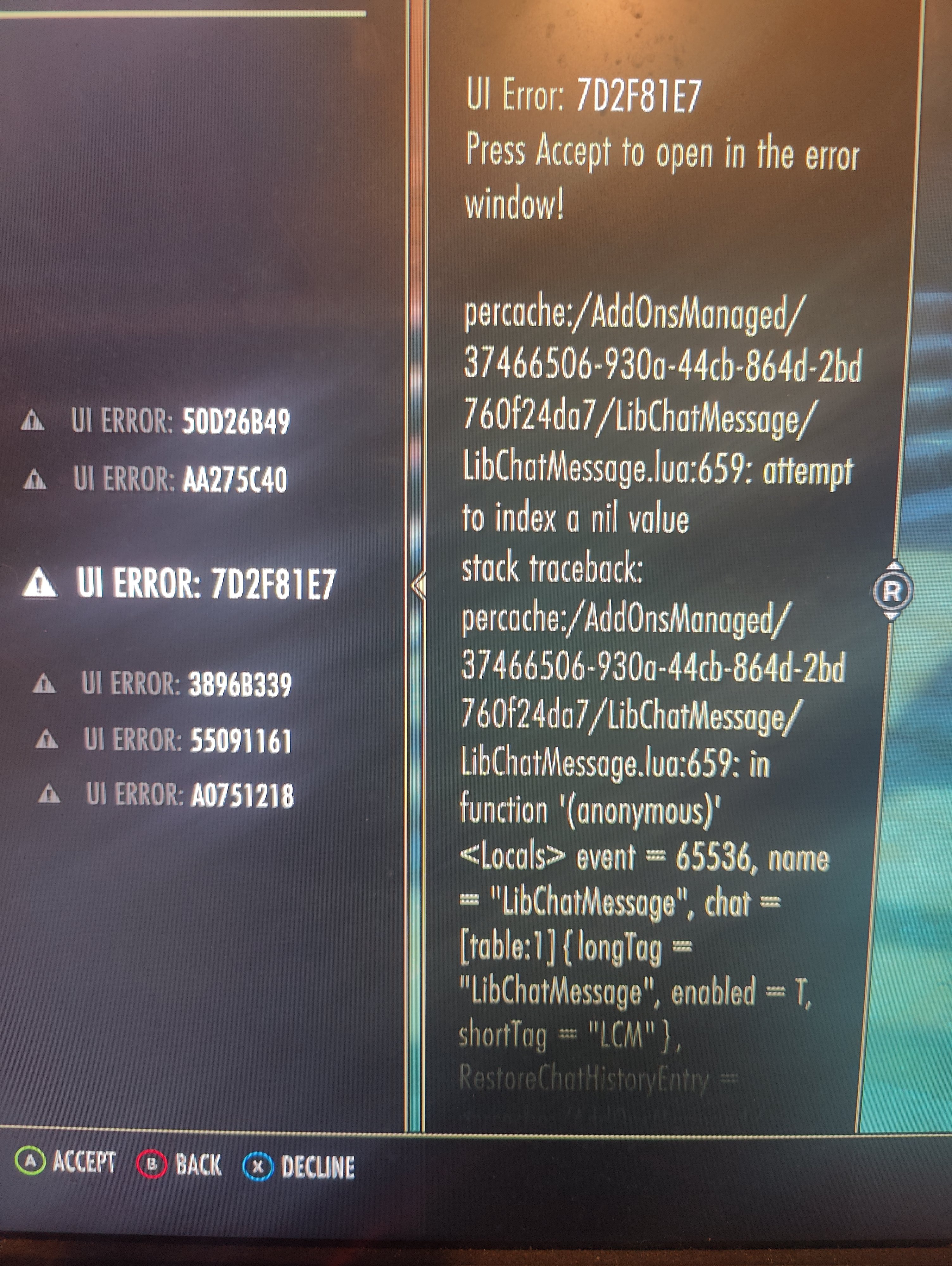
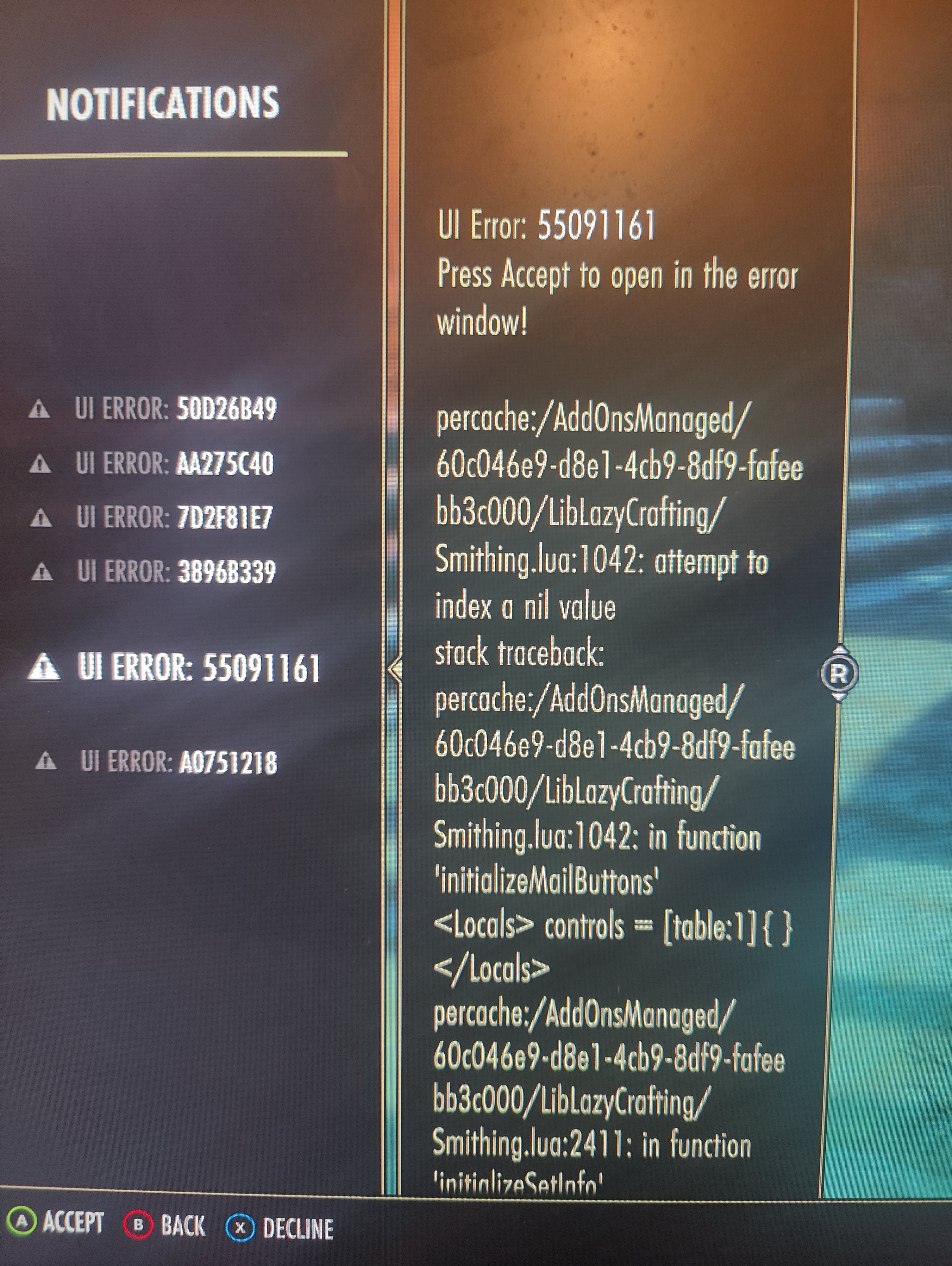
YoshinJaa✭✭✭@ZOS_JessicaFolsom I am noticing some Xbox add-on issues when loading from this version. Notably this error. A decent bit of my add-ons also didn't fully sync over especially the settings but that could be an add-on specific issue with libHarvensSettings or libAddonMenu
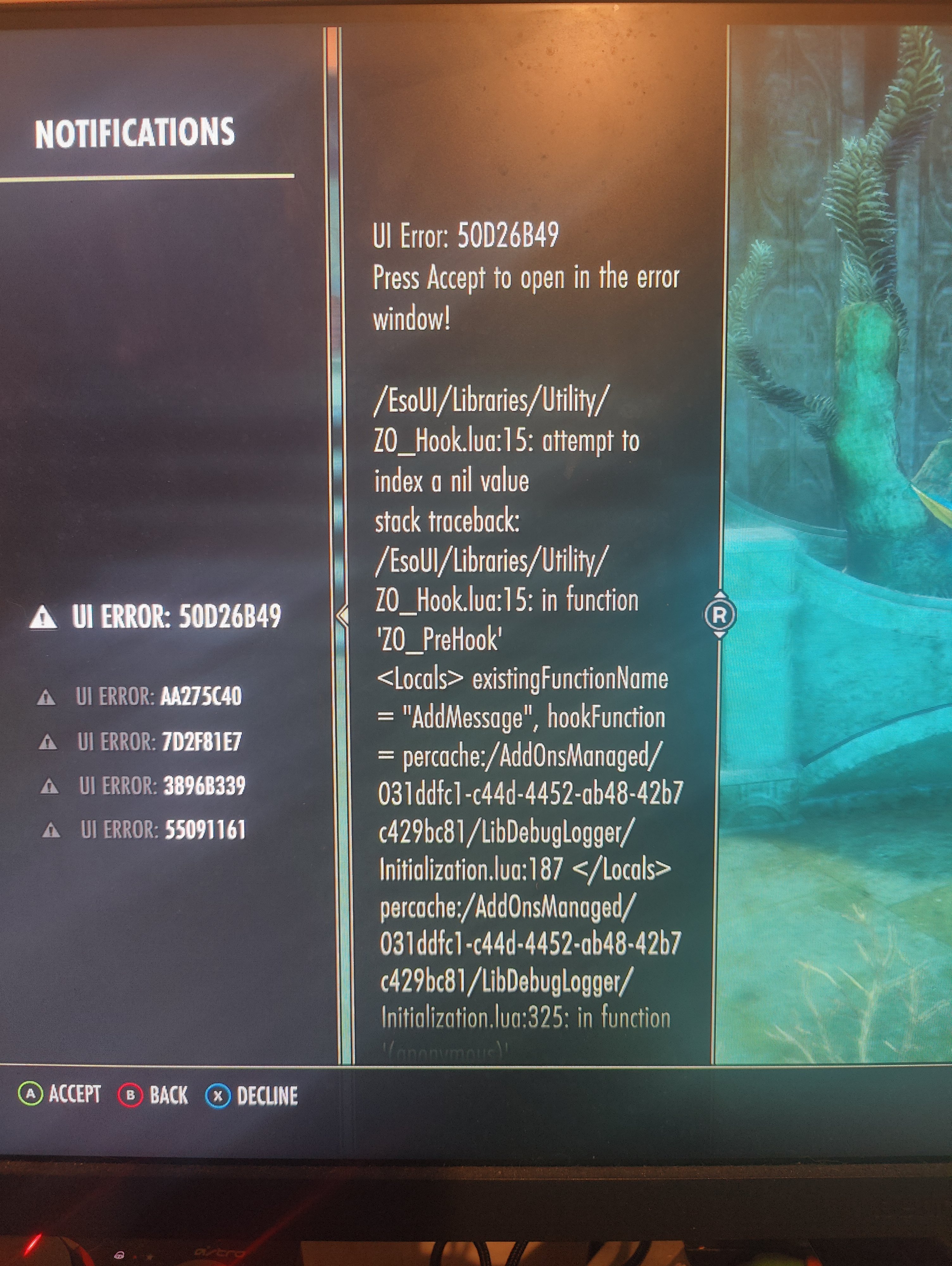
Edited by YoshinJaa on 5 May 2026 17:580 -
 acastanza_ESO✭✭✭✭✭
✭✭✭✭ZOS_JessicaFolsom wrote: »Thank you @YoshinJaa! Are you able to confirm that you are not getting these addon errors when you load up the game on your Xbox?
Skinny Cheeks also reported to me that FancyActionBar+ (which I maintain) was not loading on Play Anywhere even though it definitely works on console-proper, he reported that it showed up in the menu but didn't actually load, although he didn't mention any specific error messages though.
Suggested trying to reinstall first.
Could be some API differences with this mode, discussing on the addon ui dev channels.0 -
ZOS_JessicaFolsomCommunity ManagerThank you @acastanza_ESO!
@YoshinJaa and anyone else who encounters an error like this, in chatting with our devs who manage our addon management efforts, their recommendation is to make sure you have all of the necessary dependencies for your addons installed first and foremost. If you do and you are still getting an error, we recommend contacting the addon author.Edited by ZOS_JessicaFolsom on 5 May 2026 20:090 -
YoshinJaa✭✭✭ZOS_JessicaFolsom wrote: »Thank you @YoshinJaa! Are you able to confirm that you are not getting these addon errors when you load up the game on your Xbox?
No errors even through cloud gaming only the ESO Xbox PC app seems to have issues.0 -
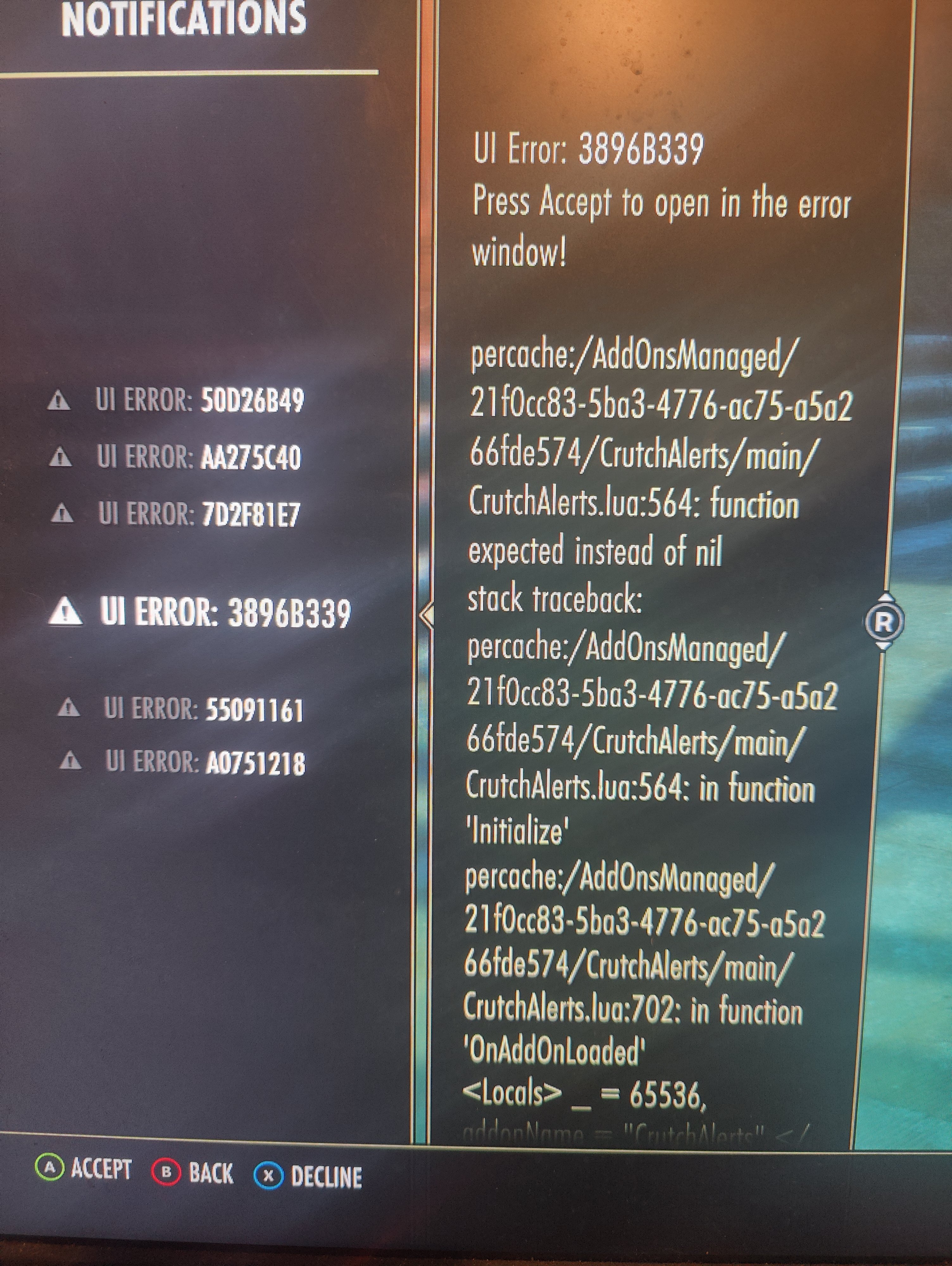
 Kyzeragon✭✭✭For the Crutch error at least, it looks like it's due to using IsConsoleUI, which apparently doesn't return true on this Xbox PC thing. According to Dack, we should probably use ZO_IsConsoleOrGameCoreUI. I'll get that fixed (much) later tonight.Add-Ons: CrutchAlerts | Dynamic CP | Set Collection Marker | Kyzderp's Derps | Synergy Cooldown | Skill Style Cycler | MSPAINTUI | and more1
 -
louthelou✭✭I cannot seem to invert the Y axis for mouse on the new PC version, or the option is completely buried somewhere. Only for controller does the option seem to be available.0
-
 JMadFour✭✭✭✭✭Well dang, an entire month early. Nice.
I was putting off my decision on whether to stay in ESO or FFXIV full time for the next year or so until this launched in June.
that said, yeah the addon settings are pretty much not working as of now on PC, I'm just disabling all my addons until that gets worked out.0 -
NeffyEnn✭✭@ZOS_JessicaFolsom it seems like my addons do work, with one caveat. When I click on an add-on in the setting menu added by LibHarvens, I get the same UI errors as above, so I can't actually configure any of them. It also seems like it didn't transfer over my settings for add-ons either.
I am capped at 30 fps, which I really hope can be changed.
So far I've played it on my gaming PC and my ROG Xbox Ally X, and besides those issues, it seems to work well.0 -
 Velocious_Curse✭✭✭@ZOS_JessicaFolsom it seems like my addons do work, with one caveat. When I click on an add-on in the setting menu added by LibHarvens, I get the same UI errors as above, so I can't actually configure any of them. It also seems like it didn't transfer over my settings for add-ons either.
I am capped at 30 fps, which I really hope can be changed.
So far I've played it on my gaming PC and my ROG Xbox Ally X, and besides those issues, it seems to work well.
My fps is capped at 100, but Just like everyone else i have tons of issues with the addons2600cp- Xbox
Sorc x3(1 Grand Overlord)
Plar x3(1 Grand Overlord)
DK x4 (2 Grand Overlords)
Nightblade x3 (Grand Overloard)
Warden x2
Necro x2
Arc x2
1600cp-PC
Sorc
Warden
DK0 -
WhoThenNow7✭✭✭My fps is also locked at 30. Already checked vsync and stuff like that. Other than that and the add ons, it works fine.0